
















The World page can save the running Factorio world under a second name, as it is at that moment. The copy sits beside your world as its own save. Use it before a big build, a mod change or a new game version.
Save a copy
The server must be running. The page saves the world the game holds in memory, so a stopped server has nothing to copy.
- Open World.
- Under the Saves list, find Save a copy now (1).
- Type a name in the box.
- Choose Save, the button under the box.
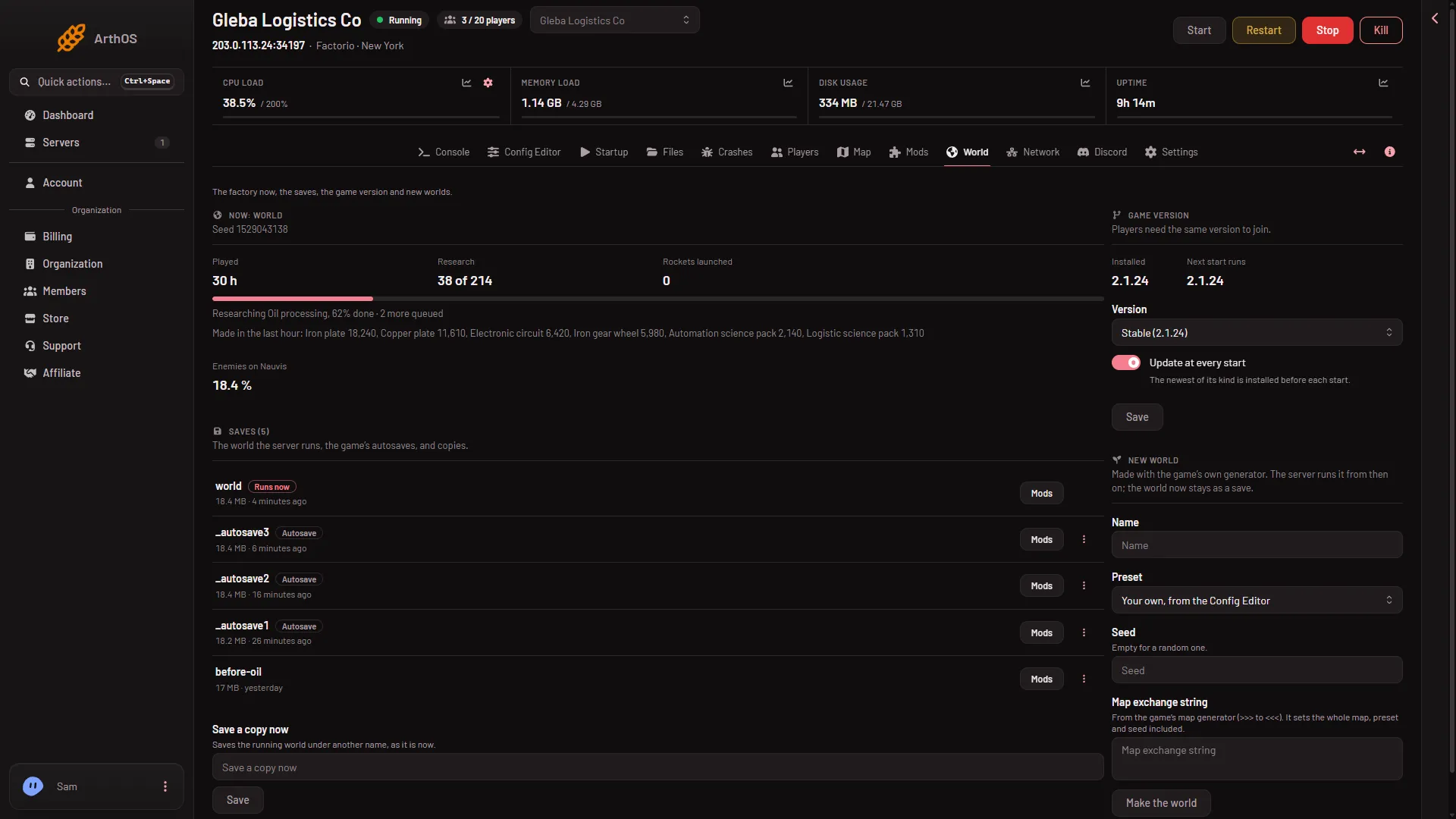
- Save a copy now
The page answers “The world is being saved as (name).” The copy then shows in the Saves list. A big world can take a moment to write.
Name rules
The name is the file name of the save, so the page is strict:
- Letters, digits, dots, dashes and underscores only.
- It must not start with an underscore or a dot. Names starting with
_belong to the game’s autosaves. - At most 60 characters.
A good name says when or why, for example before-space-age or 2026-11-13. If the name breaks a rule, the page says: “Letters, digits, dots, dashes and underscores, not starting with _ or a dot.”
Go back to the copy
A copy does not run by itself. The server keeps running the world it has. To run the copy instead, open its row menu in Saves, choose Run this from the next start, and restart. A restart drops everyone who is on, so use Message everyone on the Players page first. See switch worlds.
To keep the server on its current world and only keep the copy as a safety net, do nothing more.
Other ways to save
- Save now on the Players page writes the running world under its own name. It does not make a second file.
- A stop from the panel saves the world first. Kill never saves.
- A backup from the Backups tab in Settings copies the server’s files as they are, so press Save now before it if you want the newest world in it. See world backups.
A copy is a file on the same server. If the server is deleted, the copy goes with it. For a safe copy off the server, download it with SFTP from the saves folder.
If it does not work
- Save a copy now will not work. The server is stopped, or still starting. Start it and wait until it is up.
- The page refuses the name. Check the rules above, most often a leading
_or a space. - Nothing happens. The page says if the game did not save: try again in a moment.
- I cannot see the copy. Open Files and look in the
savesfolder for(name).zip.
More about the game: Factorio servers.