
















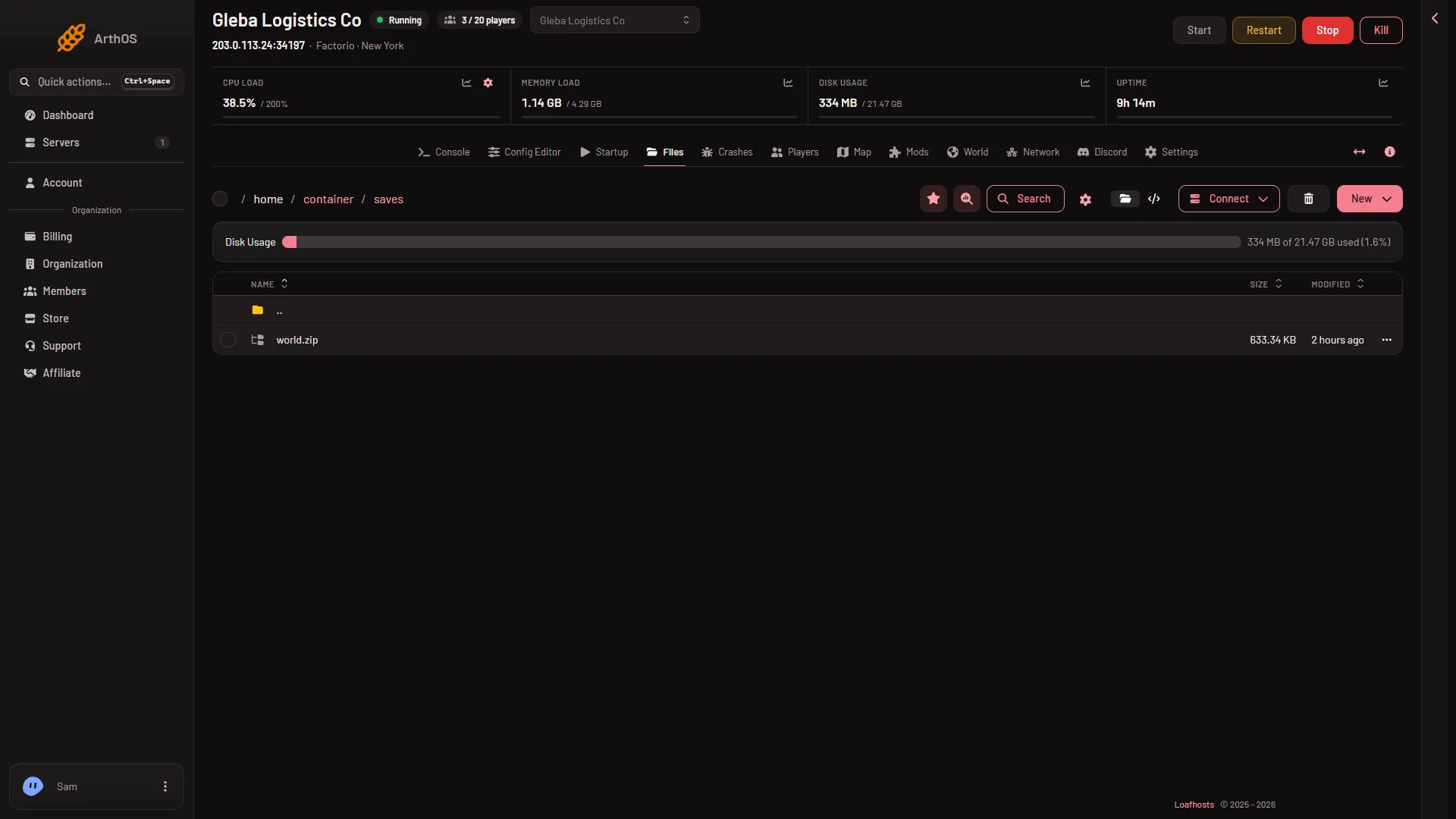
On a Loafhosts server the world is the file saves/world.zip. Open Files and go into the saves folder to see it. The name comes from the World value, and world is the default.
What is in the saves folder
Every save is one .zip file in saves. You may see these:
world.zip. The world the server runs. Its name is the World value without.zip._autosave1.zip,_autosave2.zipand so on. The game writes these by itself, as separate files: they do not rewriteworld.zip, which is written at a stop, at Save now and at Save a copy now. A new server keeps 5 autosaves.- Files you made with Save a copy now on the World page, named as you named them.
- Worlds you made with New world, and saves you uploaded.
Do not unzip a save. The game reads the .zip as it is.
How the server picks the file
The server runs the save named in World on the Startup page. The page says “Change it on the World page.”, and that is the easy way: on the World page, open the menu More for (name) on a save and choose Run this from the next start. It takes effect at the next start.
A name may use letters, digits, dots, dashes and underscores, up to 60 characters, and may not start with a dot. Do not start a name with _: the game uses that for its autosaves, and Save a copy now refuses such names.
Other files that look like saves
factorio-current.login the main folder is the game’s log, not a save.- The
.arthosfolder holds the panel’s own notes. Leave it alone.
On your own computer
Your own copy of the game keeps saves in its user data folder, in a folder named saves. On Windows that is %appdata%\Factorio, on macOS ~/Library/Application Support/factorio, and on Linux ~/.factorio. To move a save between the two, see upload a single-player save and download the server save.
By hand
The game runs a save when you pass its path to --start-server, for example --start-server saves/world.zip; --start-server-load-latest loads the newest save in the folder instead. The Loafhosts start line does this with the World value. If the file is missing, the start line makes a new world with that name first. See the game’s command line page.
If it does not work
- There is no
world.zip. World probably has another name. Open thesavesfolder and look at the names, then set World to the one you want. - The server started a new world and your old one seems gone. The World value probably changed to a name with no save, and a name with no save makes a new world at the next start. The old save is still in
savesunless you deleted it. Set World back to its name and restart.
More about the game: Factorio servers.
Sources: wiki.factorio.com: Application directory, wiki.factorio.com: Command line parameters