
















The world is a .zip file in the saves folder. Open Files, go into saves, open the menu on the save’s row and choose Download. To get the newest state, save a copy first.
Get a current copy
The world file, world.zip, is written when the server stops, at Save now and at Save a copy now. Autosaves are separate _autosave files and do not rewrite it. To get the world as it is now:
- Open the World page.
- In Save a copy now, type a name, for example
to-download. Use letters, digits, dots, dashes and underscores, and do not start with an underscore or a dot. - Choose Save. The page says “The world is being saved as (name).”
This needs the server to be running. If it is stopped, its last save is already complete: stopping the server saves the world.
Download it
- Open Files and go into the
savesfolder. - Find your copy, for example
to-download.zip. The running world isworld.zipunless World has another name. - Open the menu on the row and choose Download.
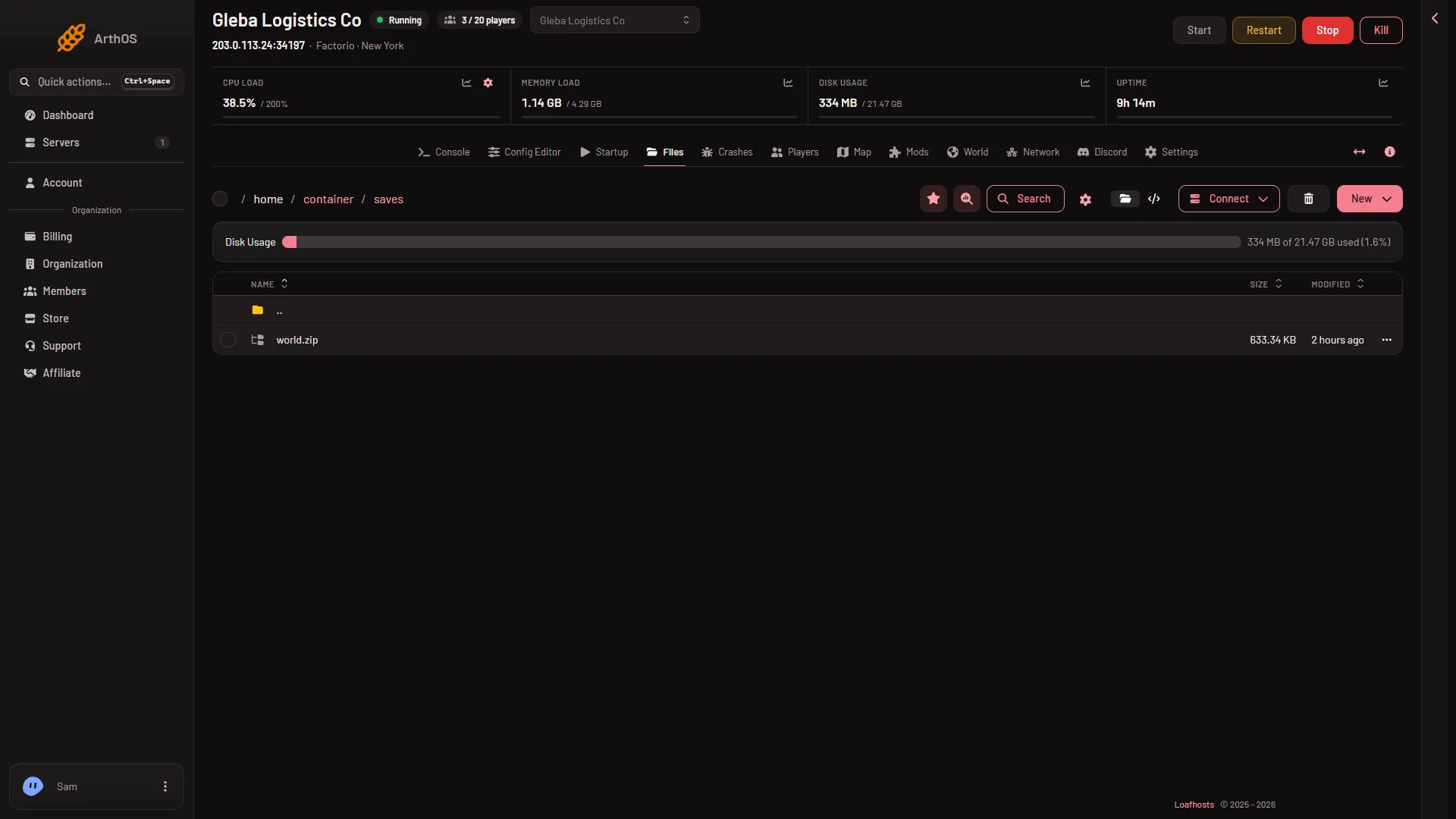
Keep the file as a .zip. Do not unzip it.
Play it on your computer
- Close Factorio.
- Copy the
.zipinto thesavesfolder of your game’s user data folder. On Windows that is%appdata%\Factorio\saves, on macOS~/Library/Application Support/factorio/saves, and on Linux~/.factorio/saves. - Start Factorio and choose Load game. The save is in the list.
Your game must be the same version as the server or newer. A save from a newer game does not load in an older one. If the world uses mods, install the same mods on your computer first. The world’s mod list is in the box Mods of (name), which the Mods button on the save’s row on the World page opens.
With SFTP
You can also fetch the file with an SFTP program. Open the Connect menu on Files and choose via SFTP. SFTP Details shows what to enter in your SFTP program. The save is in the same saves folder.
If it does not work
- Save a copy now does nothing. The server is not running. Start it, or download the existing save.
- The download is old. You took a file written before your last stop or Save now. Make a fresh copy and download that.
- The game will not load the file. It is newer than your game, or you unzipped it. Keep the
.zipas it is. Update your game or see save not loading.
More about the game: Factorio servers.
Sources: wiki.factorio.com: Application directory, wiki.factorio.com: Multiplayer