
















Upload the save’s .zip file into the saves folder in Files, open the World page, and choose Run this from the next start on it. Then restart the server. The save must come from the server’s Factorio version or an older one.
Before you start
- Version. A save made by a newer Factorio does not load in an older one. The World page shows Installed, the version the server runs. Check it against the version of your own game. If your game is newer, see save not loading.
- Mods. If the world uses mods, the server needs the same ones. After the upload, the Mods button on the save’s row shows what differs.
- Space Age. If the world uses Space Age, the server needs Space Age on. It is on the Mods page. Players also need the expansion to join.
- Your current world. The upload does not touch it. It stays as a save.
Find the save on your computer
Your game keeps saves in a folder named saves inside its user data folder. On Windows that is %appdata%\Factorio\saves, on macOS ~/Library/Application Support/factorio/saves, and on Linux ~/.factorio/saves. The file is a .zip. Do not unzip it.
Name the file
The server can only run a save whose name uses letters, digits, dots, dashes and underscores, up to 60 characters. The name may not start with a dot. As advice, do not start it with _ either: the game names its autosaves that way. If your file is called My Base (final).zip, rename it on your computer first, for example my-base.zip.
Upload it
- Open Files and go into the
savesfolder. - Open the New menu and choose File from Upload.
- Pick your save file.
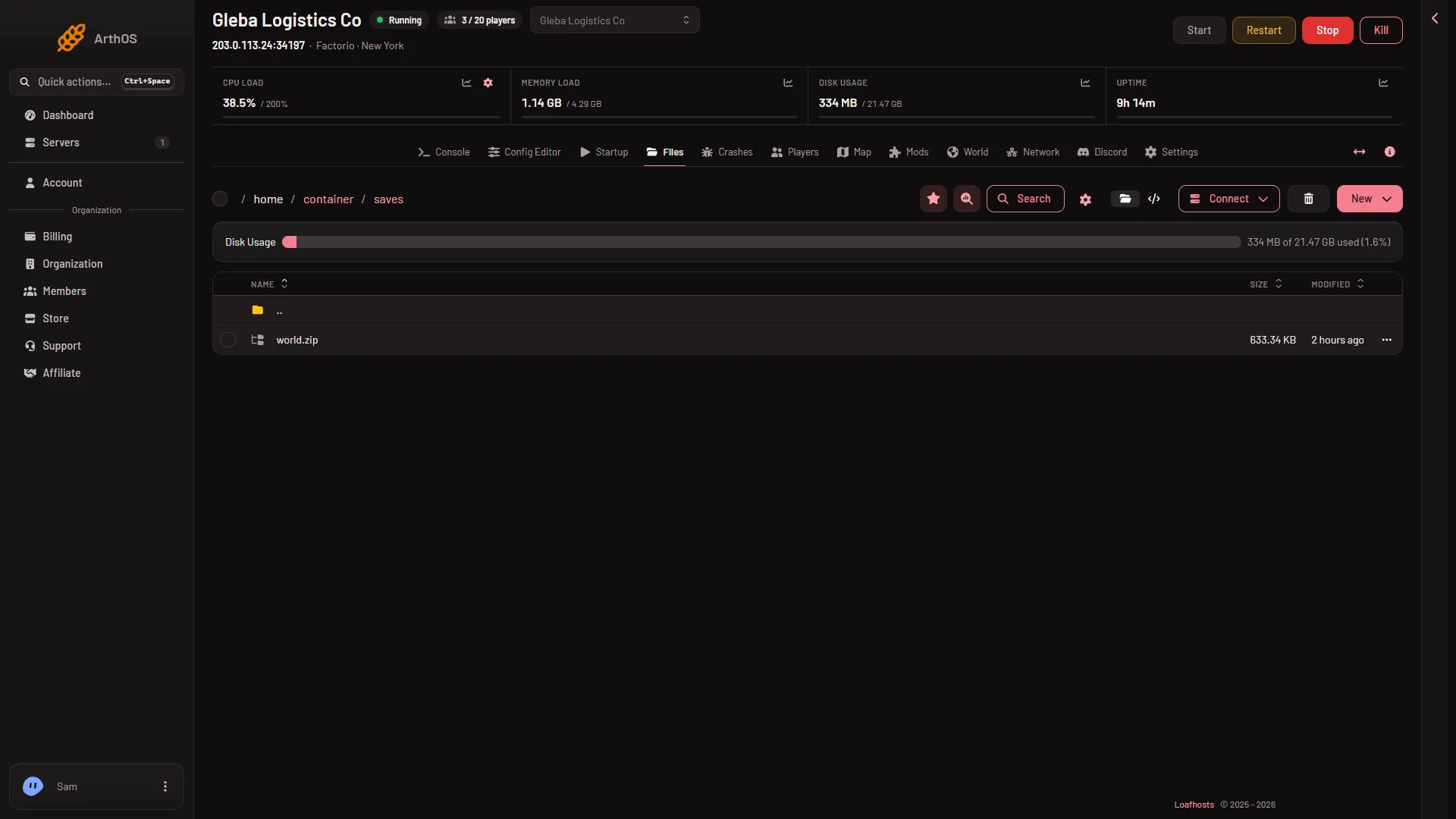
Run it
- Open the World page.
- Find your save in Saves.
- Open More for (name) on the row and choose Run this from the next start.
- Restart the server. A restart drops everyone who is on, so warn them first with Message everyone on the Players page.
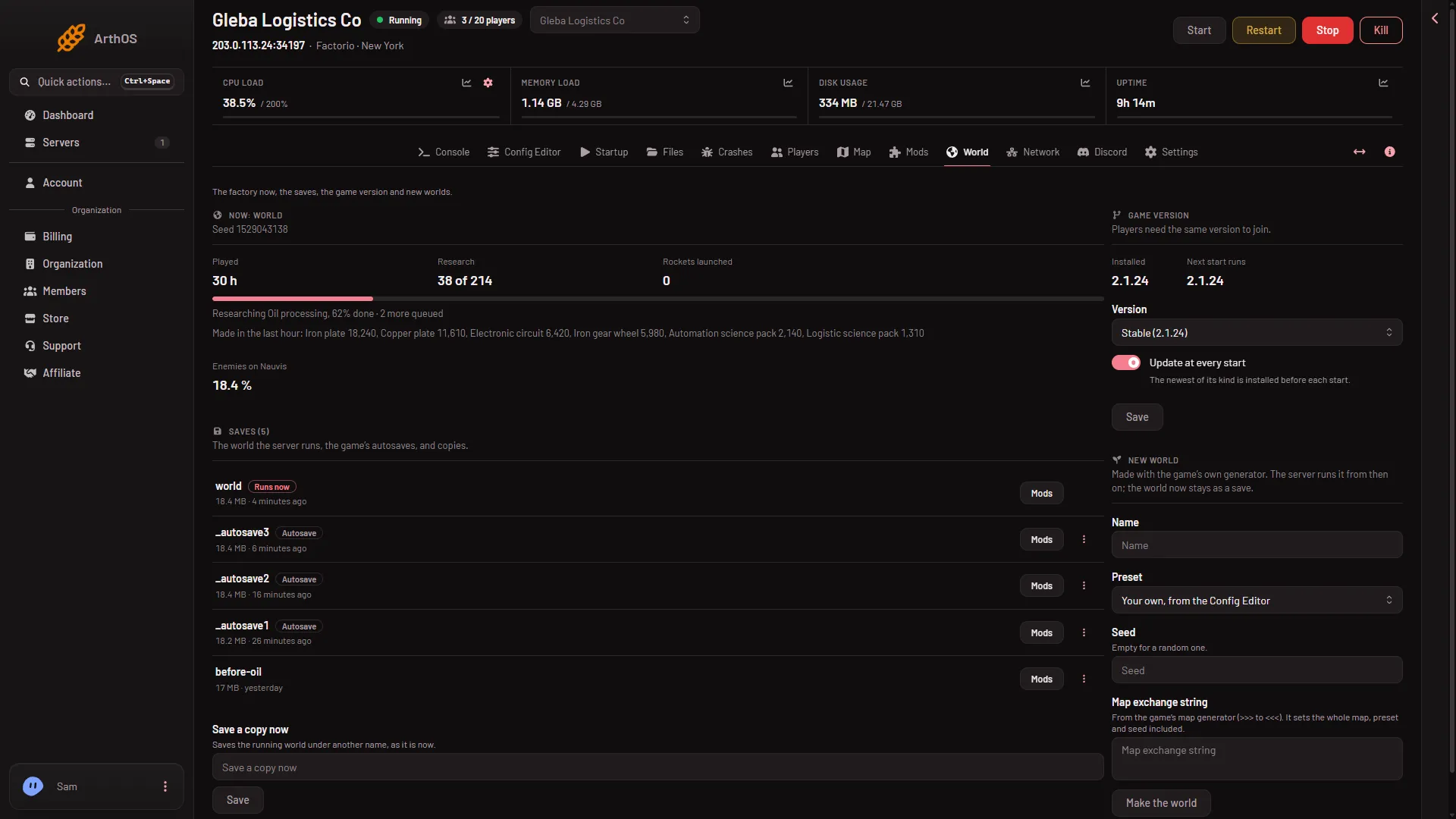
- Your save appears in the list
The change takes effect at the next start. After the restart the row has the tag Runs now.
Mods of the save
Choose the Mods button on the save’s row on the World page. The box Mods of (name) says which Factorio version made the save, and either that the server has every mod it was made with, or how many differ. Each difference is listed: not on the server, another version, or turned off. The button Install these mods installs them from the mod portal. A server downloads from the portal with its own factorio.com account: the username on Startup and the token under Passwords in the Config Editor. Without them, upload the mod files yourself on the Mods page.
If it does not work
- The save is not in the list. Check that the file is in
savesand ends in.zip. Rename it if the name has spaces or brackets. - The server does not start. The save is probably newer than the server, or it needs mods the server does not have. The Crashes page names the cause. See save not loading.
- The server runs a new empty world. The World value does not match the file name. Set it again from the menu.
- Players cannot join. They need the same version and the same mods as the server.
More about the game: Factorio servers.
Sources: wiki.factorio.com: Application directory, wiki.factorio.com: Multiplayer