
















Open the Crashes page first. It reads the game’s log and names the cause. The usual ones are a save from a newer Factorio, a mod the server does not have, or a World name that points to no save.
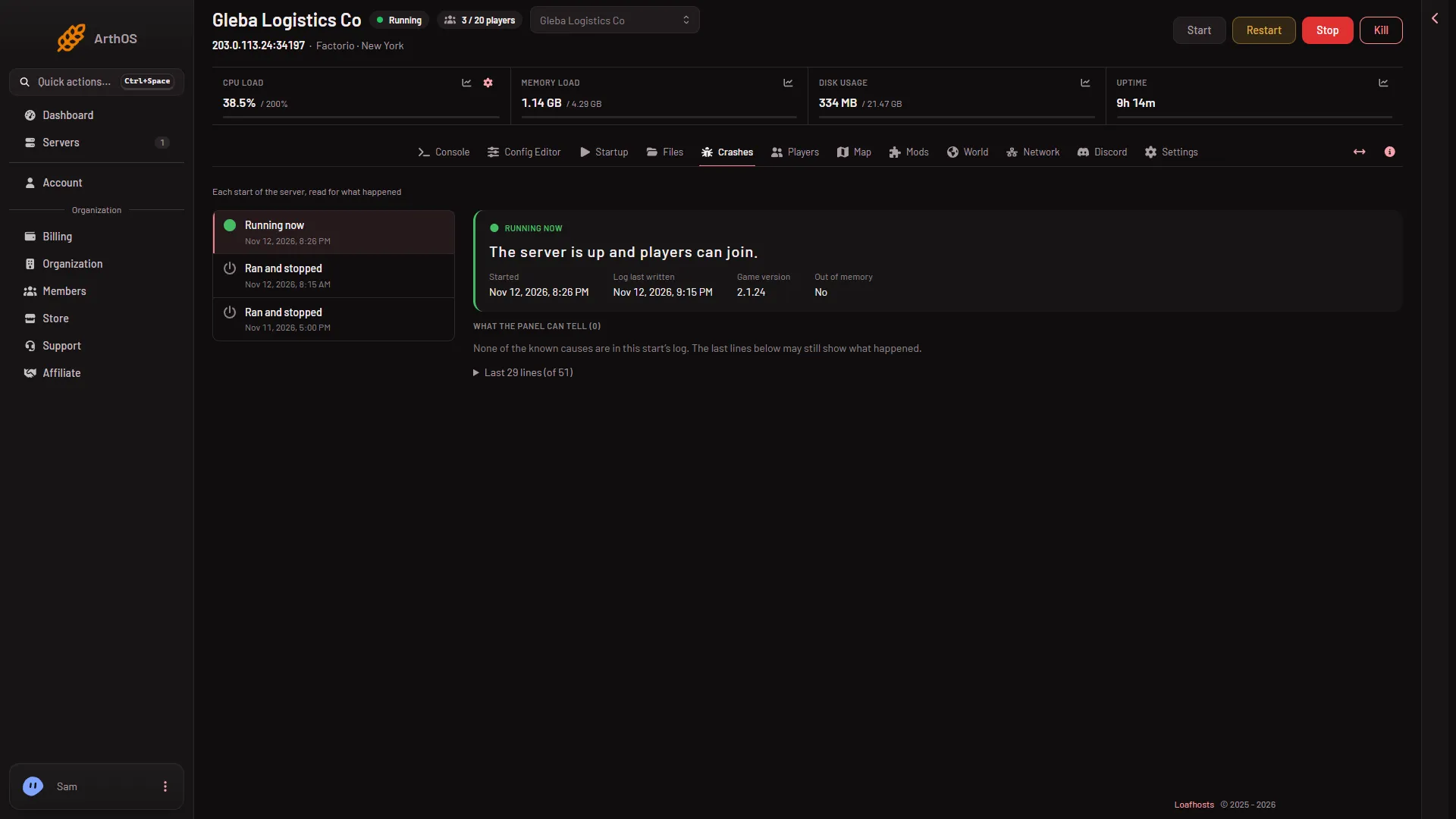
- Game version of that start
Read Game version (1) for that start, then the findings under What the panel can tell.
The world is newer than the game
The Crashes page says “The world is newer than the game”. A save made by a newer Factorio cannot load in an older one. The World page warns about this too: “Worlds saved by (installed) do not load in (version): the server starts again only with an older save or a new world.”
- Open the World page. Under Game version, read Installed.
- Compare it with the version of the game that made the save.
- If the save is newer, pick the newer version (or Stable) under Version and choose Save. The server changes version at its next start.
- Choose Restart at the top of the server page. A restart drops everyone who is on, so use Message everyone on the Players page first.
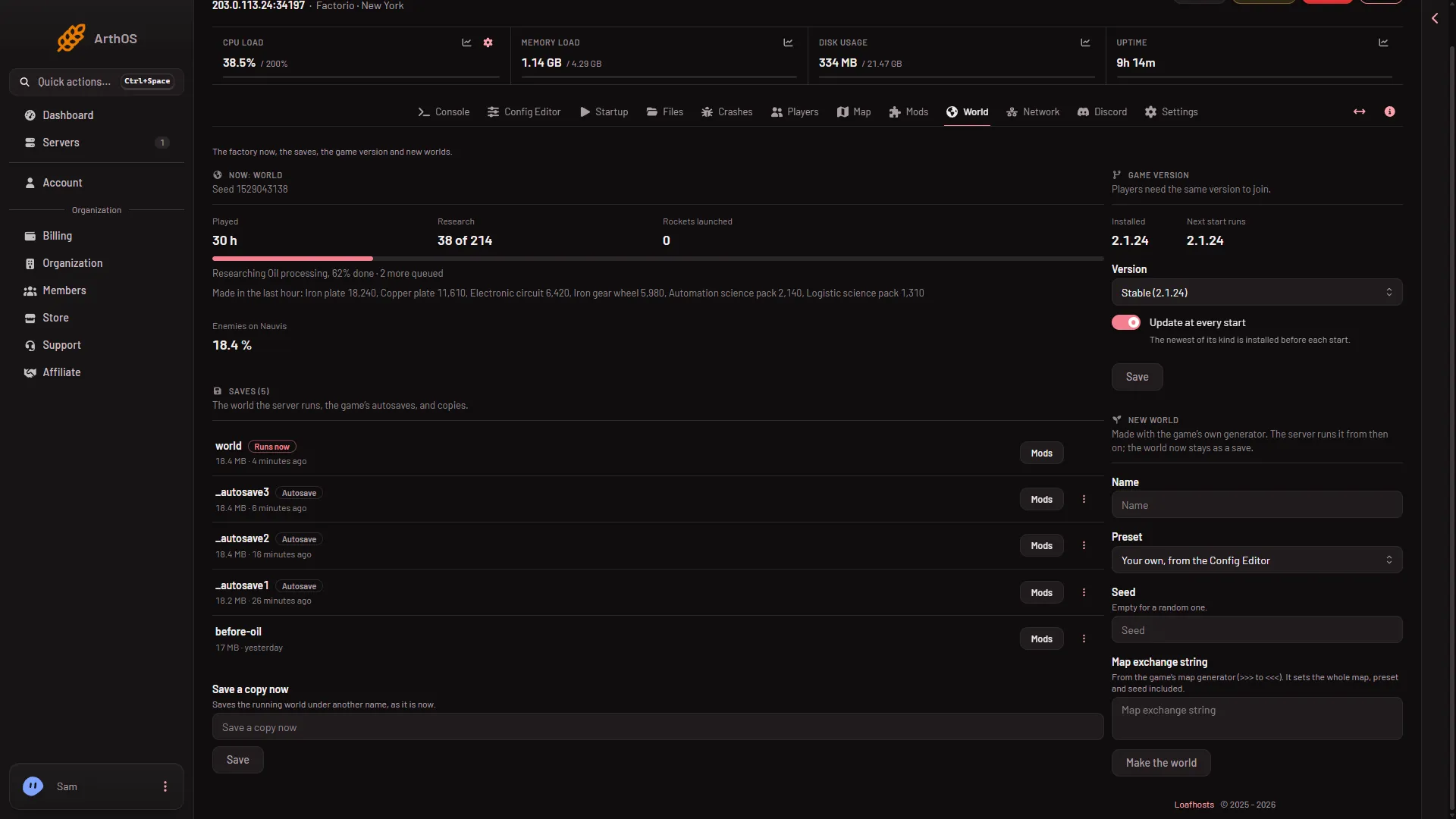
- Installed (1)
- Next start runs (2)
If you do not want to change the version, run an older save instead: choose Run this from the next start on it in Saves, and restart.
A mod could not load
The finding is “A mod could not load, so the server did not start”. The game stops at the start, before anything loads, when a mod is made for another game version or needs a mod the server does not have. A save made with mods needs the same mods.
- On the World page, choose Mods on the save’s row. A box named Mods of (name) opens. It lists the mods that are not on the server, have another version, or are turned off.
- Choose Install these mods to fetch them, or fix them on the Mods page.
- Choose Restart at the top of the server page.
A server downloads from the mod portal with its own factorio.com account: the username on Startup and the token under Passwords in the Config Editor. A mod must also be made for the same Factorio version, such as 2.1. If a mod cannot be made to work, turn it off on the Mods page. A save that used it may then lose what the mod added, so choose Save a copy now on the World page first.
A related finding is “A mod’s prototypes did not load”. The line names the mod after Modifications. Update that mod or turn it off.
The server started the wrong world
The World value on Startup names the save the server runs. A name with no save makes a new empty world at the next start. Your old save is not deleted.
- Open Files and look in
saves. Check the exact file name. - On the World page, choose Run this from the next start on the right save.
- Choose Restart at the top of the server page.
The world could not be loaded
The finding is “The world could not be loaded”. The file may be damaged, for example by an upload that was cut off.
- Run an autosave or another save: load an autosave.
- Or put back a backup. Open Settings, then Backups, and choose Restore on a backup made before the problem.
- If you uploaded the save, upload it again. See upload a single-player save.
If it does not work
- The save is not listed. The file may not be in
saves, may not end in.zip, or may have a name with spaces or brackets. Rename it and upload it again. - Nothing changed after you picked a save. The choice loads at the next start. Choose Restart.
- The server started, but players cannot join. They need the same version and the same mods.
More about the game: Factorio servers.
Sources: wiki.factorio.com: Multiplayer