











On the Players page you can ban a player, and the ban keeps them out from the next start of the server. A ban does not remove someone who is on the server now. To do that, kick them from the game’s admin menu. The panel has no kick.
Not checked on 0.025 as of 27 October 2026: that a banned player is refused in the game. The super admin list was proven in the game; the ban list was not.
Ban a player
- Open the Players page.
- Find the player under Online or Everyone who has played.
- Open the menu on their row (the three dots).
- Choose Ban from the next start.
- A box asks “Ban (name)?”. It says the player cannot join once the server has started with the ban, and that to remove them now you kick them in the game. Choose Ban.
The player is now in the Banned list. The list says “They cannot join from the next start. Someone on now is kicked from the admin menu.”
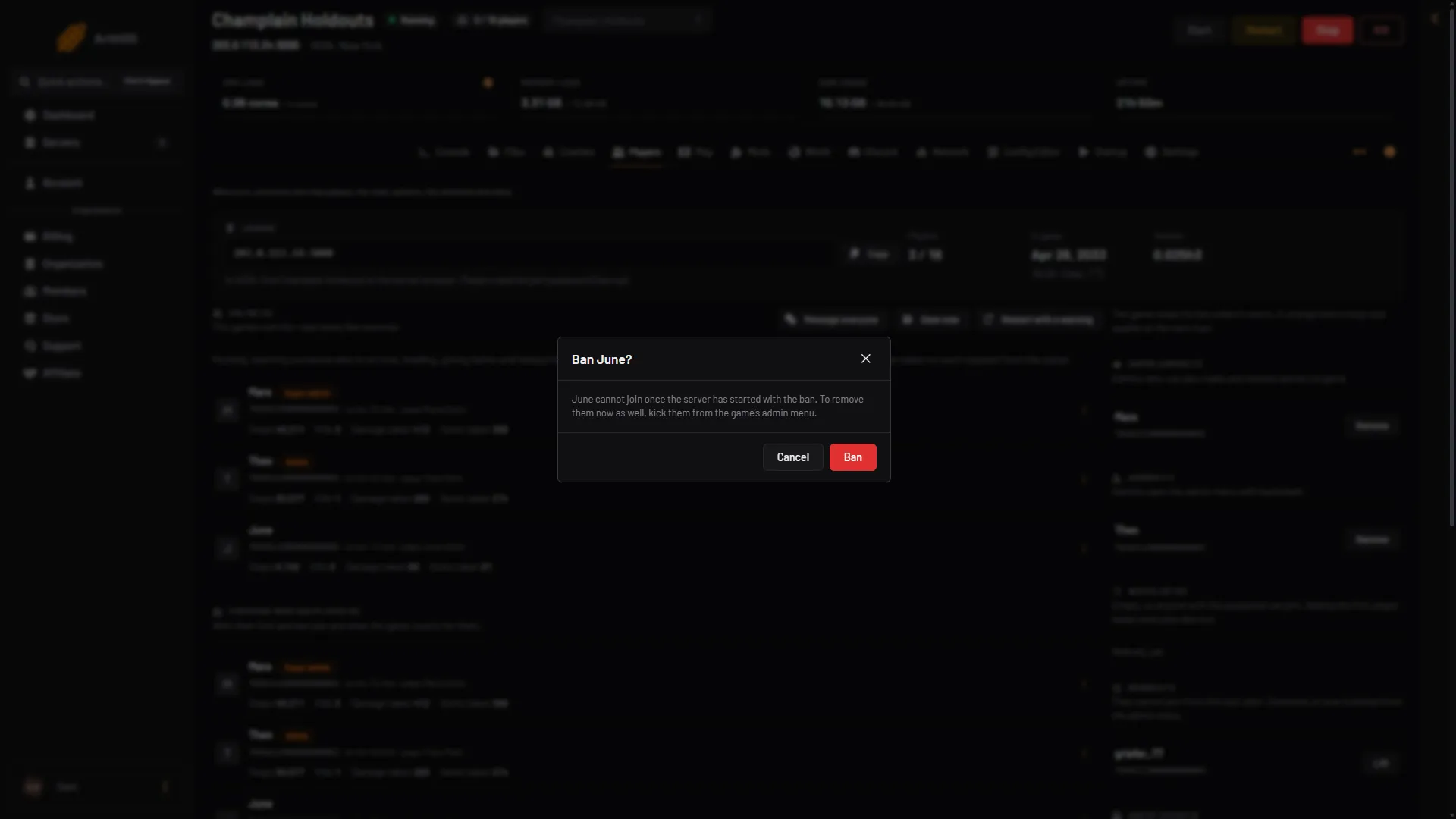
- Read what a ban does
- Choose Ban
Kick a player who is on now
- Join the server in the game as an admin. See make yourself admin.
- Press backslash (
\) to open the admin menu. - Use the kick option in the menu.
See the VEIN admin menu. Not checked on 0.025 as of 27 October 2026: the exact wording of the kick option in the menu.
To keep them out afterwards, ban them on the Players page too. A kicked player who is not banned can join again.
Ban someone who has not joined
- In the card Add by Steam id, type their SteamID64 in SteamID64. See find a Steam id.
- In Add to, choose Banned.
- Choose Add.
Lift a ban
In the Banned list, choose Lift (1) next to the name. Or open the menu on their row and choose Lift the ban.
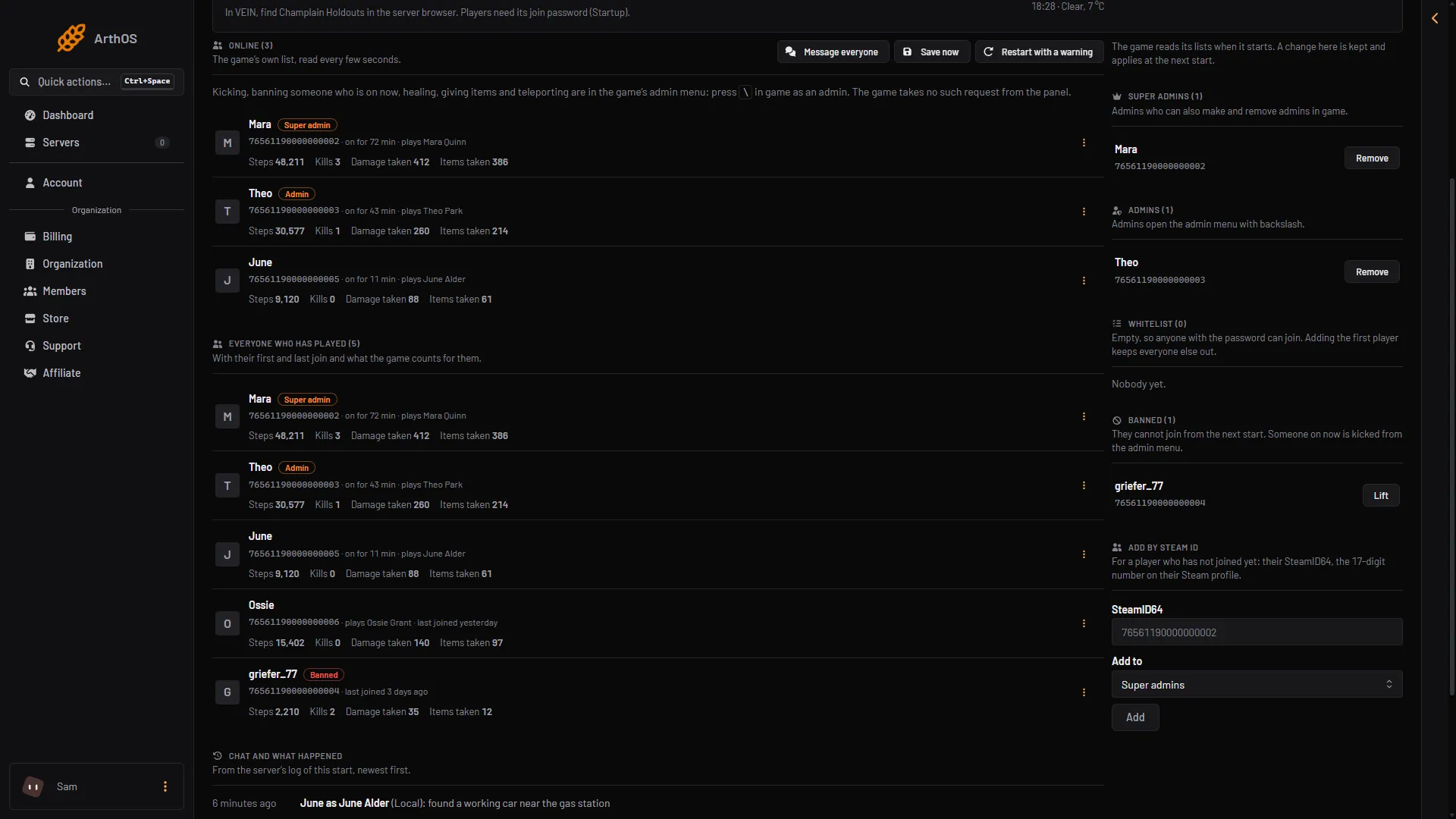
- Lift the ban
When it takes effect
The game reads its lists as it starts. A ban added while the server runs is kept by the panel and written before the next start. The row shows Next start until then. If the server is stopped, the change is saved at once. To make it work now, choose Restart at the top right of the server page, or kick the player in the game.
If it does not work
- The player is still on. A ban removes nobody now. Kick them in the game’s admin menu.
- Ban from the next start is missing. Your role on the panel may not allow moderating players.
- The id is refused. It must be 17 digits and start with 7656.
By hand
Bans are in Vein/Saved/Config/LinuxServer/Game.ini (Files). Change it only while the server is stopped, because the game rewrites the file when it stops. Not checked on 0.025 as of 27 October 2026: that the game reads these keys. The first id has no plus sign and every other id starts with one.
[/Script/Vein.VeinGameStateBase]
BannedPlayers=76561190000000104
+BannedPlayers=76561190000000105
More about the game: VEIN servers.