












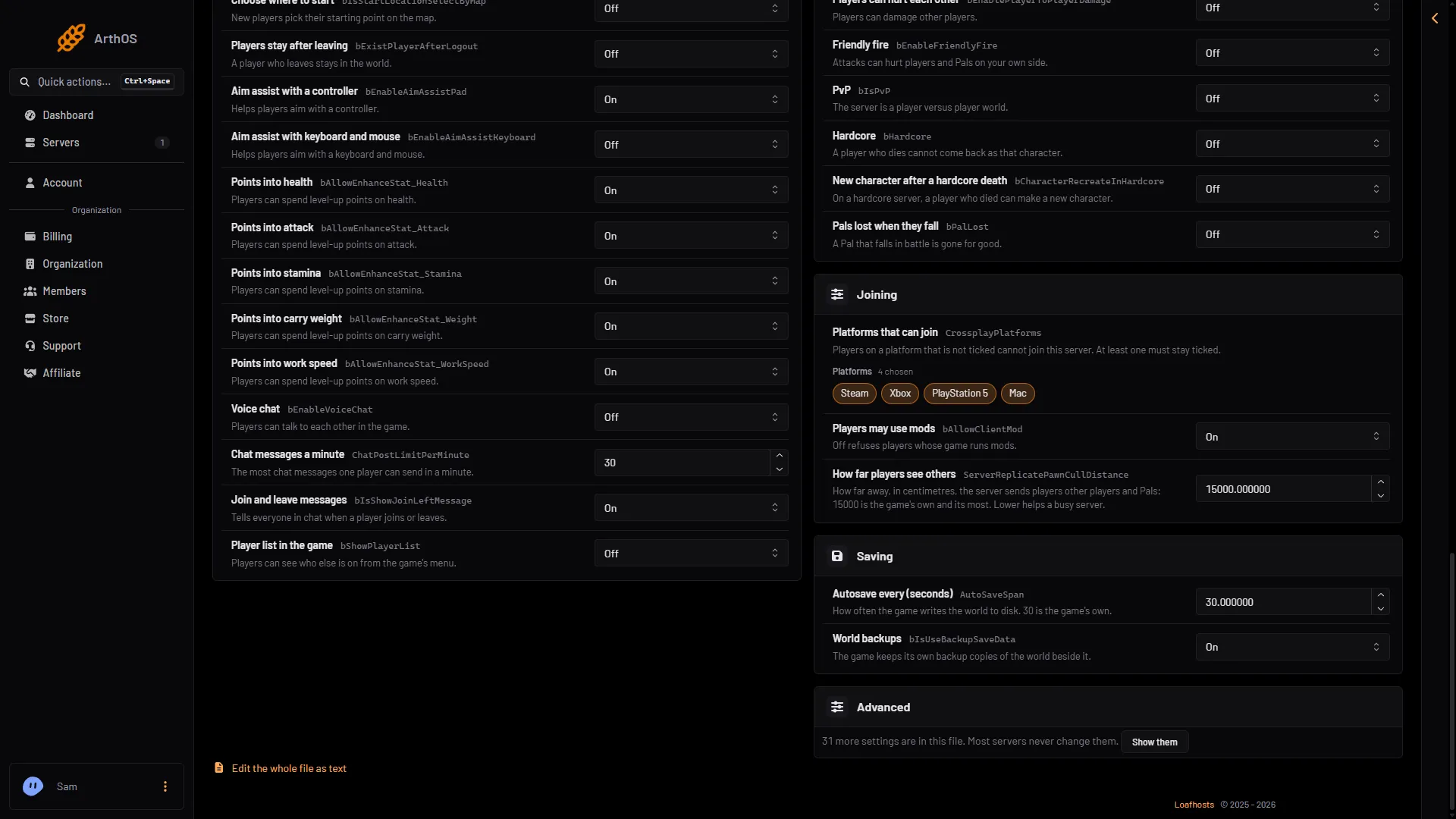
Four Palworld settings control what players see about each other: how fast they can chat, whether the game announces joins and leaves, whether the ESC menu lists who is online, and whether structures show who built them. You change all four in the Config Editor page; the fourth is under Advanced. All four apply at the next start.
The settings
| Row | Key | Default | What it does |
|---|---|---|---|
| Chat messages a minute | ChatPostLimitPerMinute | 30 | The most chat messages one player can send in a minute. |
| Join and leave messages | bIsShowJoinLeftMessage | On | Tells everyone in chat when a player joins or leaves. |
| Player list in the game | bShowPlayerList | Off | Players can see who else is on from the game’s menu. Pocketpair says it enables the player list on the ESC menu. |
| (Advanced) | bEnableBuildingPlayerUIdDisplay | Off | Pocketpair says it displays the creator’s player ID on structures. |
The defaults are the ones in the 1.0.5 server’s own settings file. A new Loafhosts server starts with them.
Change them in the panel
-
Open the Config Editor page and pick Game settings.
-
Open the Players group.
-
For the chat limit, type a whole number from 0 to 1000 in Chat messages a minute (1).
-
Switch Join and leave messages (2) and Player list in the game (3) On or Off.
- Type the chat limit
- Join and leave messages
- Player list in the game
-
Choose Save.
To show the builder on structures:
- In Game settings, find the card that says more settings are in this file. Choose Show them.
- Find
bEnableBuildingPlayerUIdDisplay. The panel names this row from its key. - Switch it On and choose Save.
When it applies
The game reads settings when it starts. If the server is running, the editor says “Saved, waiting for the next restart”. The change is written just before the next start. Choose Restart now to apply it at once; a restart disconnects everyone. If the server is stopped, the change is written when you save.
Choosing values
- Chat limit. A lower number slows people who send many messages quickly. Raise it if players say their messages are held back. Pocketpair does not say what
0does, so do not rely on it to mean “no limit”. - Join and leave messages. Turn them Off on a busy server if the chat fills with joins and leaves.
- Player list. Turn it On if you want players to see who else is online without asking in chat. Leave it Off if you prefer players not to see each other.
- Builder ID. Turn it On if you want to see who built something. Not checked on 1.0.5 as of 4 November 2026: what the ID looks like on a structure.
If it does not work
- Nothing changed in the game. The server has not restarted since you saved.
- The ESC menu has no player list. Check that Player list in the game is On and the server was restarted.
- Messages still appear when you turned them off. Check that you saved Join and leave messages as Off and restarted.
- A world with its own settings ignores some of these. A world with its own
WorldOption.savignores the Game settings for the settings that file holds. The World page shows Own settings for it.
More about the game: Palworld servers.
Sources: docs.palworldgame.com: Configuration