












The Players page has a list called Chat and what happened. It shows joins, leaves, chat, kicks and bans from the server’s log, newest first. It covers the current start of the server only. Older starts are kept as log files.
On the Players page
Scroll down the left side of the Players page. Chat and what happened says “From the server’s log of this start, newest first.” Each line has a time and one of these:
- “(name) joined”
- “(name) left”
- the player’s name and what they said, as “name: words”
- “(name) was kicked by (who)”, with the reason in brackets if there is one
- “(name) was banned by (who)”, with the reason
- “(name) was unbanned by (who)”
When the panel did the kick or ban, “who” reads “the panel”. Otherwise it shows the name the game gives for who did it.
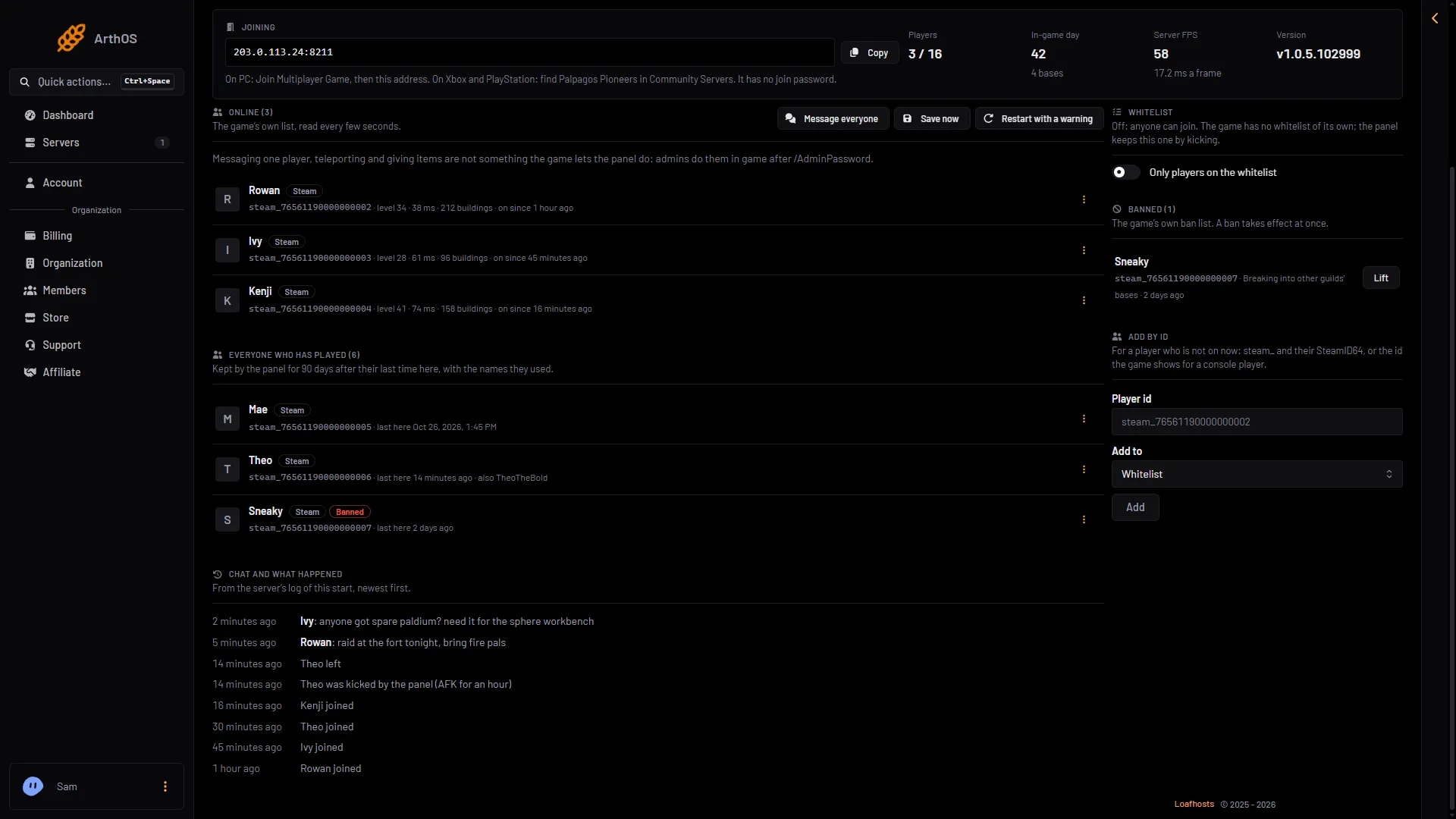
- Chat and what happened
- A chat line
- A kick
The list (1) holds chat lines (2) and what happened, such as a kick (3).
The list appears once there is something to show. It shows the newest 80 lines of this start. Older lines are in the kept logs, below. When the server restarts, the list starts again from the new log.
In the Console
The Console shows the same lines as they come. It writes each line with its level in front (INFO, WARN) and chat lines with Chat. The time is hidden until you turn on Show Timestamps.
The kept log in Files writes the time and a tag instead. A chat line in the kept log looks like this:
[2026-11-02 17:36:16] [CHAT] <Name> hello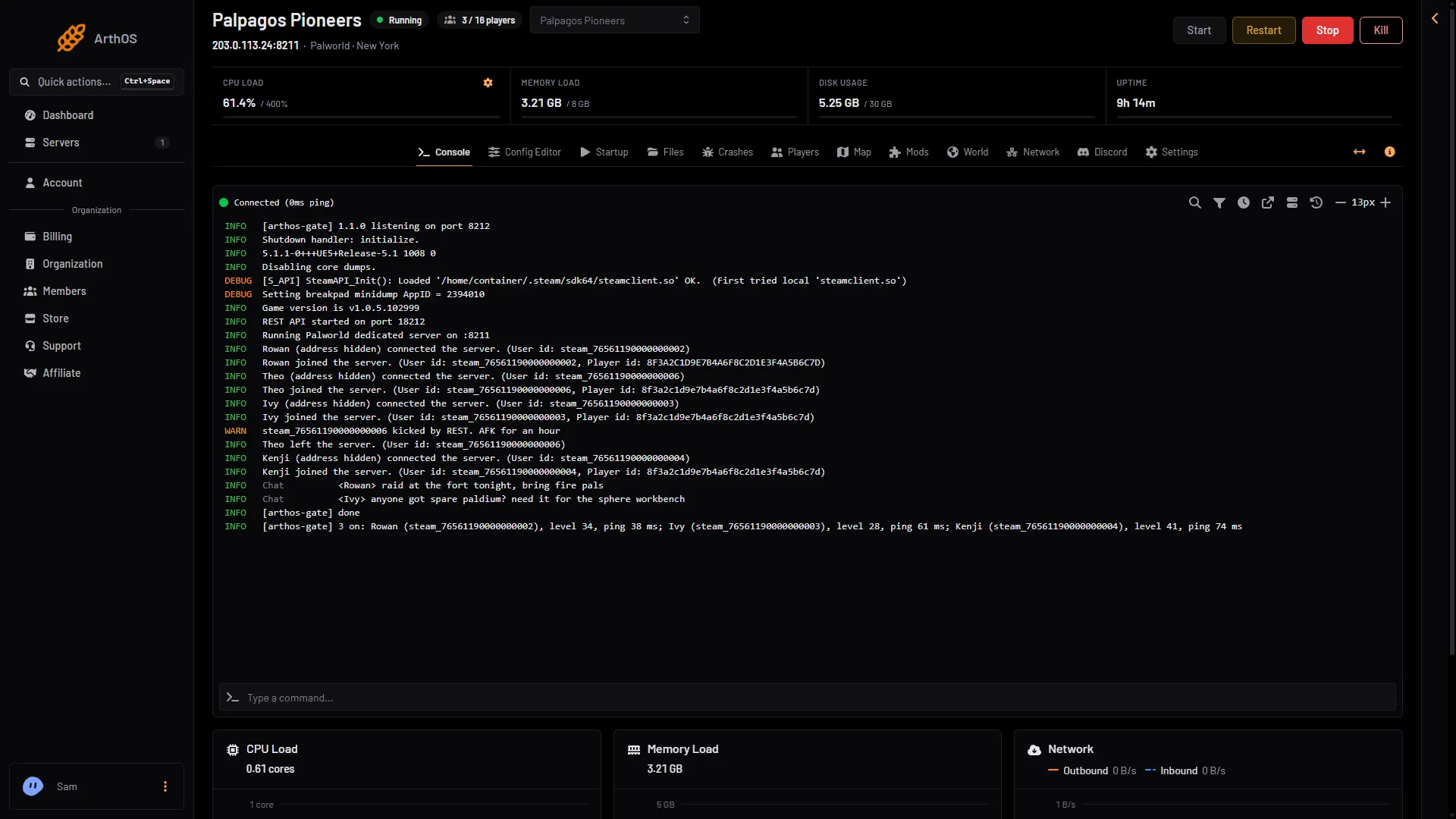
- A kick
- Chat
The console marks a kick (1) and chat (2). The kept logs below hold the same lines, without players’ network addresses.
Older starts: the kept logs
The panel keeps the console of each start in a file, and keeps the newest ten. Each file holds at most the first 50 MB of its start, so a very long or noisy start can end its log before the server stopped.
- Open Files.
- Go to
Pal/Saved/Logs. - Open a file named
arthos-and the start time, for examplearthos-20261102-172900.log.
Times in the log are the server’s own time zone. The Crashes page lists the same starts and tells you how each one ended. See server logs.
Event posts in Discord
The Discord page can post the same kind of events to a channel through a webhook. Posts include players joining, leaving, being kicked, banned and unbanned, with the reason and who did it. See the Discord page.
What the panel cannot do
The panel cannot reply to one player. Message everyone on the Players page sends a message that everyone on the server sees as the game’s own announcement. To talk to one player, use the game’s chat. See send a message to everyone.
If it does not work
- The list is missing. There is nothing to show yet. Join the server and check again.
- Old events are gone. The list covers the newest 80 lines of this start. Open the kept logs in
Pal/Saved/Logs. - A line is missing from a log. The panel filter removes blank lines, players’ addresses and the API’s own lines.
More about the game: Palworld servers.
Sources: docs.palworldgame.com: Commands