












Palworld servers have crossplay on by default. Steam, Xbox, PlayStation 5 and Mac players can all join the same server. You do not have to turn anything on. You can turn platforms off.
Which platforms
Pocketpair lists these as the platforms that play together on a dedicated server:
- Steam on PC.
- Xbox: Xbox Series and the Windows PC version from the Microsoft Store.
- PlayStation 5.
- Mac.
A new Loafhosts server allows all four.
How consoles join
Xbox and PlayStation 5 players cannot type an address. They must find the server by name under Community Servers. So the server must be listed. Keep Listed in Community Servers on, and give the server a name console players can search for. See Palworld community servers and connect to a Palworld server.
Choose the platforms that can join
- Open the Config Editor page.
- Choose Game settings.
- Open the group Joining.
- Find Platforms that can join (1). It has four ticks: Steam, Xbox, PlayStation 5 and Mac.
- Untick the platforms you do not want. At least one must stay ticked.
- Choose Save.
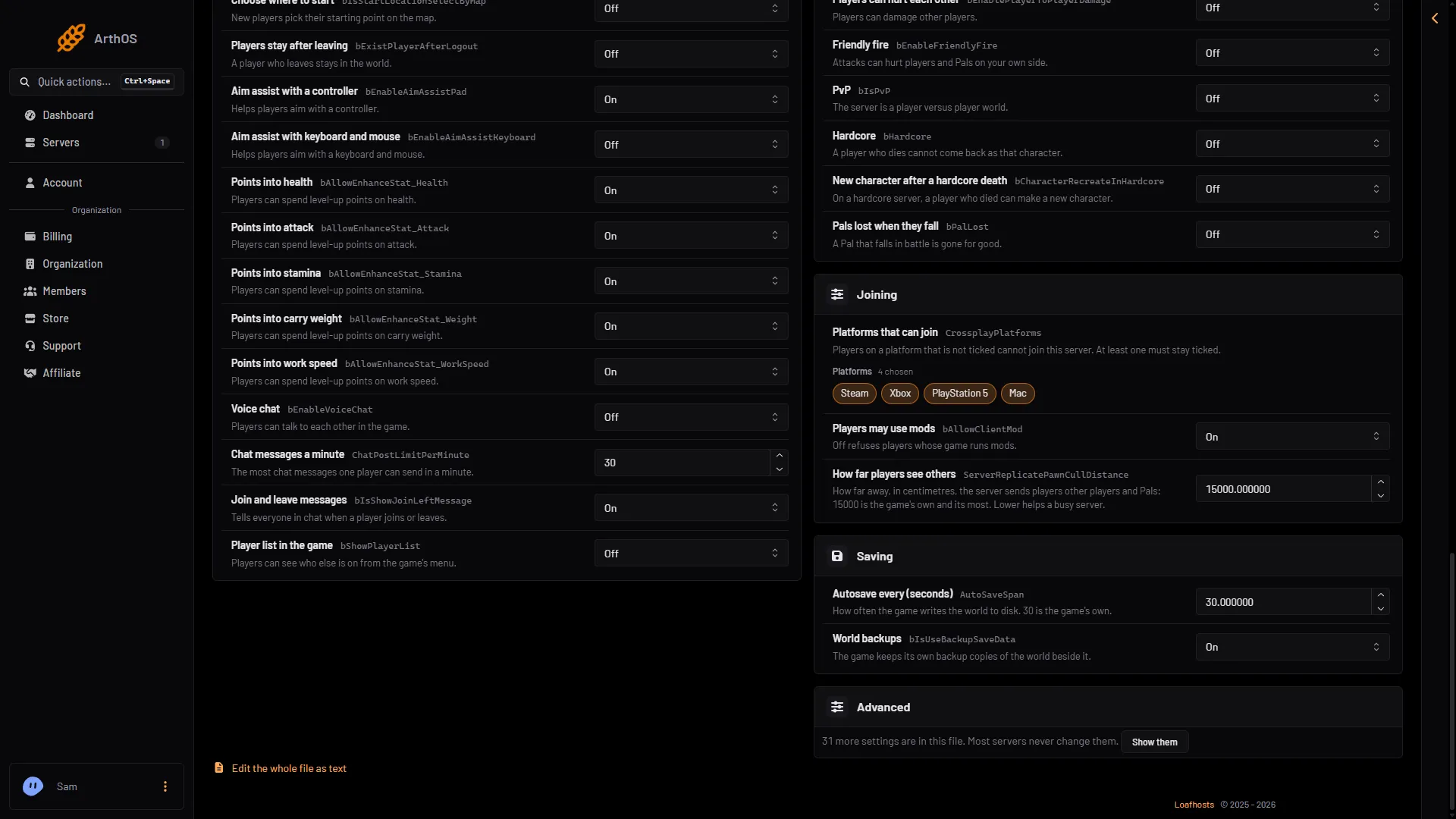
- Platforms that can join
- Players may use mods
In the same Joining group, Players may use mods (2) set to Off refuses players whose game runs mods.
The setting is the game’s CrossplayPlatforms. Players on a platform that is not ticked cannot join. The change applies at the next start. If the server is running, the Config Editor says “Saved, waiting for the next restart”. Choose Restart now to apply it.
To let only Steam players in, tick only Steam. The Windows PC version from the Microsoft Store counts as Xbox, so it is kept out too, and Mac is its own tick.
By hand
The file is Pal/Saved/Config/LinuxServer/PalWorldSettings.ini. With server mods on, it is in another folder under Pal/Saved/Config. Open Config in Files and use the folder that holds it, or use the Config Editor, which always finds it. Stop the server before you edit the file by hand: the game writes the file again when it stops. Inside the one OptionSettings=(...) line, change this pair and keep the commas between the pairs:
CrossplayPlatforms=(Steam,Xbox,PS5,Mac)That is the default. The names are Steam, Xbox, PS5 and Mac. The Config Editor’s Edit the whole file as text is safer than the file in Files.
Mods and console players
Xbox and PlayStation players cannot install mods. A mod that also has a part for players’ own games may keep console players out. Whether a player needs such a mod to join depends on the mod, so read its Workshop page.
With server mods on, the Joining card on the Players page says: “Server mods are on. Xbox and PlayStation players cannot install mods, so a mod with a part for players may keep them out.” The Mods page marks those mods For players too.
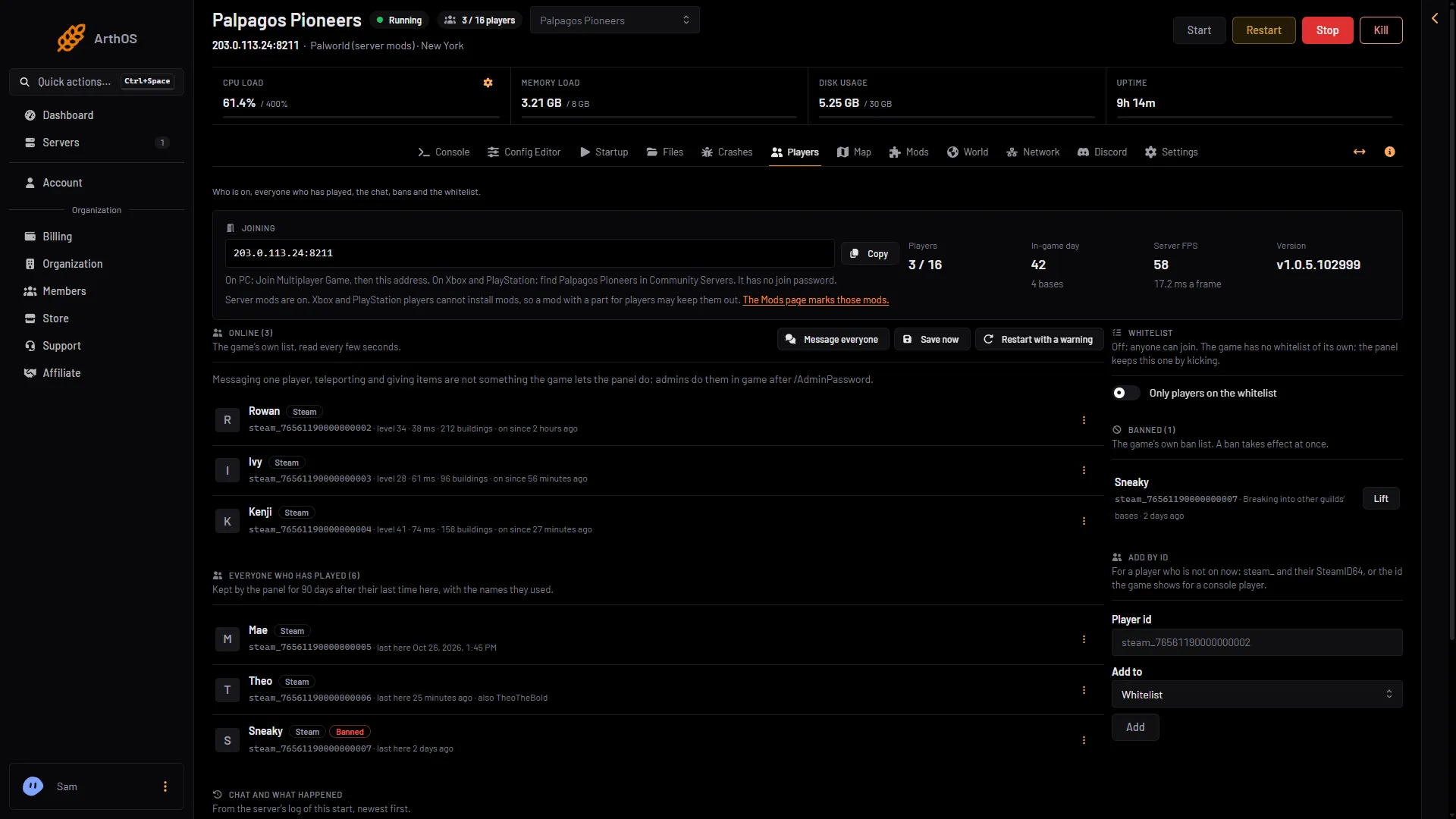
- Console players and mods
- The Mods page
Not checked on 1.0.5 as of 4 November 2026: whether an Xbox or PlayStation 5 player can join a server that runs UE4SS Experimental (Palworld) or PalSchema.
See Palworld server mods.
If it does not work
- A console player cannot see the server. Check that Listed in Community Servers is on and that the platform is ticked.
- A platform cannot join after you changed the ticks. The change applies at the next start. Restart the server.
- You cannot untick the last platform. At least one must stay ticked.
- Version errors. All players, on every platform, must run the same Palworld version as the server.
More on Loafhosts: Palworld servers.
Sources: docs.palworldgame.com: About server, docs.palworldgame.com: Configuration, docs.palworldgame.com: Mod