












ExpRate is the experience multiplier. The default is 1. A value of 2 gives twice as much experience. Pocketpair describes it as the “EXP gain multiplier.” The panel’s help says it counts for players and Pals. A change applies when the server next starts.
In the Config Editor
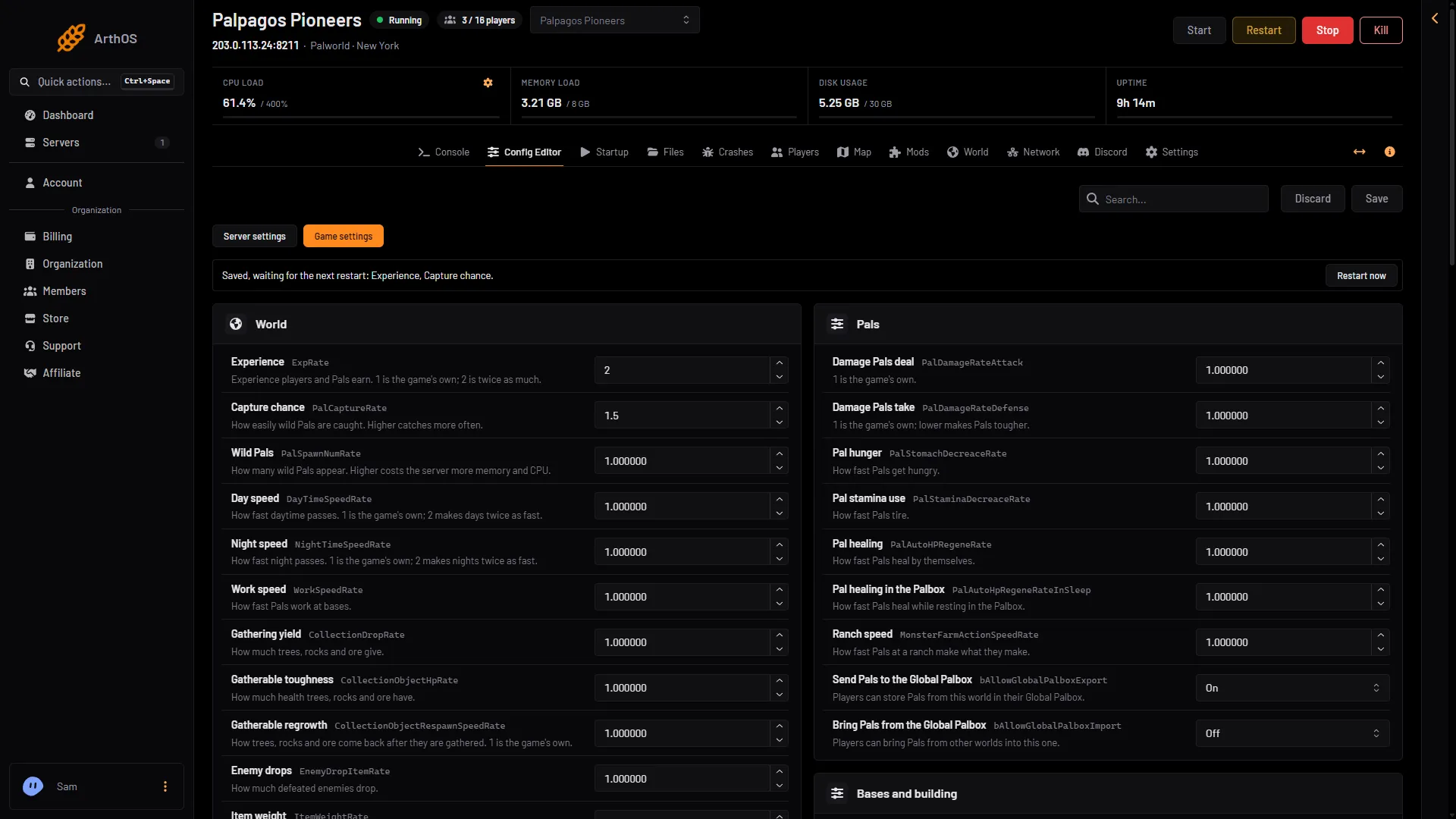
- Open the Config Editor page and choose Game settings.
- In the World group, find Experience.
- Type the number you want. The editor accepts 0 to 100.
- Choose Save.
- If the server is running, the page says “Saved, waiting for the next restart: Experience.” Choose Restart now (it disconnects everyone), or leave it for the next restart.
- Experience
- Waiting for the next restart
- Restart now
Type the number in Experience (1). After Save, a running server shows the note (2) and Restart now (3). Here Capture chance was also changed.
Examples: 0.5 is half as much experience. 1 is the game’s own. 2 is twice as much. 3 is three times as much.
By hand
The file is Pal/Saved/Config/LinuxServer/PalWorldSettings.ini. With server mods on, it and GameUserSettings.ini are in another folder under Pal/Saved/Config. Open Config in Files and use the folder that holds them, or use the Config Editor, which always finds them.
-
Stop the server. The game writes
PalWorldSettings.iniagain when it stops, so an edit made while it runs is lost. -
Open the file with Edit the whole file as text in the Config Editor, or in Files.
-
Inside the one
OptionSettings=(...)line, change this pair and keep the commas between the pairs:ExpRate=2.000000 -
Save and start the server.
A faster game
Experience is one dial. Two others in the same group speed things up:
- Capture chance (
PalCaptureRate) makes wild Pals easier to catch. See the capture rate. - Gathering yield (
CollectionDropRate) changes how much trees, rocks and ore give.
All the keys and defaults are in the settings reference.
If it does not change
- The server has not restarted since you saved.
- The world has its own
WorldOption.sav. It ignores the Config Editor’s Game settings for the settings that file holds. See WorldOption.sav. - You edited the file while the server ran, and the game wrote it back when it stopped.
- A change still waiting in the Config Editor is written into the file at the next start, over the same setting in a hand edit.
More about the game: Palworld servers.
Sources: docs.palworldgame.com: Configuration