












A Palworld server holds 1 to 32 players. Change the number in the Config Editor, under Server settings, in the Players box. It applies at the next start. 32 is the most the game allows.
Change it
- Open your server and choose Config Editor.
- Open Server settings.
- In the Players box (1), type a whole number from 1 to 32.
- Choose Save (2).
- Restart the server.
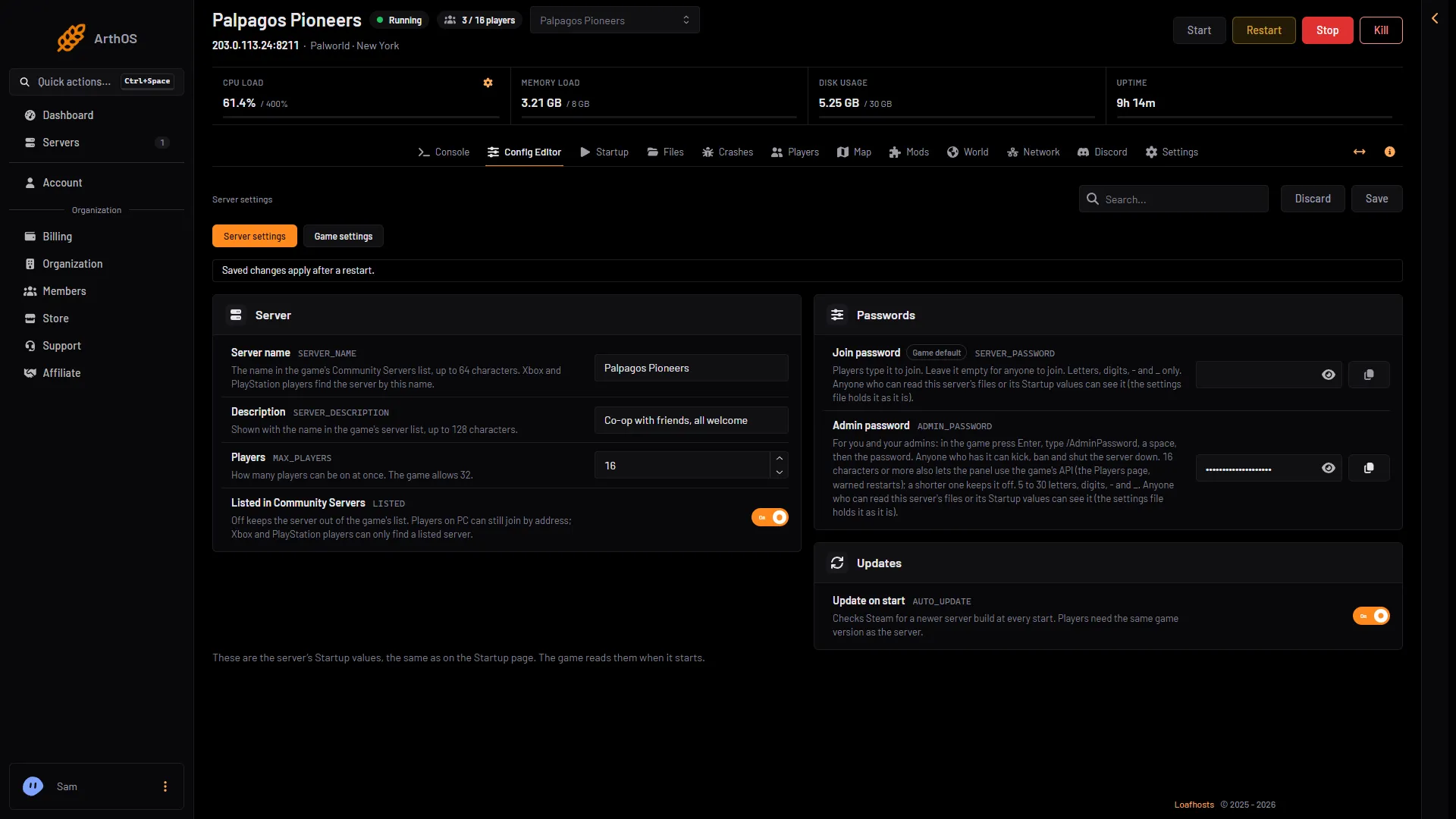
- Type the limit
- Save
The Startup page has the same value, also called Players (1 in the picture below). Both pages change the same setting.
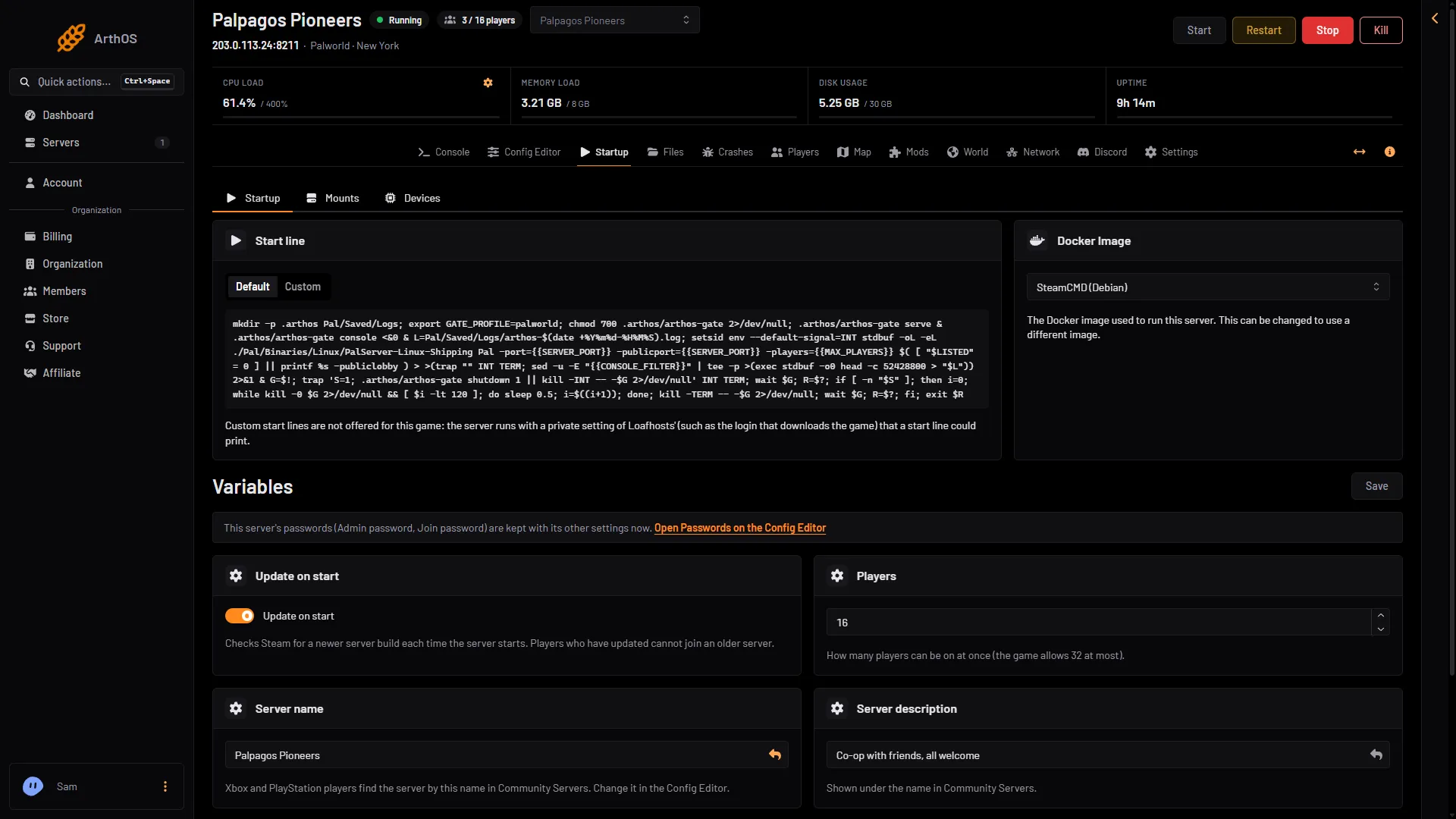
- Same limit as the Config Editor
Pocketpair’s own name for this is the -players argument, with a default of 32. On Loafhosts the panel sets it for you from the Players value.
The number a new server starts with
A new server starts at the number its size allows:
- Small: 8 players.
- Standard: 16 players.
- Large: 32 players.
You can change the number up or down. A lower number is always fine. A higher number needs the server to have enough memory and CPU for that many players.
More players need more server
Every player adds work: more of the world is loaded, more Pals and bases are running. Pocketpair recommends 4 cores or more and 16 GB of memory, and more for larger servers. Servers with 8 GB can start, but Pocketpair warns the chance of an out-of-memory crash goes up.
If the server lags or crashes with many players, lower the limit or move to a bigger size. See Palworld server requirements.
See how many are on
The Players page shows the number on now beside the limit, for example 3 / 8. It also lists each player under Online. See online players.
If it does not work
- The limit did not change. The server has not restarted since you saved. Restart it.
- The panel refuses the number. It must be a whole number from 1 to 32.
- Players still cannot join. The server may already hold the most players it allows. Raise the number, or kick someone who is away.
More about the game: Palworld servers.
Sources: docs.palworldgame.com: Arguments, docs.palworldgame.com: Configuration, docs.palworldgame.com: Requirements