












Open the Players page of your server. The list Online shows everyone in the game right now. The panel reads the game’s own player list every few seconds, so it stays close to live.
All of this needs the game’s API. The game’s API is how the panel talks to the game. The panel keeps it on while the Admin password is 16 characters or more (a new server gets a 20-character one). If the page says the API is off, see the Players page says the API is off.
The Online list
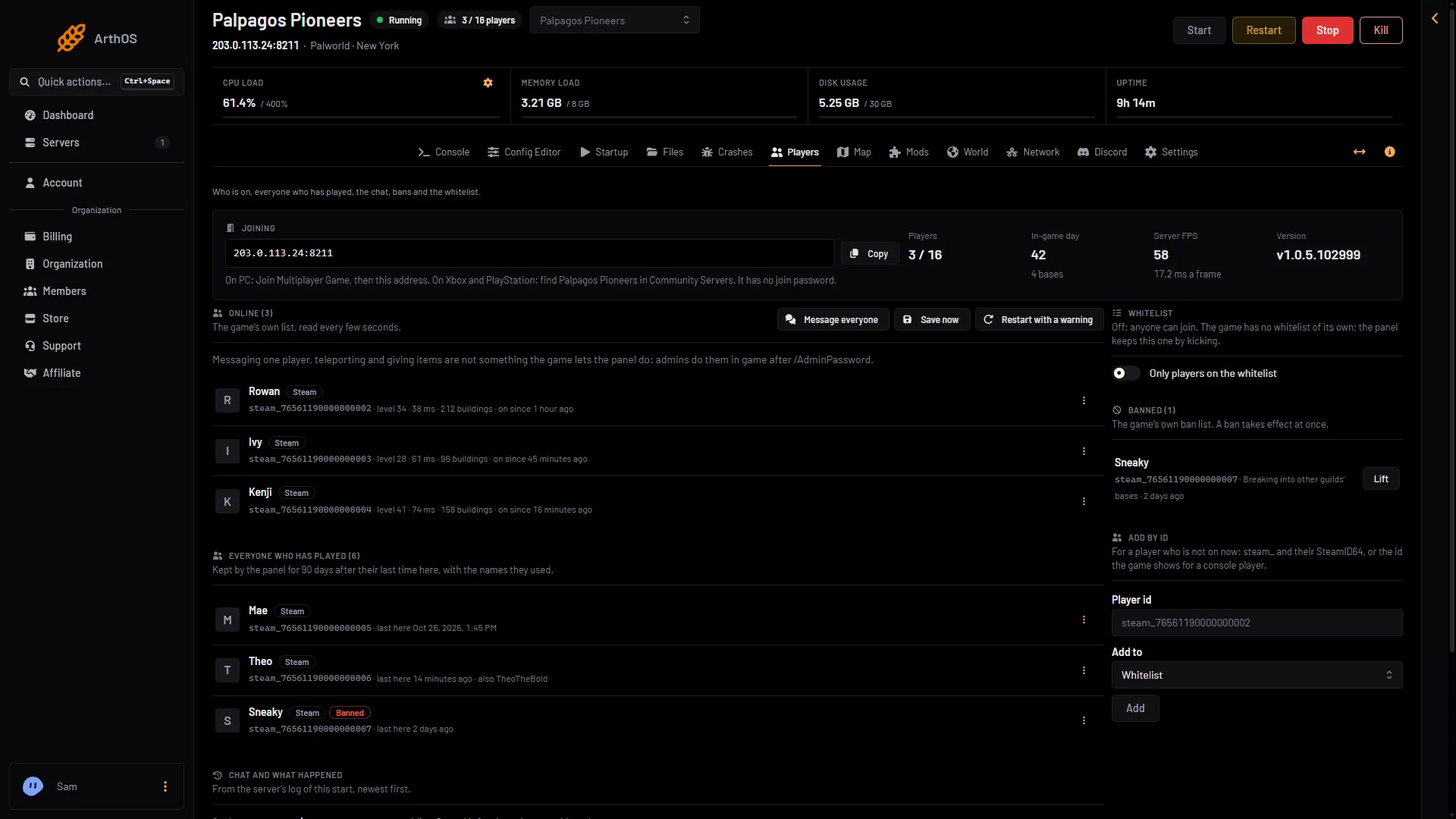
The Joining card at the top holds the address with Copy. Who is on is the Online (N) list below it, not in the card. It has one row per player. Each row shows:
- the player’s name and platform: Steam, Xbox, PlayStation, Mac or Other
- their user id, which you can click to copy (see find a player id)
- their level
- their ping, in ms
- how many buildings they own, shown when they own any
- when they came in, as “on since” and the time
- The Online list
- In-game day
- Server FPS
- Game version
The list (1) sits below the stats. Three of the stats are marked: In-game day (2), Server FPS (3) and Version (4).
The menu at the end of a row (the three dots) lets a role that allows moderating players kick, ban or whitelist that player. See kick and ban.
When nobody is in the game the list says “Nobody is online.”
The stats
Above the list the page shows four stats:
- Players: how many players are on.
- In-game day: the day count of the world, with how many bases there are.
- Server FPS: how fast the server is running, with the time of a frame in ms.
- Version: the Palworld version the server runs.
The same player count appears in the server’s header and in your server list.
The Map
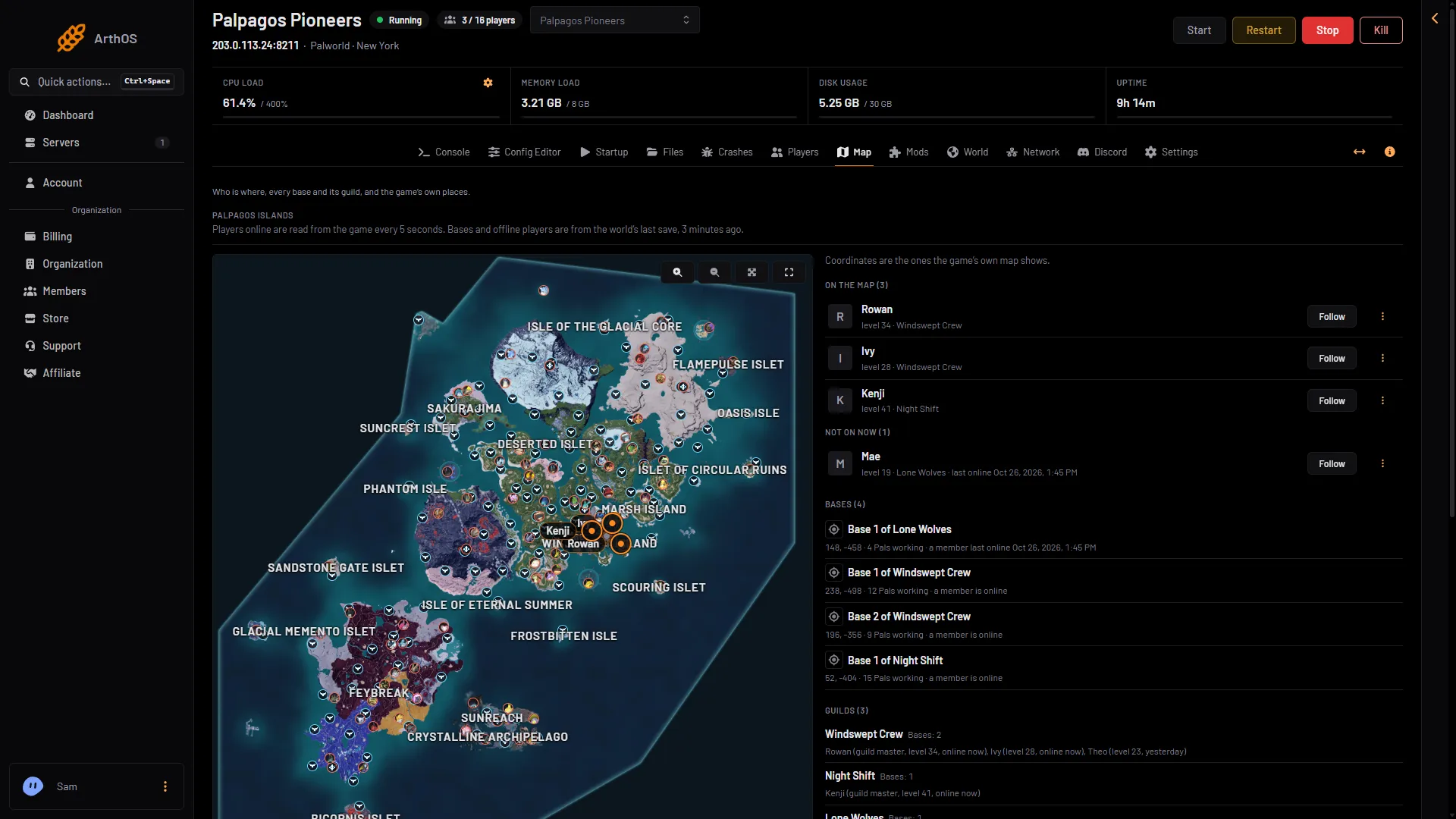
The Map page shows where each player is on the Palpagos Islands. It reads positions from the game every 5 seconds. Click a marker for the player’s card. See the live map.
- Read every 5 seconds
- Who is on the map
- Follow a player
The page says how often it reads (1). The list beside the map (2) shows who is on, and Follow (3) keeps the map on one player.
The console
In the Console, type ShowPlayers. The answer lists the connected players and prints in the console. You can also type Players. In the game itself, an admin types /ShowPlayers in chat. See server commands.
When the list is empty or says nothing
The page tells you why:
- The server is stopped. “Everyone who has played and the bans are still here.”
- The server is starting. Players show once it has loaded its world.
- The server is running but has not answered the panel yet. Wait a minute.
- The admin password is shorter than 16 characters. The API is off. Set a longer one in the Config Editor and restart.
The count in Everyone who has played (N) includes the players who are online now. They are listed under Online, not in that list. For players who left, see the player history.
More about the game: Palworld servers.
Sources: docs.palworldgame.com: Players, docs.palworldgame.com: Metrics, docs.palworldgame.com: Commands