












Three settings control the wait after a player dies. BlockRespawnTime is the base wait in seconds. RespawnPenaltyDurationThreshold and RespawnPenaltyTimeScale make the wait longer when a player dies again soon. They are under Advanced in the Config Editor, and they apply at the next start.
The three settings
| Key | Default | What it does |
|---|---|---|
BlockRespawnTime | 5 | Pocketpair: “Cooldown before you can respawn after death (seconds).” |
RespawnPenaltyDurationThreshold | 0 | Pocketpair: “Survival-time threshold (seconds) for applying the respawn cooldown multiplier set by RespawnPenaltyTimeScale on a subsequent death.” |
RespawnPenaltyTimeScale | 2 | Pocketpair: “Multiplier applied to the respawn cooldown.” |
The defaults are the ones a new server starts with on the 1.0.5 server file.
In plain words: the first number is how long a dead player waits. The multiplier makes that wait longer on a repeat death. The threshold is a survival time in seconds. It decides whether the multiplier applies on the next death.
Pocketpair’s PvP example
Pocketpair’s PvP page gives these values:
BlockRespawnTime=5.0
RespawnPenaltyDurationThreshold=1800.0
RespawnPenaltyTimeScale=2.0
Pocketpair explains it this way: “Respawn time starts at 5 seconds, and each death doubles it. If 1800 seconds pass without dying, the respawn time returns to 5 seconds.” So 1800 seconds is half an hour. A player who survives that long starts again from the base wait.
Not checked on 1.0.5 as of 4 November 2026: what the default threshold of 0 does in game.
In the panel
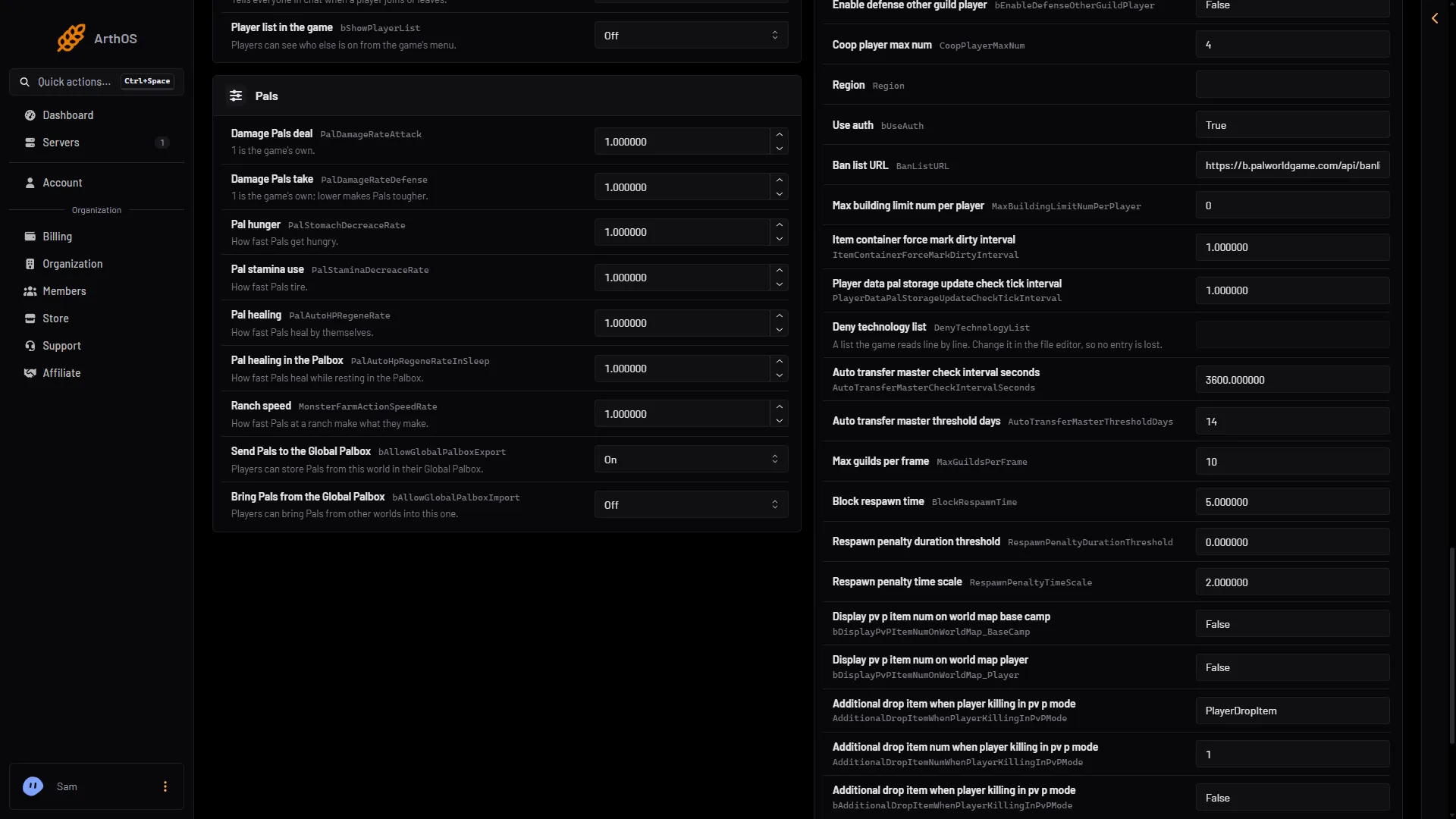
- BlockRespawnTime, the first respawn row
- Open the Config Editor page.
- Choose the source Game settings.
- Scroll below the groups to the card that says how many more settings are in this file, and choose Show them. This is the Advanced section.
- Find
BlockRespawnTime(1 in the picture),RespawnPenaltyDurationThresholdandRespawnPenaltyTimeScale. Their names are the keys, because these rows have no plain-words label. - Change the numbers. Save.
By hand
The file is Pal/Saved/Config/LinuxServer/PalWorldSettings.ini. With server mods on, these two files are in another folder under Pal/Saved/Config. Open Config in Files and use the folder that holds them, or use the Config Editor, which always finds them. Edit the file only while the server is stopped. Inside the one OptionSettings=(...) line, change these pairs and keep the commas between them. These are the 1.0.5 defaults:
BlockRespawnTime=5.000000,RespawnPenaltyDurationThreshold=0.000000,RespawnPenaltyTimeScale=2.000000If it does not work
- The wait did not change. The server has not restarted since you saved.
- You cannot find the rows. They are hidden until you choose Show them.
- The settings are ignored. A world with its own
WorldOption.savignores the Config Editor’s settings for the settings that file holds. See the WorldOption.sav guide.
More about the game: Palworld servers.
Sources: docs.palworldgame.com: Configuration, docs.palworldgame.com: Pvp