












A broadcast is one message that every player on the server sees as the game’s own announcement. You can send it from the Players page, from the console, or from inside the game. It goes to everyone. Palworld has no way to message just one player.
From the Players page
- Open the Players page.
- Choose Message everyone. A box opens with the same name (1).
- Type your text in Message (2). It can be 1 to 200 characters, on one line.
- Choose Send (3).
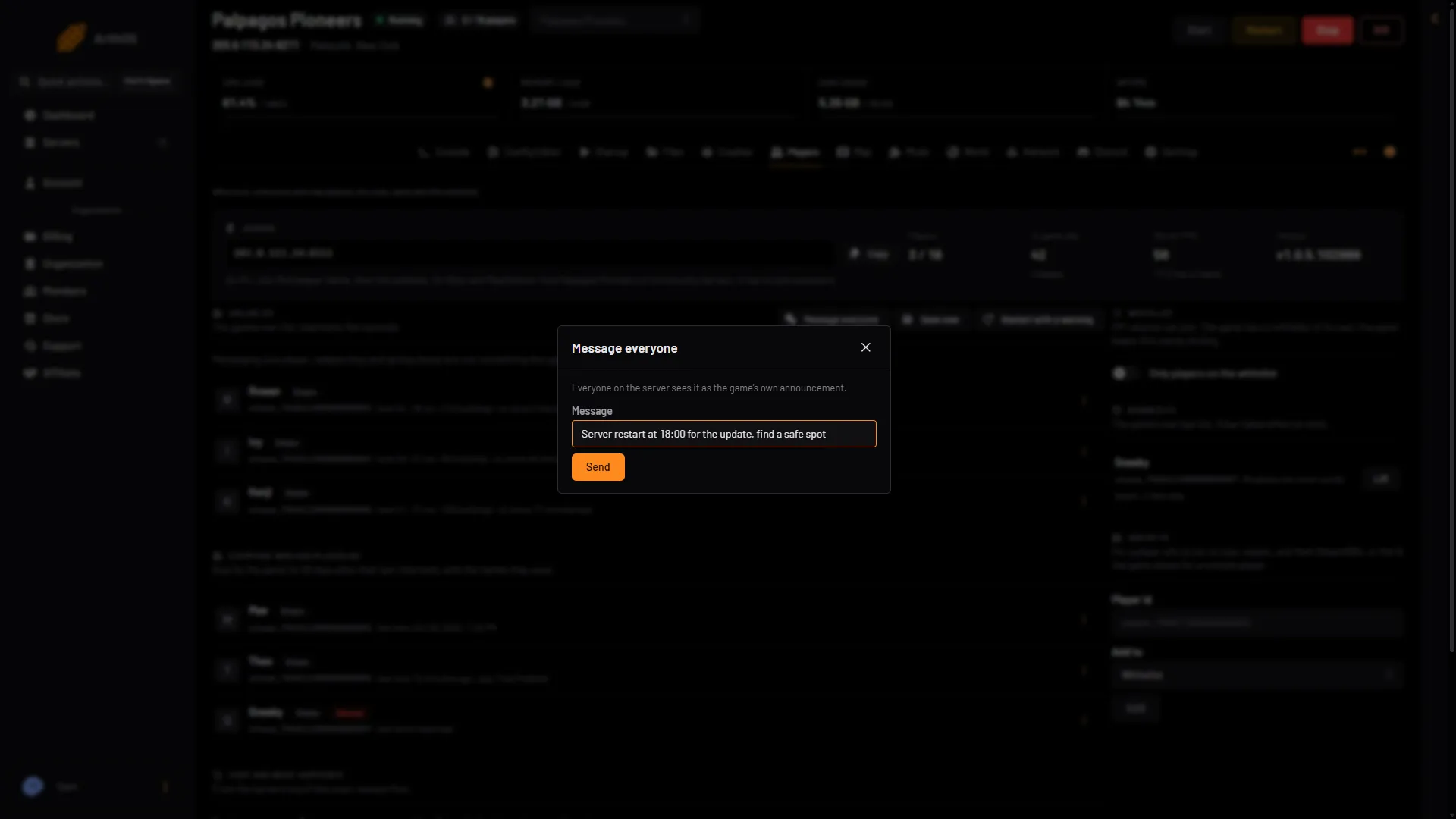
- Message everyone
- Type your notice
- Send
Everyone on the server sees it at once. Nothing needs a restart.
Your role needs the permission players.game. If Message everyone is missing, ask the server owner for a role that allows it.
From the console
Open the Console and type (your role needs control.console). The game’s API is how the panel talks to the game. The panel keeps it on while the Admin password is 16 characters or more (a new server gets a 20-character one). Messages go through it. Type:
Broadcast The server restarts in 10 minutes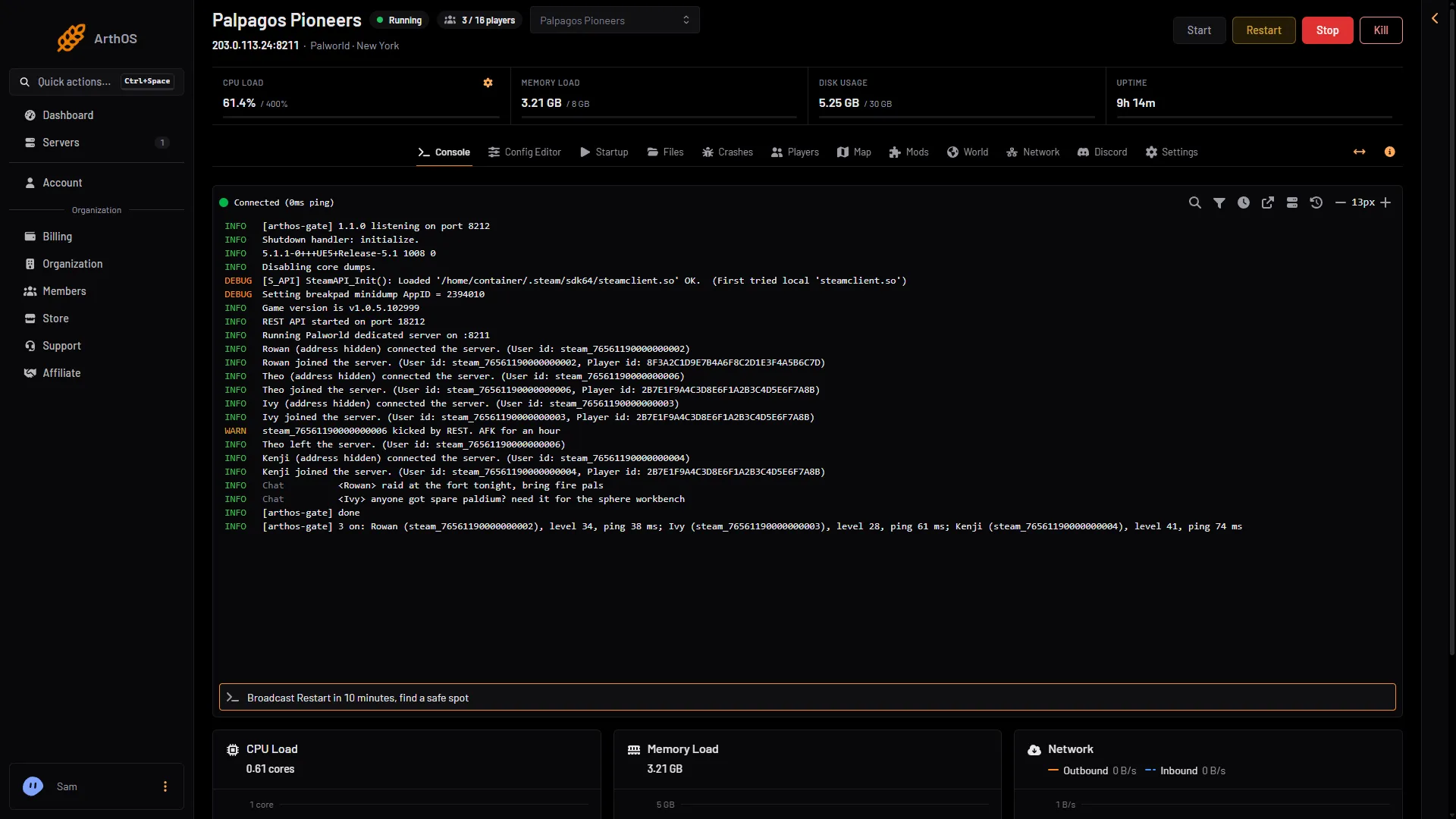
- Type the command, press Enter
You can type it with or without the /, in any case. Say works the same way. The console shows [arthos-gate] done when the game took the message. A broadcast with no text is refused with “Broadcast needs a message”.
In the game
- Press Enter to open chat.
- Type
/AdminPasswordand a space, then the server’s admin password. If you do not know it, see the admin password. - Press Enter again and type
/Broadcastand a space, then your message.
Pocketpair lists /Broadcast (MessageText) as “Send message to all player in the server.”
A notice that repeats
A schedule can send the same notice again and again, for example before a daily restart.
- Open Settings, then Schedules, and choose Create Schedule.
- Give it a Schedule Name, and under Triggers choose when it runs.
- Choose Add Step. For Action Type, choose Send Command.
- In the command box, type
Broadcast Restart in 5 minutes.
The schedule sends the same words to everyone every time it runs. To restart the server on a schedule too, see scheduled restarts.
What to know
- The message is for everyone. The panel cannot send to one player, and the game has no command for it.
- A message is 1 to 200 characters on one line.
- The Players page and the console need the game’s API. If you set an admin password shorter than 16 characters, the Players page says so and messages do not go out. Set a longer one in the Config Editor and restart.
- A broadcast does not warn about a restart for you. To count down and restart with warnings, use Restart with a warning on the Players page.
If it does not work
- The Players page says the API is off. The admin password is shorter than 16 characters. Set a longer one in the Config Editor and restart.
- The console says the game refused the admin password. Restart the server once so the panel and the game agree.
- The console says “Broadcast needs a message”. You typed the word with no text after it.
- Nobody sees it. The server is stopped or still starting. Wait until it has loaded its world.
More about the game: Palworld servers.
Sources: docs.palworldgame.com: Commands, docs.palworldgame.com: Announce