









A new Loafhosts server runs the newest Build 42 release (42.21 on 18 October 2026). A server whose Steam Beta Branch is legacy41 runs Build 41. To run Build 41 (version 41.78), put legacy41 in Steam Beta Branch [requires reinstall] on the Startup page and reinstall the server. Your players must pick the same branch in Steam.
Switch the server to Build 41
- Make a backup first. Open Settings, choose the Backups tab, choose Create, then Create Backup in its menu. In the box choose Create. A manual backup at the limit is refused, so delete one first. See backups and saves.
- Open the Startup page.
- Find Steam Beta Branch [requires reinstall]. Type
legacy41; the example in the hint is an older branch name. Leave it empty for the normal branch (Build 42.21). - Save the change.
- Open Settings and find the reinstall card, Reinstall Server. It says that reinstalling stops the server and runs the installation script again, and that some files may be deleted or modified.
- Choose Reinstall Server. In the box that opens, tick Start the server after the reinstall has finished if you want it to start on its own, then choose Reinstall.
- Wait for the reinstall. The panel shows “Reinstalling server…”.
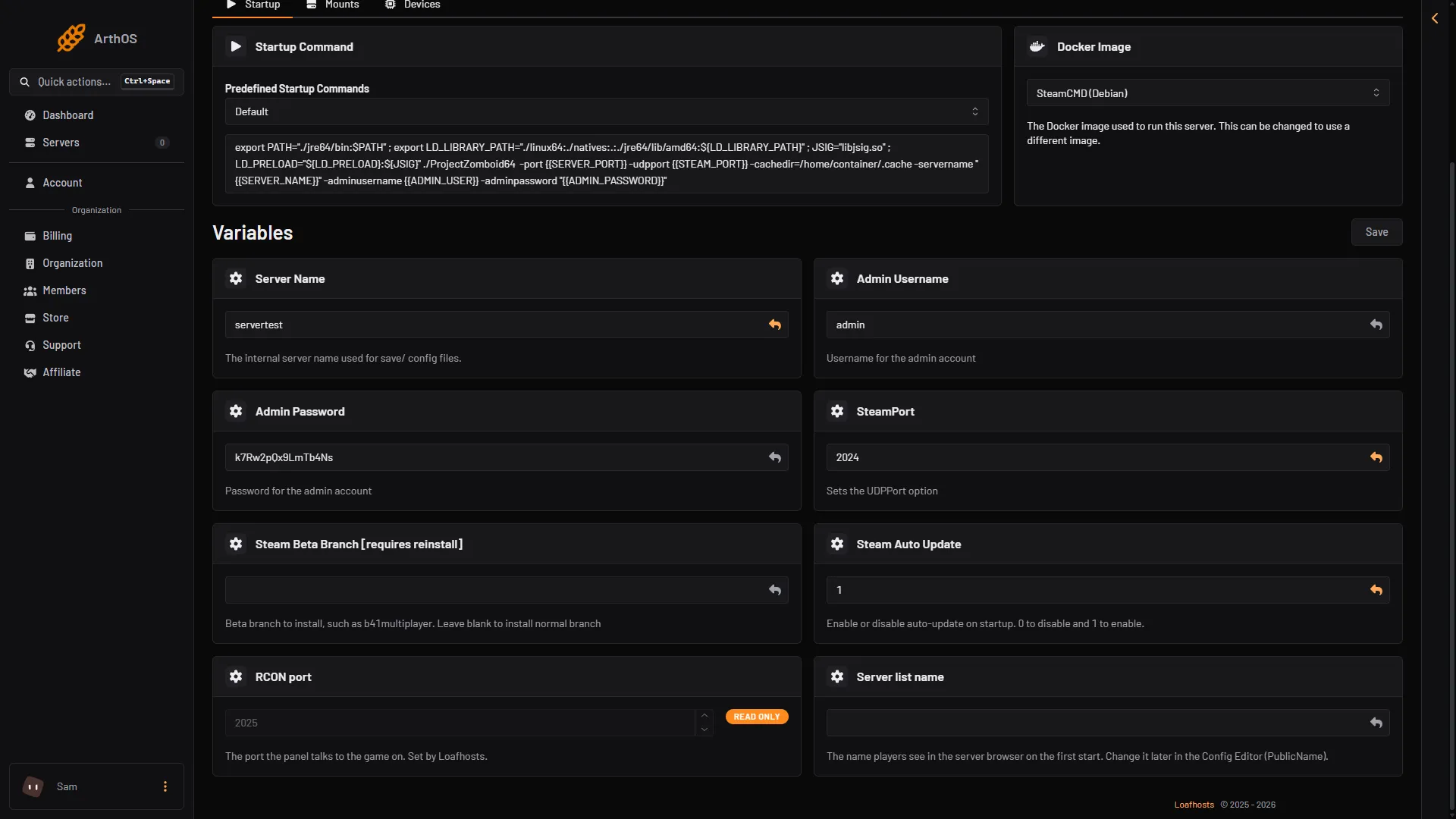
- Steam Beta Branch [requires reinstall]
Type legacy41 in Steam Beta Branch [requires reinstall] (1).
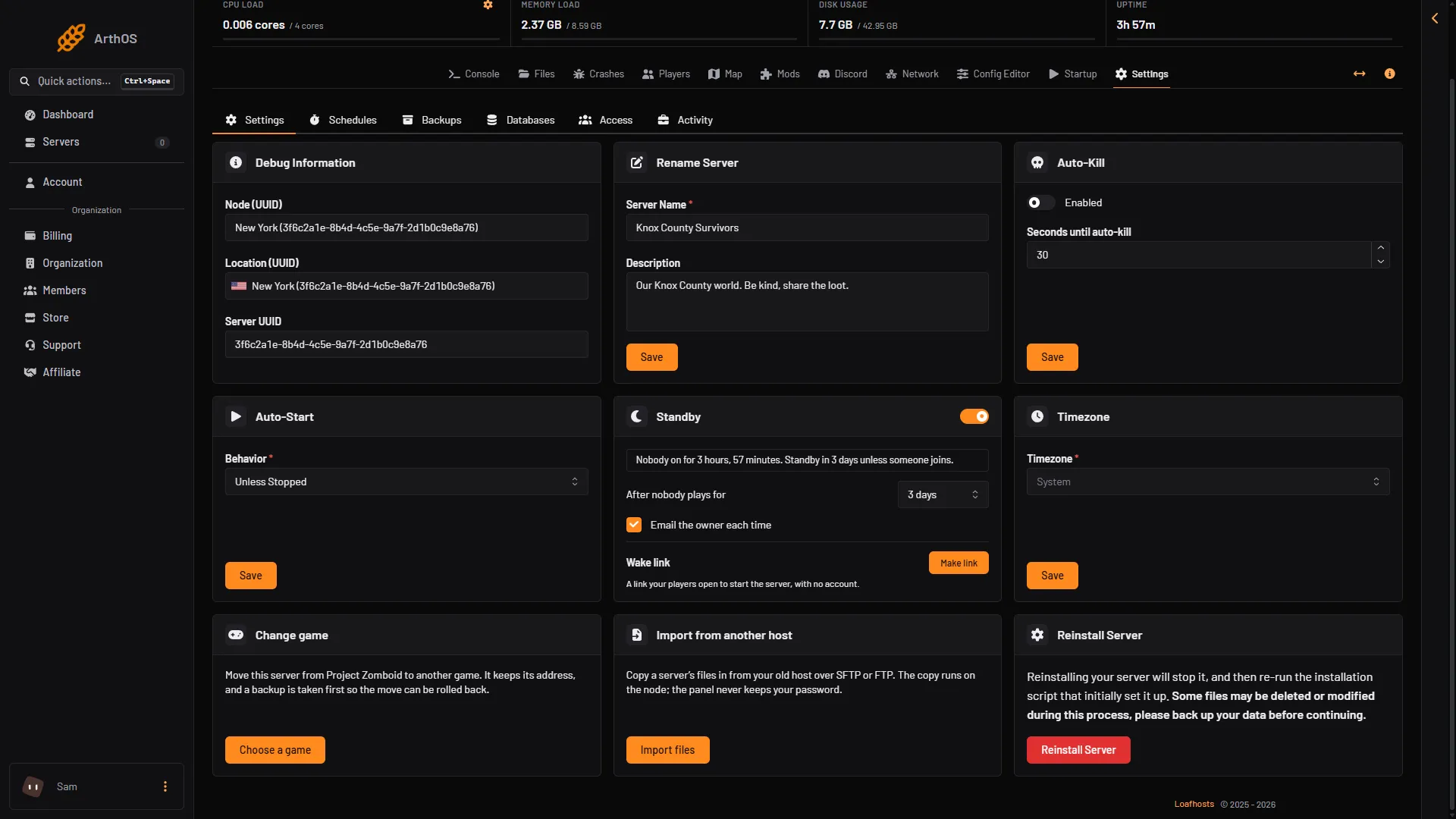
- Reinstall Server
- Reinstall Server button
The Reinstall Server card (1) warns: “Reinstalling your server will stop it, and then re-run the installation script that initially set it up. Some files may be deleted or modified during this process, please back up your data before continuing.” Choose the red Reinstall Server button (2) to go on.
The branches on Steam for the server are public (Build 42.21), unstable, 42.19 and legacy41 (Build 41.78). To go back to Build 42, empty the field and reinstall again.
What a reinstall keeps
The installation script downloads the server files with SteamCMD. The panel warns that some files may change, so make the backup first. Not checked on Build 42.21 as of 18 October 2026: what a reinstall does to a world after it changes build.
Players join with the same branch
A player’s game must match the server’s build. On Steam, a player does this:
- Right-click Project Zomboid in the Steam library and choose Properties.
- Choose Betas.
- Pick
legacy41.
Steam then downloads Build 41. If the build does not match, the player cannot join. See version mismatch.
Mods
Build 41 mods do not load on Build 42, and Build 42 mods are not made for Build 41. Not checked on a Build 41 server as of 18 October 2026: how the Mods page reads mods there. Check each mod’s Workshop page for the build it supports before you switch. See Build 42 mods.
Going back from Build 42
The game’s makers do not document moving a Build 42 world back to Build 41. Not checked on Build 42.21 as of 18 October 2026. Keep your Build 42 backup, and do not assume the world will load.
If it does not work
- The server is still on Build 42. The branch is read only at a reinstall. Check the field spelling (
legacy41) and reinstall again. - Players cannot join. They are on a different build. Ask them to pick the same branch in Steam.
- Mods are missing or fail. They were made for the other build. Remove them or find versions for Build 41.
- The start fails after the reinstall. Open the Crashes page. It reads each start and says why it ended.