









A faction is a group of players with a shared tag. Players create factions themselves in game. You decide whether they can, in the Config Editor, under Safehouses and factions. Factions are on by default. The panel cannot create, edit or remove a faction.
What a faction is
A player starts a faction from the user panel in game, which opens when they press Escape. They choose a name, add members and can give the group a tag. A tag is four letters. It shows above members’ heads, and players can switch it off for people outside the faction. Tags must be unique. Each person invited gets an invitation they can accept or refuse.
Members talk to each other with /f in chat. That is the faction chat. Players can also turn off PVP between members from the faction panel. See PvP settings.
These features come from the game’s own notes for earlier builds. Menu wording can change. Not checked on Build 42.21 as of 18 October 2026.
Switch factions on or off
- Open the Config Editor page and choose the
.inifile. - Find the group Safehouses and factions.
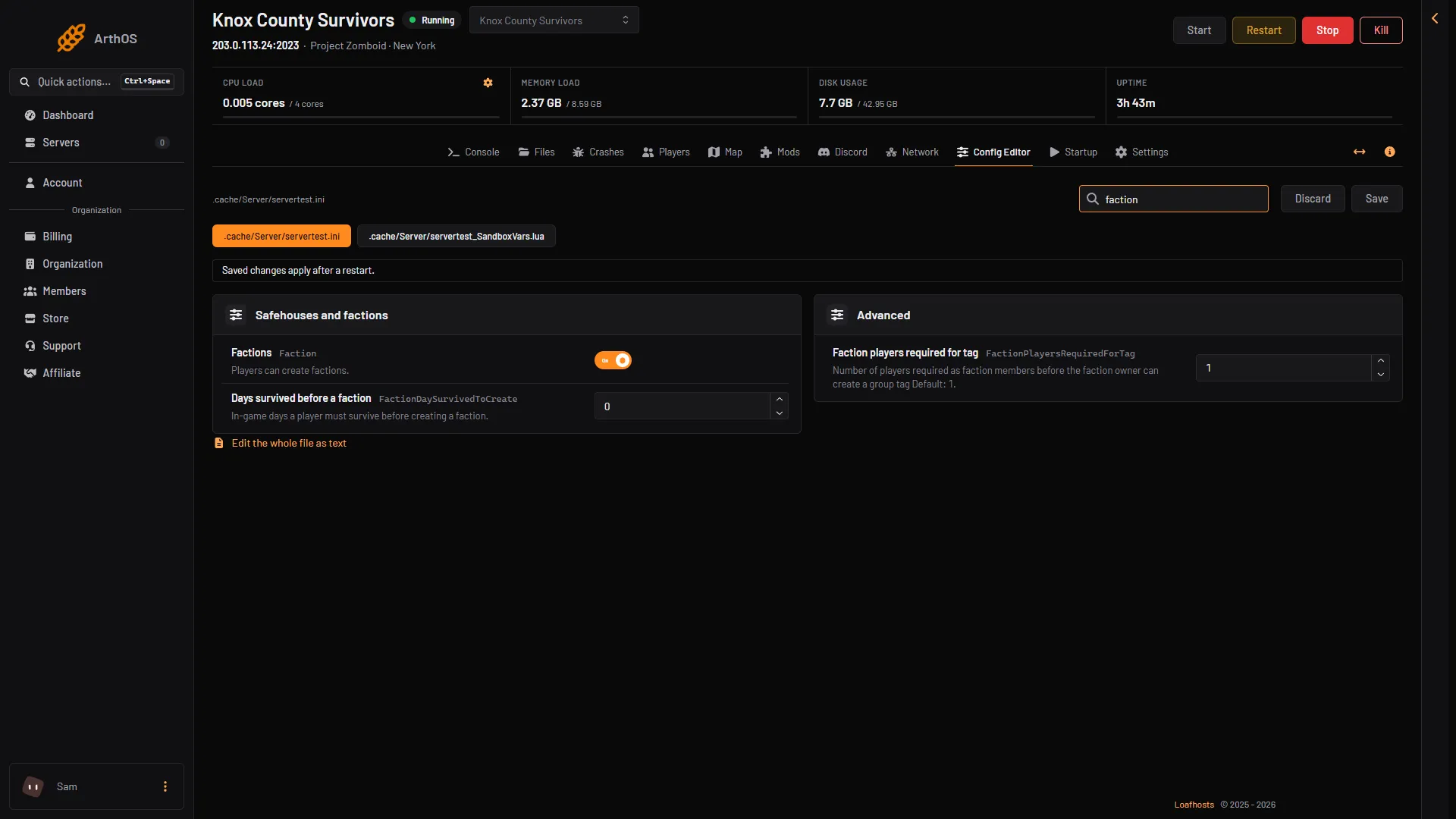
- Set Factions (
Faction). The note says “Players can create factions.” - Choose Save, then restart the server. The page says “Saved changes apply after a restart.”
- Factions
- Days survived before a faction
- Faction players required for tag
Factions is box 1. The two rows beside and below it are explained next.
With Factions off, players cannot create factions.
Make players wait first
Days survived before a faction (FactionDaySurvivedToCreate) is the number of in-game days a player must survive before they can create a faction. 0 means no wait, which is the game’s default.
The game has one more key, FactionPlayersRequiredForTag. It is the number of members a faction needs before its owner can create a tag. The default is 1. In the Config Editor it reads Faction players required for tag.
See factions on the Map
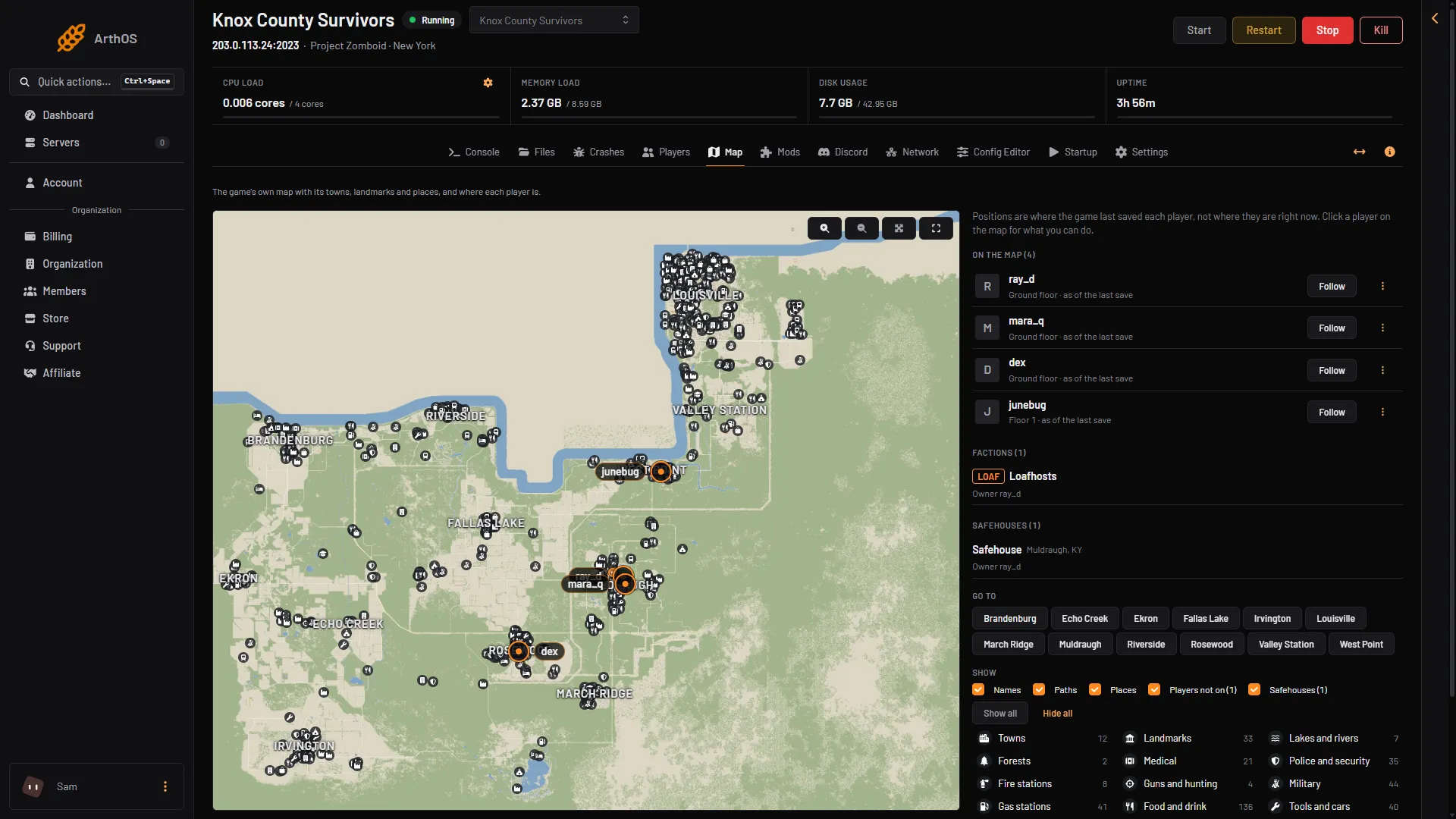
Open the Map page. The list Factions (N) shows each faction with its tag, owner and members. A member’s marker on the map carries the faction tag. See the server map.
- Factions
Read faction chat
The Chat section on the Players page lists every message players wrote, private ones too. Each message has a kind, and Faction is one of them. Only people who can kick and ban see it. See chat logs.
If it does not work
- Nobody can create a faction. Check that Factions is on, then restart. A player who has not survived the days you set cannot create one yet.
- A tag does not show. The owner needs enough members. Check Faction players required for tag.
- The change did nothing. Changes apply after a restart.
- You want to edit a faction. The panel does not create or edit factions. Players do that in game.
More about the game: Project Zomboid servers.
Sources: pzwiki.net: Server settings, pzwiki.net: Build 35, pzwiki.net: Build 42.20.0