









Open the Config Editor, change Maximum players in the Server group, save and restart. The game’s default is 32. The row accepts 1 to 254. Admins are not counted.
Change it
- Open the Config Editor.
- In the Server group, find Maximum players (
MaxPlayers). - Type a number from 1 to 254.
- Save.
- Restart the server. The panel shows “Saved changes apply after a restart.” Use Restart now.
The game’s own note on this setting: “Maximum number of players that can be on the server at one time. This excludes admins.”
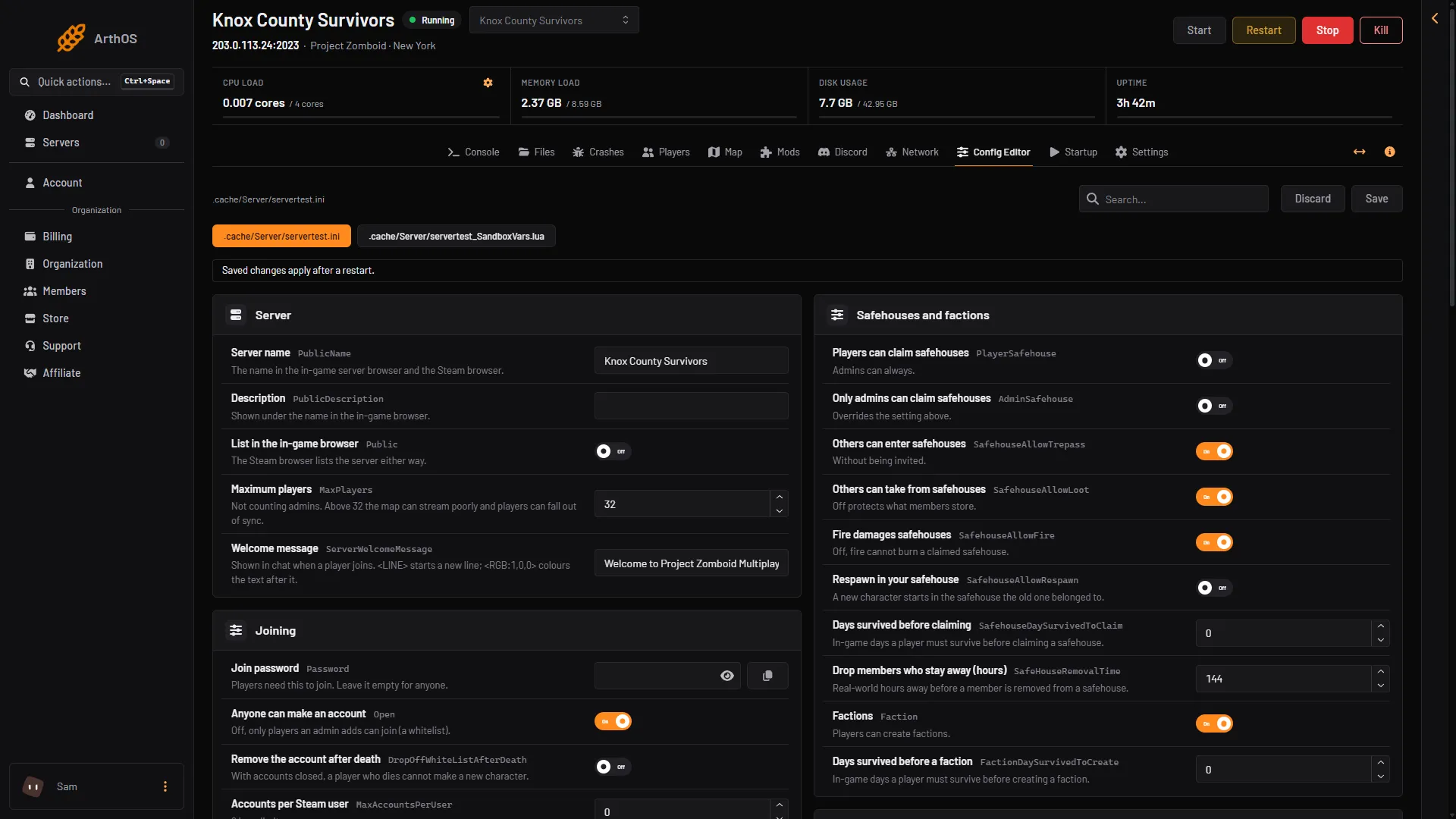
- Maximum players
Above 32
The game warns: “Server player counts above 32 will potentially result in poor map streaming and desync.” Desync means players’ games fall out of step with the server. Raise the number in small steps and watch how it plays. The panel’s help text under the row says the same.
Memory
More players, mods and zombies need more memory. The Loafhosts staff server, with nobody on, used about 2.4 GB. The game needs about 1.3 GB beside its Java heap.
At every start the panel lowers the game’s Java memory limit to the server’s memory less 2.15 GB if it is higher. It never raises it. If the game runs out of memory it stops. The Crashes page shows “The game ran out of Java memory” and what to do. See Project Zomboid out of memory.
Players waiting in line
These rows help when the server is full or busy:
- Join queue (
LoginQueueEnabled), in the Joining group (1): players wait in line while the server is full. It is off by default. - Login queue connect timeout (
LoginQueueConnectTimeout), in the Advanced card (2): a timeout for the join queue. It accepts 20 to 1200 and defaults to 60. Search for it, or choose Show them on the Advanced card. - Refuse joins while the server is overloaded (
DenyLoginOnOverloadedServer): keeps a struggling server playable for the players already on. It is on by default.
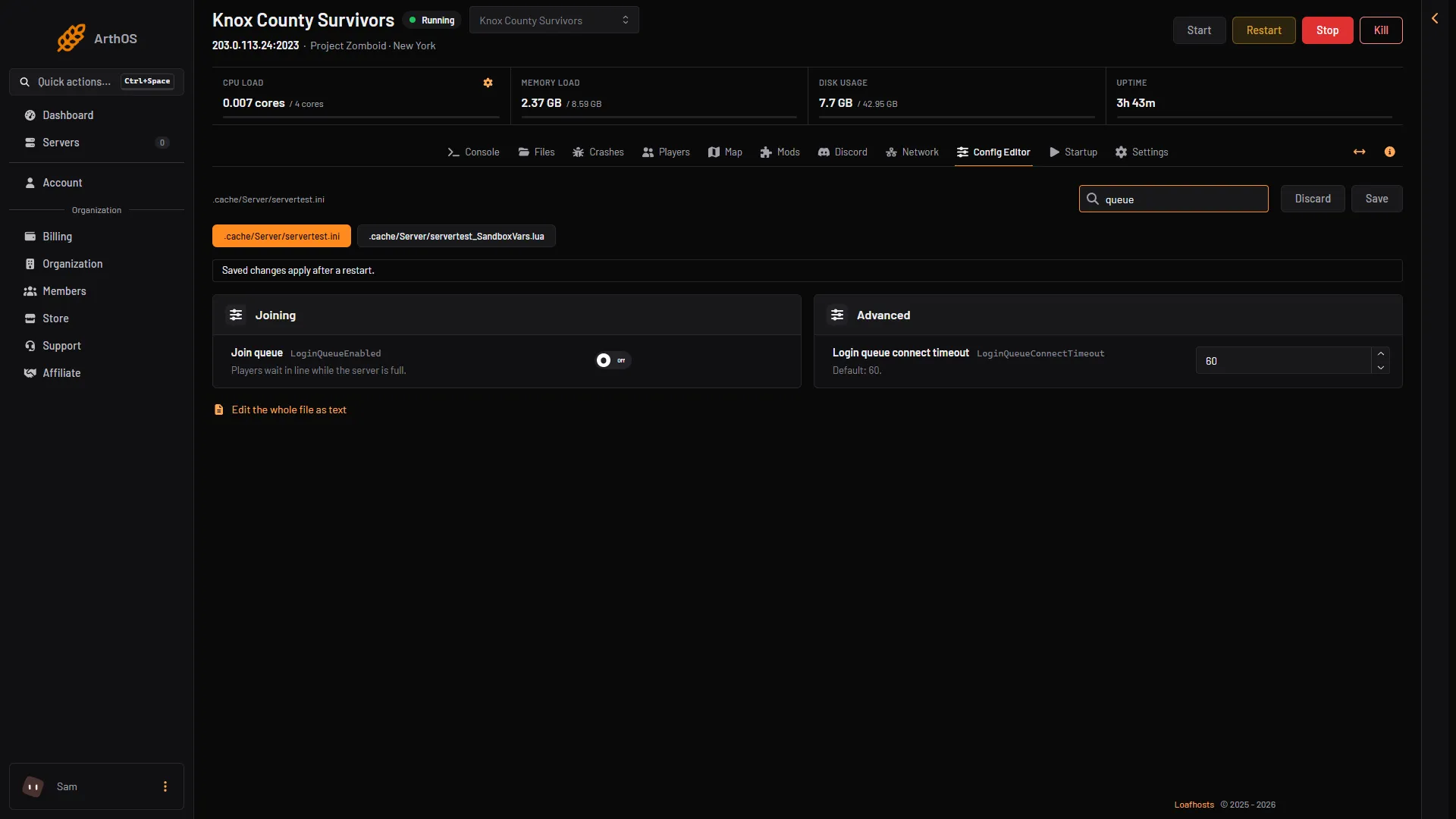
- Join queue
- Login queue connect timeout
The game gives no longer description of the queue rows than this. Not checked on Build 42.21 as of 18 October 2026: what players see while they wait.
If it does not work
- The number did not change. Restart the server. Saved changes apply after a restart.
- A player is told the server is full. Raise Maximum players, or turn on Join queue.
- The server lags with more players. Lower the number, or see Project Zomboid server lag.
More about the game: Project Zomboid servers.
Sources: pzwiki.net: Server settings, pzwiki.net: Startup parameters