









Project Zomboid servers lag or desync mostly for four reasons: more than 32 players, too little memory, heavy mods, and a few zombie and vehicle settings. Look at the server first, then change one thing at a time. Be on Build 42.21 too, because it fixed several desync and high-ping problems.
Look first
- Look at the MEMORY LOAD and CPU LOAD figures in the header of the server page while it lags.
- Open the Crashes page. A finding such as “The game ran out of Java memory” explains a server that slows and then stops.
- In Files, open
.cacheandLogs, and read the newest_DebugLog-server.txt. A healthy start writes many ERROR lines, so look for lines that repeat while players are on.
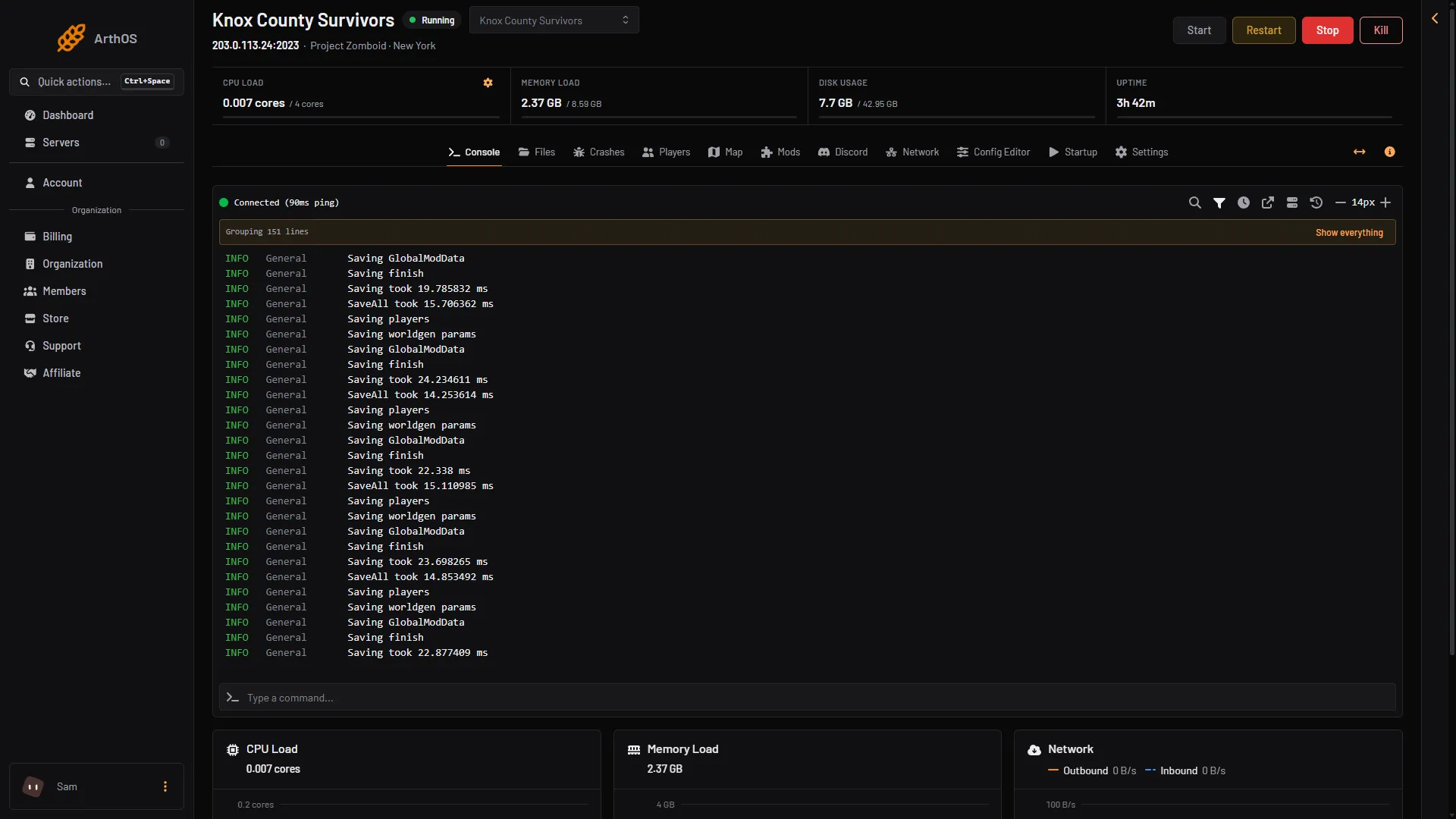
- Restart
Box 1 is Restart. Use it after you change a setting below.
Too many players
The game warns that more than 32 players “will potentially result in poor map streaming and desync”. The default is 32. In the Config Editor, the row Maximum players (MaxPlayers) does not count admins. If you raised it above 32, put it back and see if the lag goes.
Not enough memory
On the Loafhosts staff server with nobody on, the game used about 2.4 GB of memory. The game needs about 1.3 GB beside its Java heap. More players, mods and zombies need more memory.
Store plans are in decimal GB, so an 8 GB plan shows 8 GB at the top of the server page. The staff server in the pictures shows 8.59 GB because its limit was set in binary units.
The game asks for a Java heap of -Xmx8g, which is 8.59 GB. At each start the panel lowers -Xmx to the server’s memory less 2.15 GB when that is lower than the setting, and never raises it. So on a server with more than about 10.7 GB, the heap stays at the shipped size unless you raise -Xmx by hand. Keep it at or below the server’s memory less 2.15 GB, or the panel lowers it again.
To give the server more memory, choose Billing, Services, then Customize on the server’s service (the box is titled “Customize server”). A bigger size pays the difference for the rest of the period and applies once paid. If the panel lowered -Xmx earlier, raise it by hand afterwards, at most the new memory less 2.15 GB. A server that runs out of memory shows one of two findings on the Crashes page: “The game ran out of Java memory”, or “The server ran out of memory and was stopped”. The fix for both is the same: give the server more memory, or take heavy mods off.
Mods
PZwiki’s tech support page asks you to test with all mods off. If the lag goes, add mods back a few at a time. The Crashes page names a mod whose script fails, with a finding such as “A script in the mod X failed”. A server often keeps running through one. Update that mod, or take it off the Mods page.
Settings to check
These rows are in the Config Editor. Rows the panel has no own label for sit in the Advanced card, which is collapsed until you choose Show them; a search always shows them. Compare each figure with the total shown beside it. Changes apply after a restart.
- Car engine attraction modifier (
CarEngineAttractionModifier). The game’s comment says lower values can help with lag. The default is 0.5. - Zombies count before delete (
ZombiesCountBeforeDelete), in the sandbox file, group Zombie config. Do not raise it. The game strongly recommends the default, 300, and says raising it, or setting it to 0, may cause severe performance problems. - Rolls multiplier (
RollsMultiplier), in the sandbox file. Do not raise it. The game says high values can hurt performance and that it is best left at 1. - Refuse joins while the server is overloaded (
DenyLoginOnOverloadedServer). This keeps a struggling server playable for the players already on.
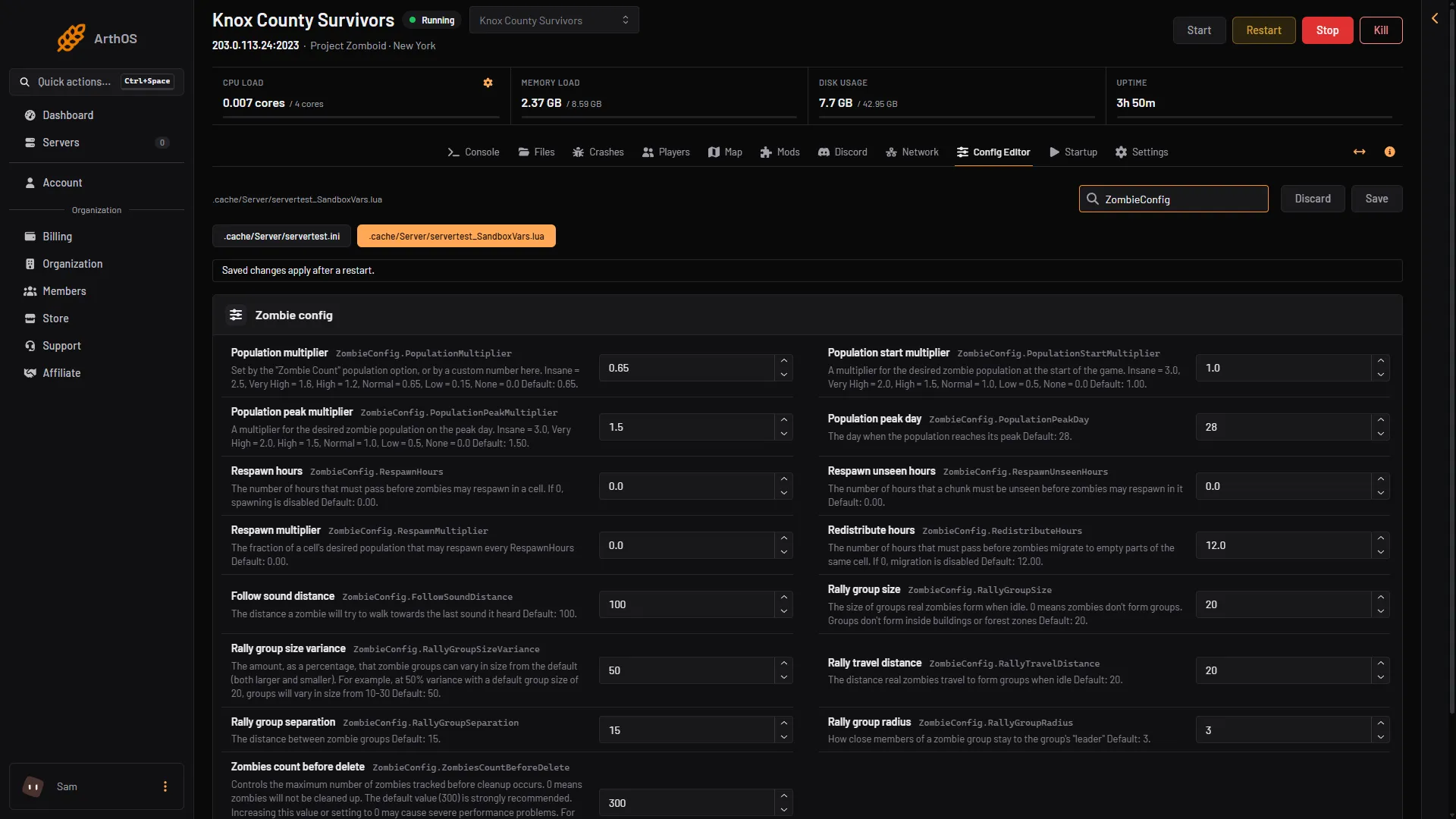
- Population multiplier
- Zombies count before delete
Build 42.21
Build 42.21 fixed driving at a high ping (about 150 ms and above), a data stream that did not scale at that ping, and several desyncs of zombie and player positions. A server or a player on an older build can still show those. See update a Project Zomboid server if you are not on 42.21.
If it does not work
- The lag comes and goes with one player. That player’s ping may be high. The row Kick above this ping (ms) removes players above a limit. Use it with care.
- The server stops by itself. See Project Zomboid out of memory.
- A mod is the cause. See Project Zomboid mod errors.
Not checked on Build 42.21 as of 18 October 2026: how the zombie population or the save interval affect lag.
More about the game: Project Zomboid servers.
Sources: pzwiki.net: Server settings, pzwiki.net: Tech Support, pzwiki.net: Build 42.21.0