









When a player dies on your server, they start again with a new character. Four rows in the Config Editor change where that character starts, whether they may start again at all, and whether everyone is told. Save, then restart the server.
The settings
All four are in the server ini, in the Config Editor. Each is on or off, and each is off by default.
- Respawn where you died (
PlayerRespawnWithSelf), group Gameplay. The new character starts where the old one died. - Respawn in your safehouse (
SafehouseAllowRespawn), group Safehouses and factions. The new character starts in a safehouse the old one was a member of. Safehouses need Players can claim safehouses (PlayerSafehouse) or an admin to make them. See safehouses. - Remove the account after death (
DropOffWhiteListAfterDeath), group Joining. The player’s account is removed after they die, so they cannot make a new character. The game’s comment says this is for servers that are not open to everyone. - Announce deaths in chat (
AnnounceDeath), group Gameplay. Everyone sees a message in global chat when a player dies. The ini also hasAnnounceAnimalDeathfor animals.
The ini also has PlayerRespawnWithOther. The game’s comment says it lets players respawn at the location of a split screen or Remote Play player. It matters only on a server with those players.
Make death final
- Open the Config Editor.
- Turn off Anyone can make an account (
Open) in the group Joining. Now only players you add can join. See the whitelist. - Turn on Remove the account after death.
- Save and restart the server.
A player who dies is then removed and cannot start again until you add their account back. On the Players page, type their name in Username and choose Add account. This makes the account with no password set. To give the player a sure way in, open the Console and type setpassword "name" "password", then give the player that name and password. The name and password they type when adding the server must match.
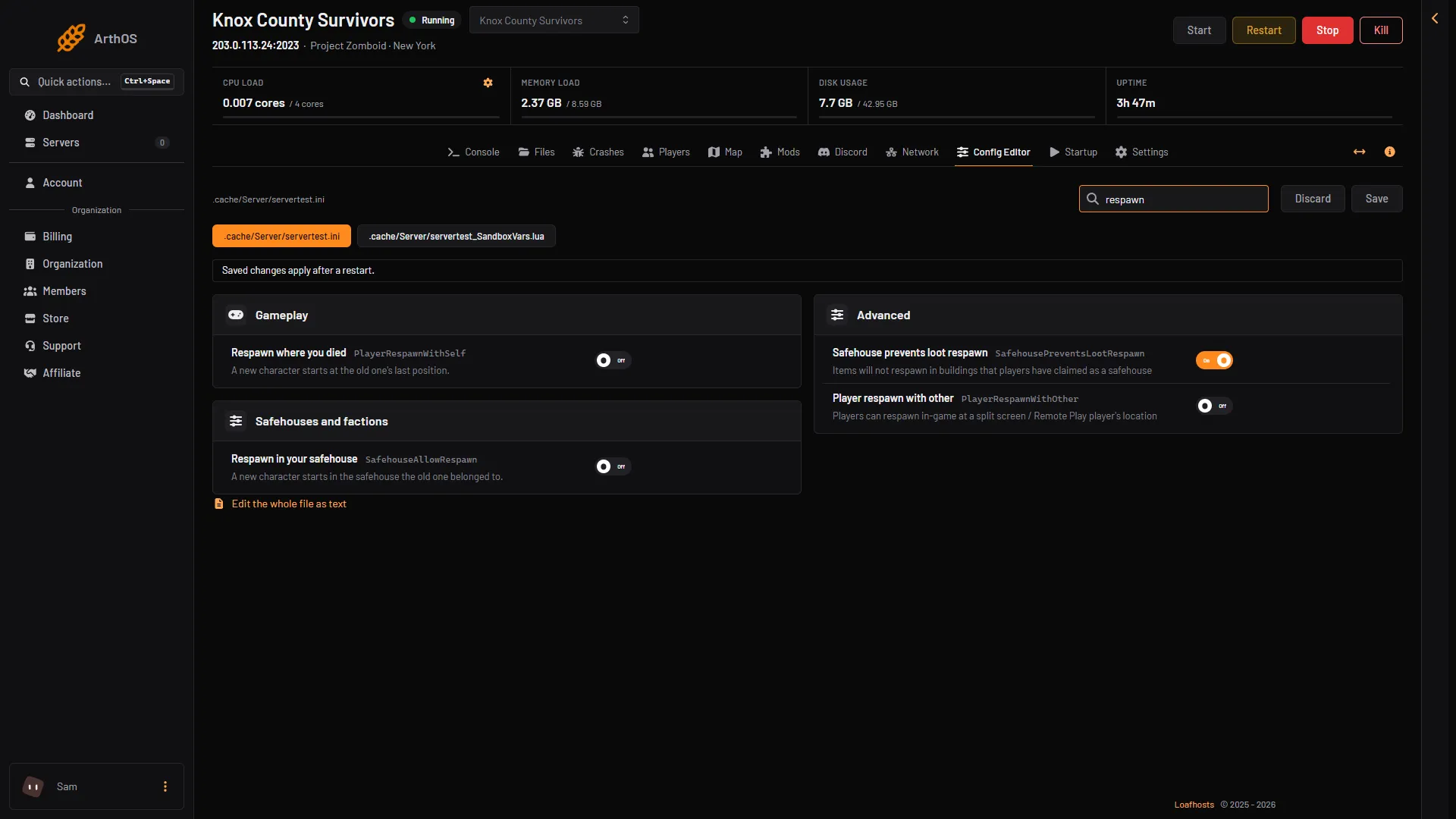
- Respawn where you died
- Respawn in your safehouse
Dead players on the Players page
The Players list shows a Dead tag (1) on a player whose saved character has died. It comes from the server’s own files, so it also shows while the server is stopped. Choose Character on the row to see the last save of that character. It is not live.
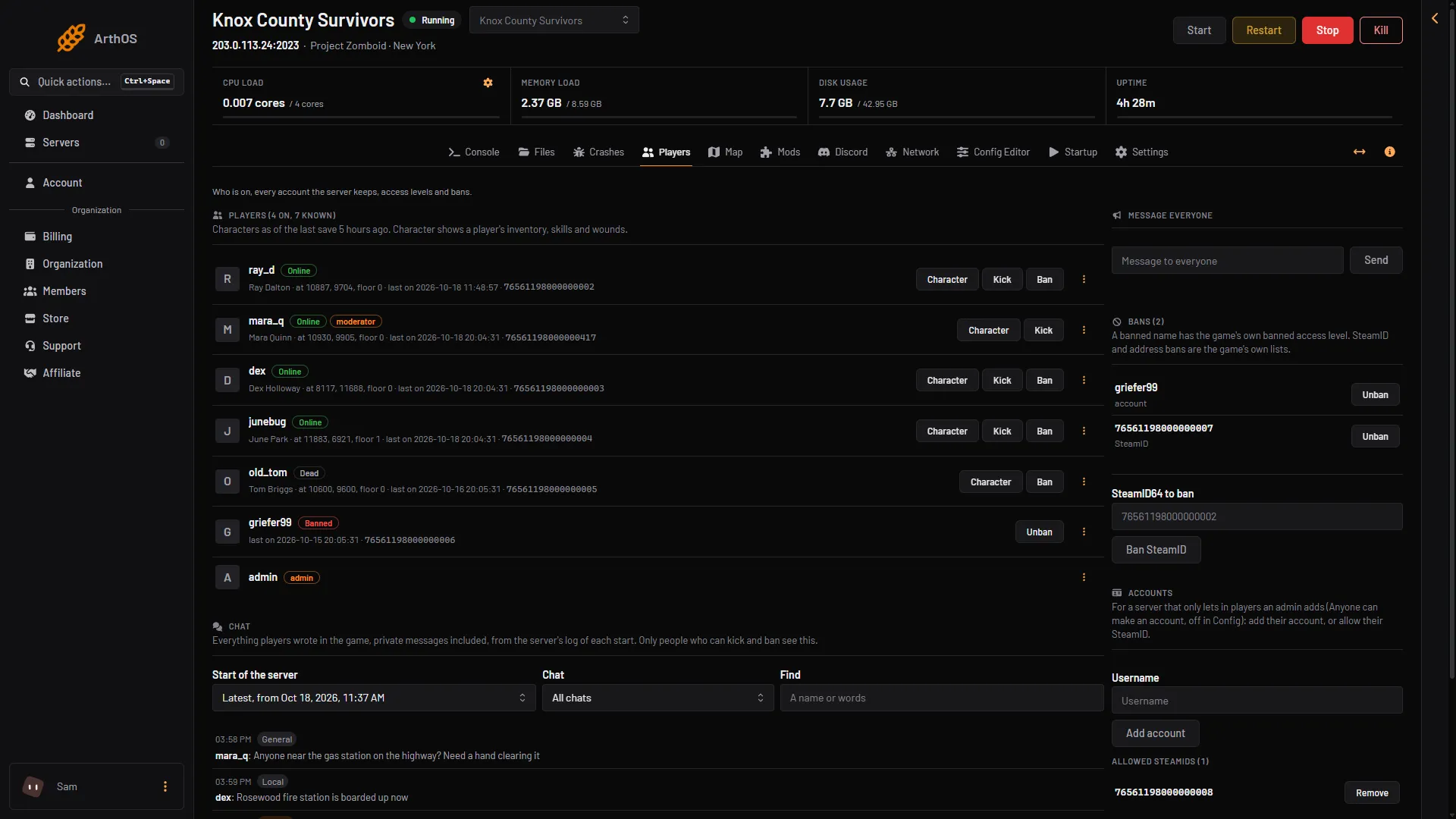
- Dead tag
To take a player’s account away yourself, open the menu on their row and choose Remove account, the last item. Their saved character is not deleted.
By hand
The same keys are in .cache/Server/<Server Name>.ini, which you can open in Files:
PlayerRespawnWithSelf=false
SafehouseAllowRespawn=false
DropOffWhiteListAfterDeath=false
AnnounceDeath=false
Change false to true and restart. To get death messages in Discord too, the Log channel row in the Discord group is for joins and deaths. See Discord for the bot.
Not checked on Build 42.21 as of 18 October 2026: what happens to the old character’s items after each setting.
If it does not work
- A dead player cannot join again. Remove the account after death is on. Add their account back from Accounts.
- Players do not respawn where you expect. Check that the respawn row you want is on and that you restarted. For the safehouse row, the player must have been a member of a safehouse.
- No death message appears. Check Announce deaths in chat is on and that you restarted after saving.
More about the game: Project Zomboid servers.
Sources: pzwiki.net: Server settings