









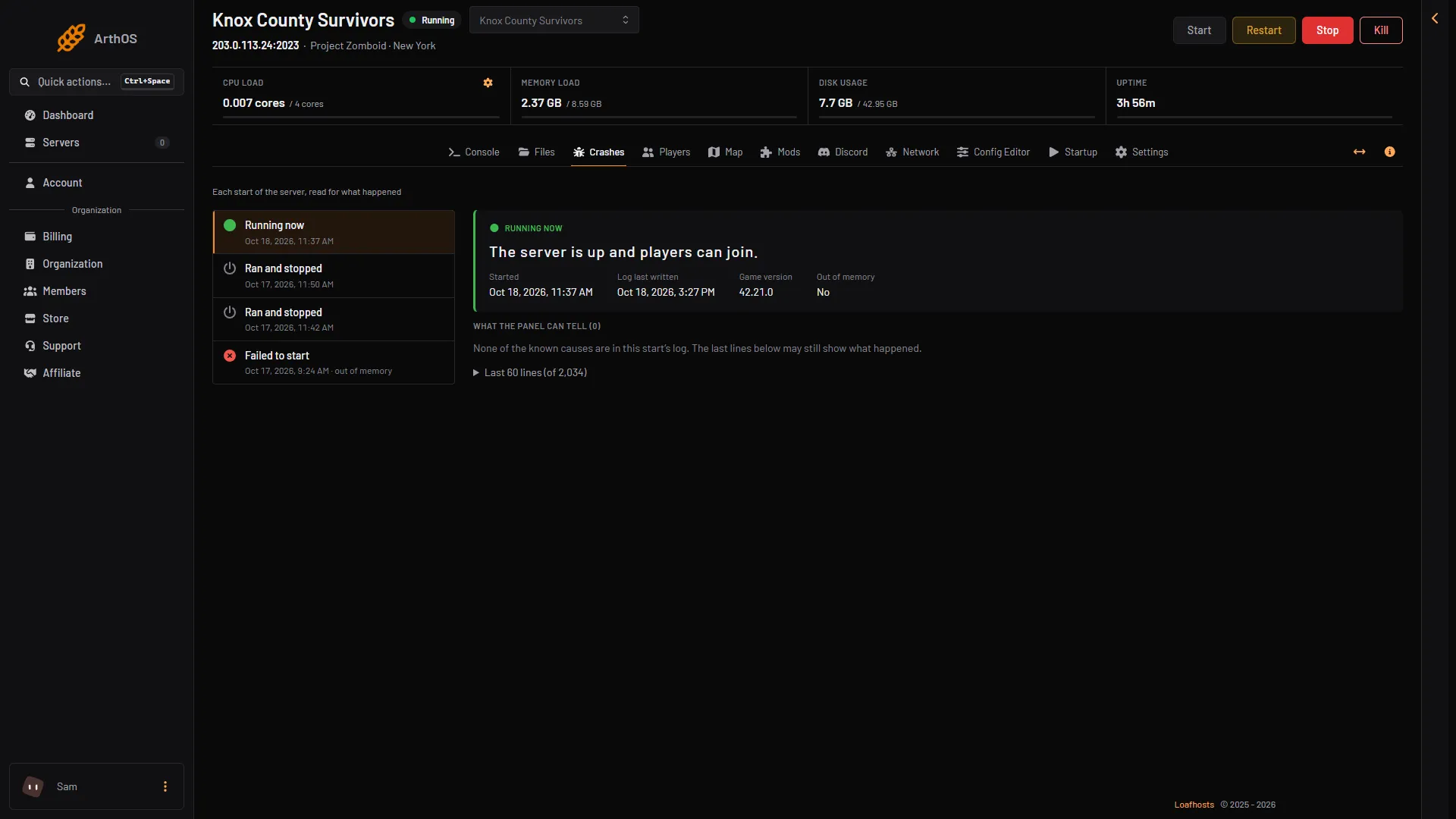
Open the Crashes page. It lists the recent starts of the server, newest first. It reads each start’s log and names mod problems in plain words, with a fix. If it names no mod, take mods off half at a time until the server runs.
Read the Crashes page
- Open Crashes and choose the newest start in the Starts list. Each start shows an outcome such as Failed to start, Crashed or Ran and stopped.
- Read the findings under “What the panel can tell” (box 1). The ones about mods are below.
- Open “Last 60 lines” to see the log lines the finding came from.
On a healthy start the box is empty, as in the picture.
- What the panel can tell
A Workshop item could not be downloaded. The fix reads: “It may have been removed or made private, or Steam did not answer. Check it on the Mods page, take it off, or start the server again.”
A mod needs another mod that is not loaded. The fix reads: “Add the mod it names on the Mods page; the order check loads it first.”
A script in the mod X failed. X is the mod’s name. If several mods are named, the title says “Scripts in the mods” and lists them. The fix reads: “The game reported an error in that mod’s code. A server often keeps running through one; when this start went wrong, update the mod, or take it off the Mods page and see whether the server runs without it.”
A mod’s script failed. This one names a Workshop item number when the log gives one. The fix reads: “The lines below name the file. Update the mod, or take it off the Mods page and see whether the server runs without it.”
A game thread stopped unexpectedly. The fix reads: “This is often a mod; the lines below name it. Try the server without the newest mods.”
If the finding is about memory, see out of memory. Heavy mods use memory too.
Find the mod in the log by hand
A healthy start writes many lines with ERROR in them, such as missing sounds. They are not a problem. The server is ready when the console shows *** SERVER STARTED ****.
The server log is .cache/Logs/<date>_DebugLog-server.txt in Files. See server logs. Earlier starts move into a logs_<date> folder at the next start.
On Build 42, each line of a Lua error trace names the mod it is in, between brackets:
Lua(ModName).functionName(File.lua:12)Lua(Vanilla) is the game’s own code. A line with a mod’s name in it points at that mod. The game’s own code also writes many harmless require(...) failed lines at every start.
Take mods off half at a time
PZwiki describes a method for a long mod list. Make a backup first. See backups and saves.
- On the Mods page, take half the mods off the list. Choose Apply and restart (Apply when the server is stopped).
- If the problem is gone, the mod is among the ones you removed. Put half of those back and apply again.
- If the problem is still there, it is among the mods still on the list. Take half of those off.
- Repeat until one mod is left. Then see whether the mod has an update. See update mods.
A mod can also clash with another. PZwiki says that if the errors matter to you, you will have to remove one of the two.
If it does not work
- The server does not start at all. Take every new mod off the list and apply. Add them back one by one.
- The mod’s row says it cannot load. It has no version for this server’s build. See Build 42 mods.
- Players cannot join but the server runs. See Workshop item version mismatch.
More about the game: Project Zomboid servers.
Sources: pzwiki.net: Resolving problems with mods, pzwiki.net: Mods