

















Open the Mods page, press the bin button on the mod’s row, and apply. The mod is gone from the world’s list and the server loads without it. Blocks the mod added leave the world for good, so back up first.
The wiki of Keen Software House, the game’s makers, says it plainly: “mods that added blocks will permanently remove the blocks from the world”. Some mods leave no trace when removed. Others leave gaps.
Back up first
Do one of these before you apply.
- Copy the world. On the World page, open the menu on the world’s row and choose Make a copy. With the panel tools on, press Save now on the Players page first and wait a few seconds, so the copy has what was just built. Without the tools, a normal Stop saves. See copy a world.
- Or make a panel backup: on Backups, press Create, then Create Backup. Take it after Save now (and a few seconds’ wait), or with the server stopped. See panel backups.
Take the mod off
- Open Mods, then On this server.
- Find the mod. Press the red bin button on its row, called “Take (name) off the list”.
- The bar at the bottom counts “1 to remove” and shows Discard changes and Apply and restart. Nothing on the server has changed yet.
- Press Apply and restart (2). On a stopped server the button reads Apply.
- Read the box Apply the mod changes?. The mod is under Takes off the list. Confirm.
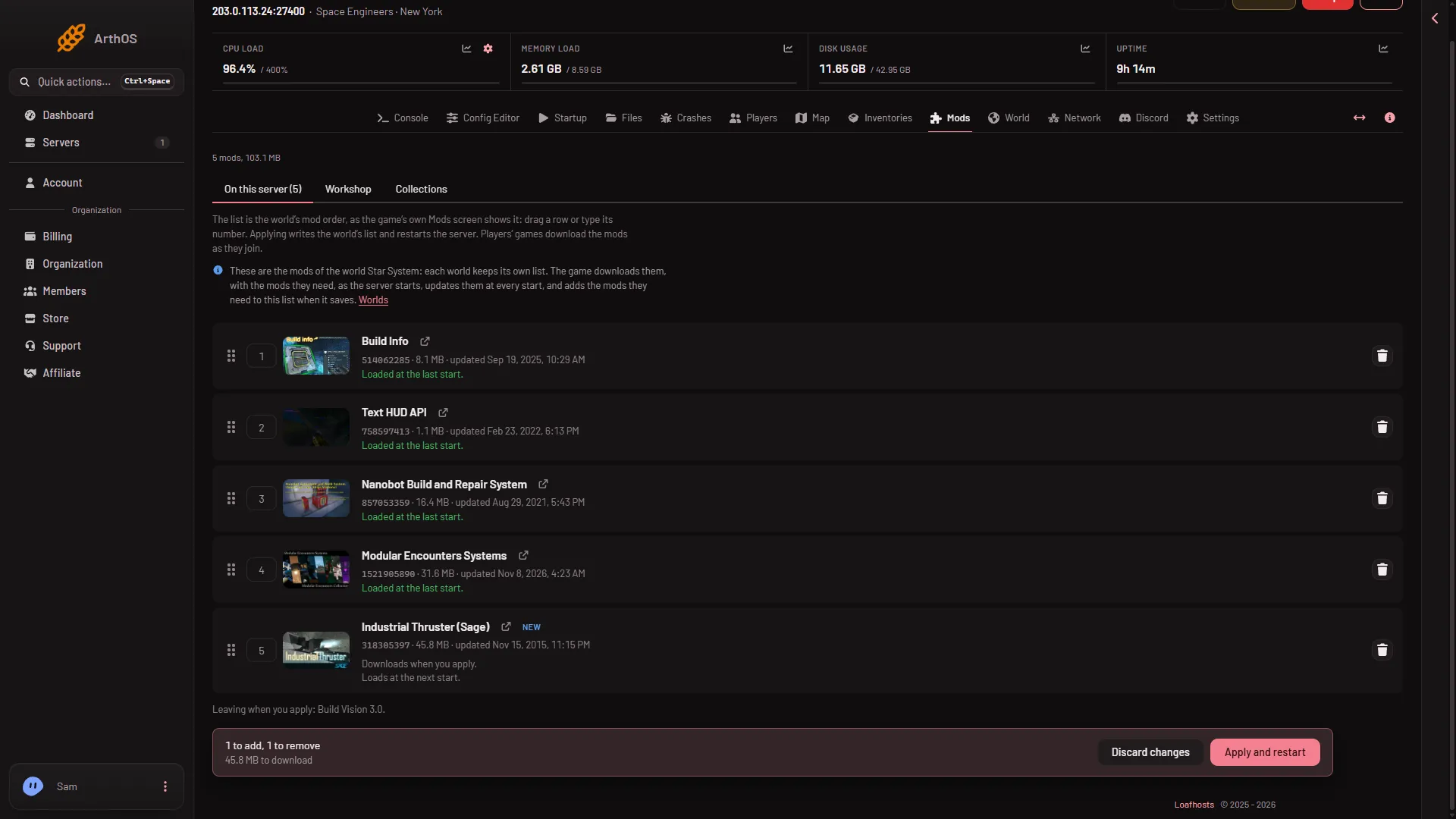
- Discard changes (1)
- Apply and restart (2)
If you change your mind before you apply, press Discard changes (1).
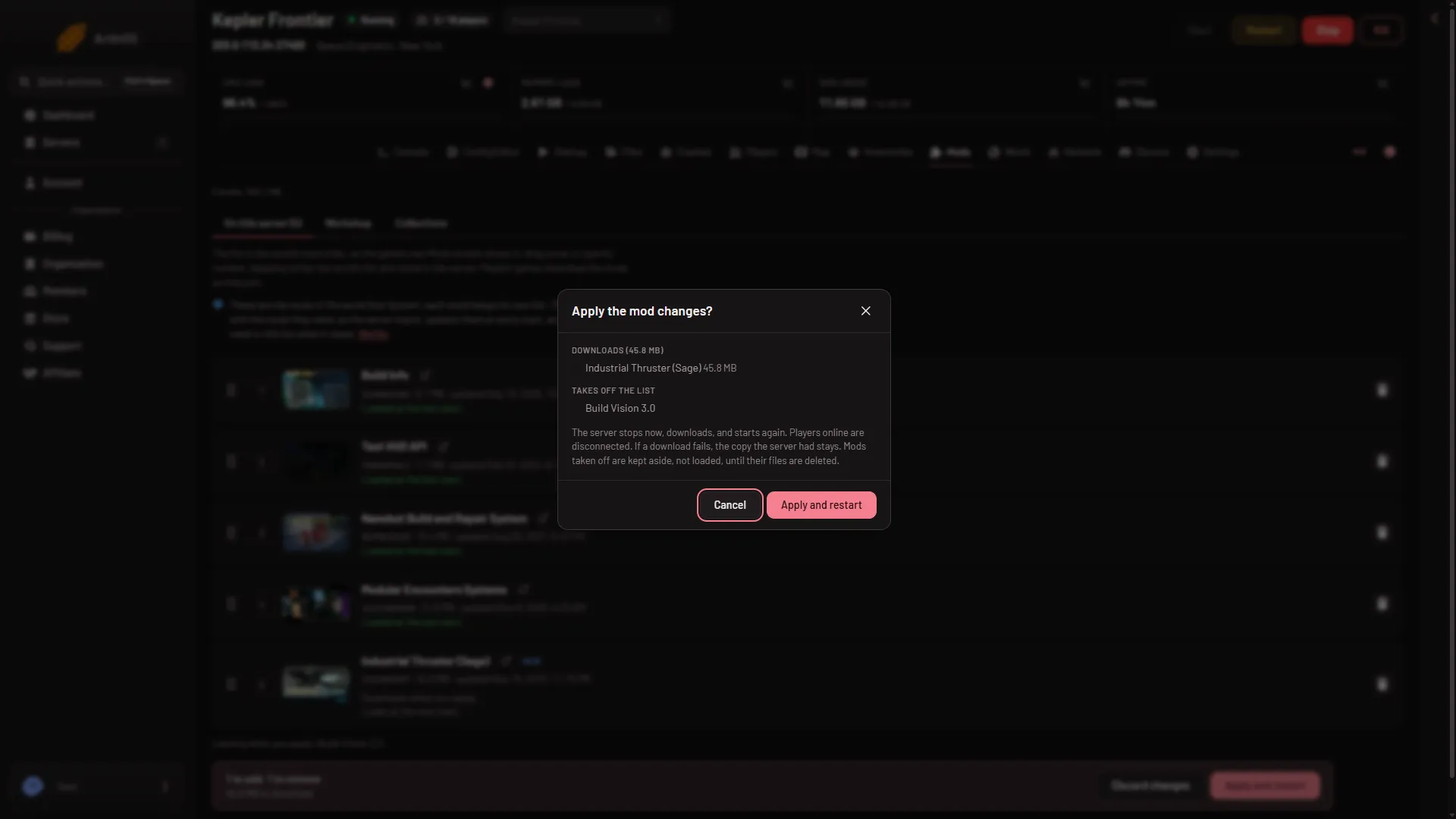
- Apply the mod changes
Applying stops the server, writes the world’s list without the mod, and starts the server again. Players online are disconnected. A stopped server stays stopped and loads the new list at its next start. The change takes effect at that start.
Its files stay on the server
The panel does not delete a removed mod’s files. The box says: “Mods taken off are kept aside, not loaded, until their files are deleted.”
Under the list, the section On the server, not loaded shows these folders and the space they take. Each has two buttons:
- Put on the list puts the mod back.
- Delete files frees the space. The panel asks first. Adding the mod again later downloads it again.
If it does not work
- The world will not load after the change. Blocks from the mod were part of the world. Put the mod back on the list and apply, or put back a backup. Crashed or Failed to start on the Crashes page: read the finding.
- Apply is refused. The panel says why, for example that the list changed since you loaded the page. Reload and try again.
- You cannot change the list. Each world keeps its own list, and the page shows the list of the world that loads now. Your role may also lack permission to change the startup.
More about the game: Space Engineers servers.
Sources: spaceengineers.wiki.gg: Mods