

















To copy a world, open the World page, press the three dots on the world’s row and choose Make a copy. Type a Name of the copy and press Copy. The copy is a whole copy of the world’s folder, kept next to the original.
A copy is a good way to try a risky change, a new set of mods or different settings, without touching your real world.
Make the copy
- If the server is running, save the world first. With the panel tools on, open the Players page and press Save now and wait a few seconds, because the button asks the game to save and does not wait. Without the tools, stop the server (a normal stop saves). The copy only has what the game has written to disk.
- Open the World page.
- On the world’s row, press the three-dots button, named More for (name).
- Choose Make a copy (1).
- In the box, type a Name of the copy (1). The box fills in “(world) copy” for you. Its reminder to save first is (2).
- Press Copy (3).
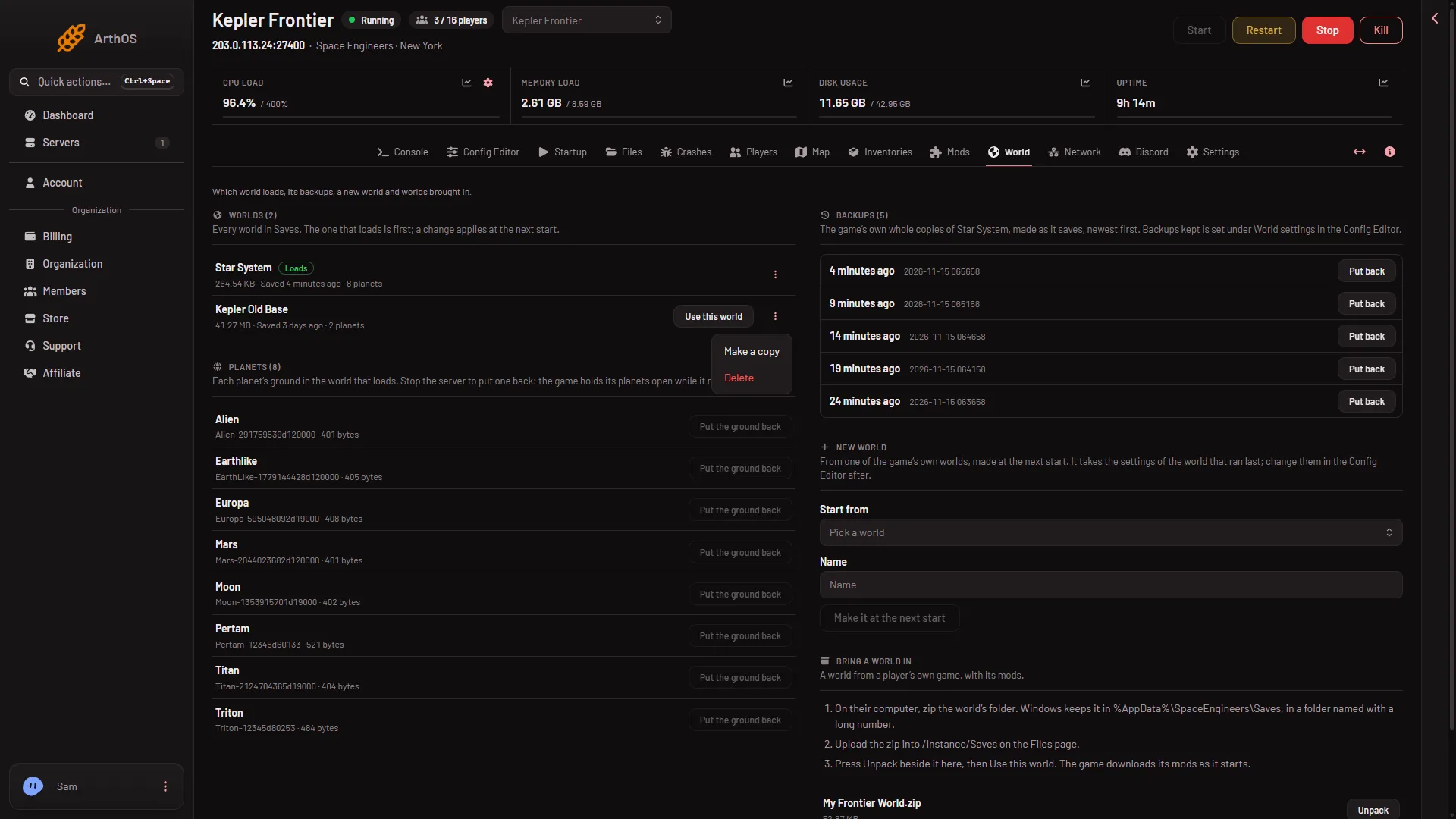
- Make a copy
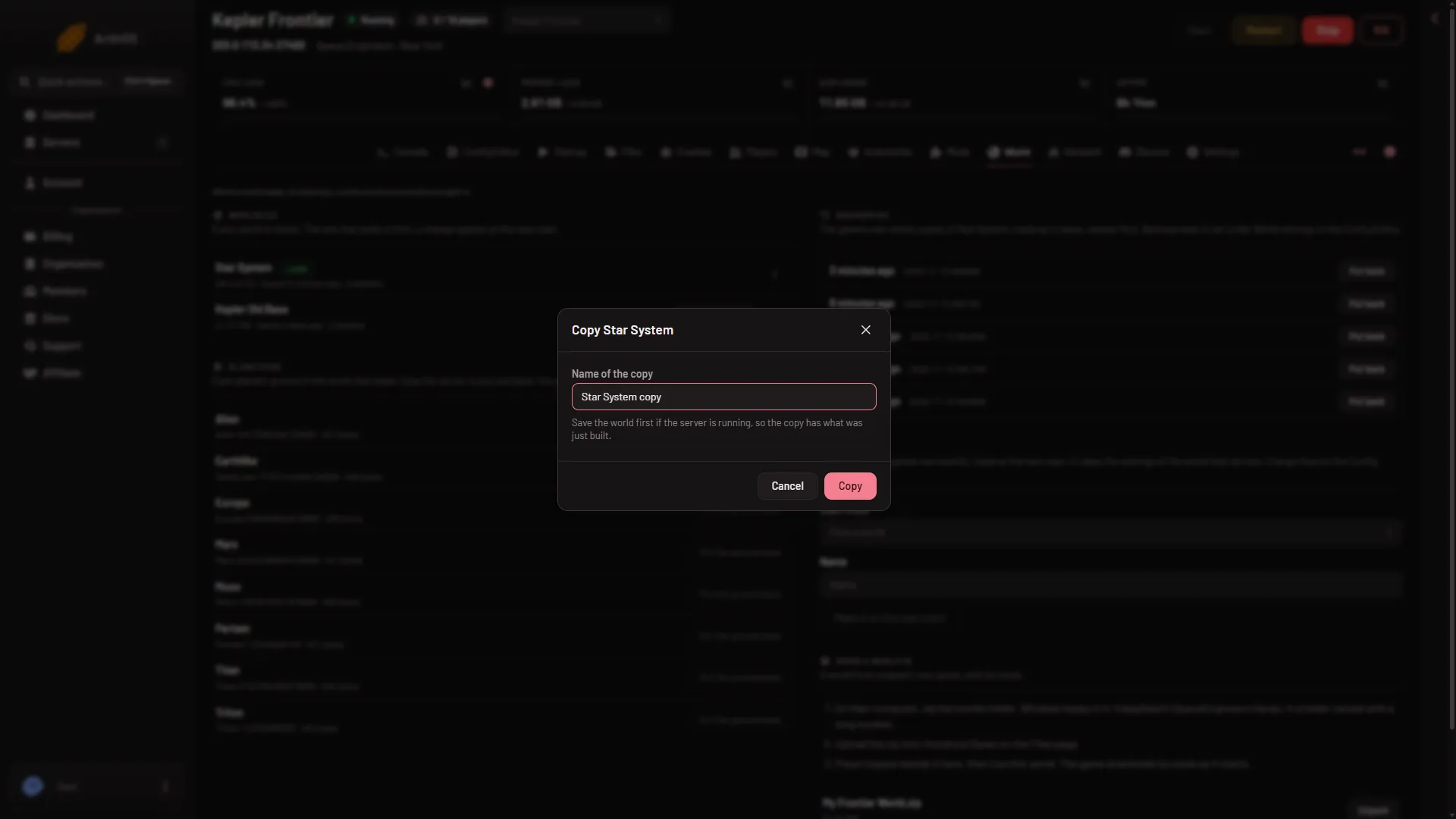
- Name of the copy
- Save first
- Copy
The panel says the new world “is made”. It then appears in the Worlds list.
What to know
- The copy does not load. The world that loads does not change. To load the copy, press Use this world on its row, then restart. See switch worlds.
- You can copy while the server runs. The server is not stopped. The copy only holds what was saved to disk, which is why the box says to save first.
- The name has rules. Use 1 to 60 letters, digits, spaces and these marks:
-_'(),. Names are compared without regard to capital letters, sostar systemandStar Systemclash. - A copy takes disk space. It is a whole copy. Delete copies you no longer need. See delete a world.
If it does not work
- The panel says the name is on the server already. Choose another name, or delete the world that has it.
- The panel says the copy did not finish. Nothing was changed. Try again, and check that the server has free disk space.
- You do not see Make a copy. Your role may not allow creating files.
- The copy misses recent building. The world was not saved first. Save (and wait a few seconds), delete the copy and make a new one.
More about the game: Space Engineers servers.