









To reset a forgotten password, send setpassword "username" "newpassword" from the Console page. The other way is Remove account on the Players page, so the player makes a new account when they next join.
Set a new password
PZwiki: “Use this command to change password for a user.” The form is /setpassword "username" "newpassword".
- Open the Console page of your server. The server must be running.
- Type the command without the slash:
setpassword "rj" "NewPassword"- Press Enter. Tell the player their new password, and ask them to use it at the next join.
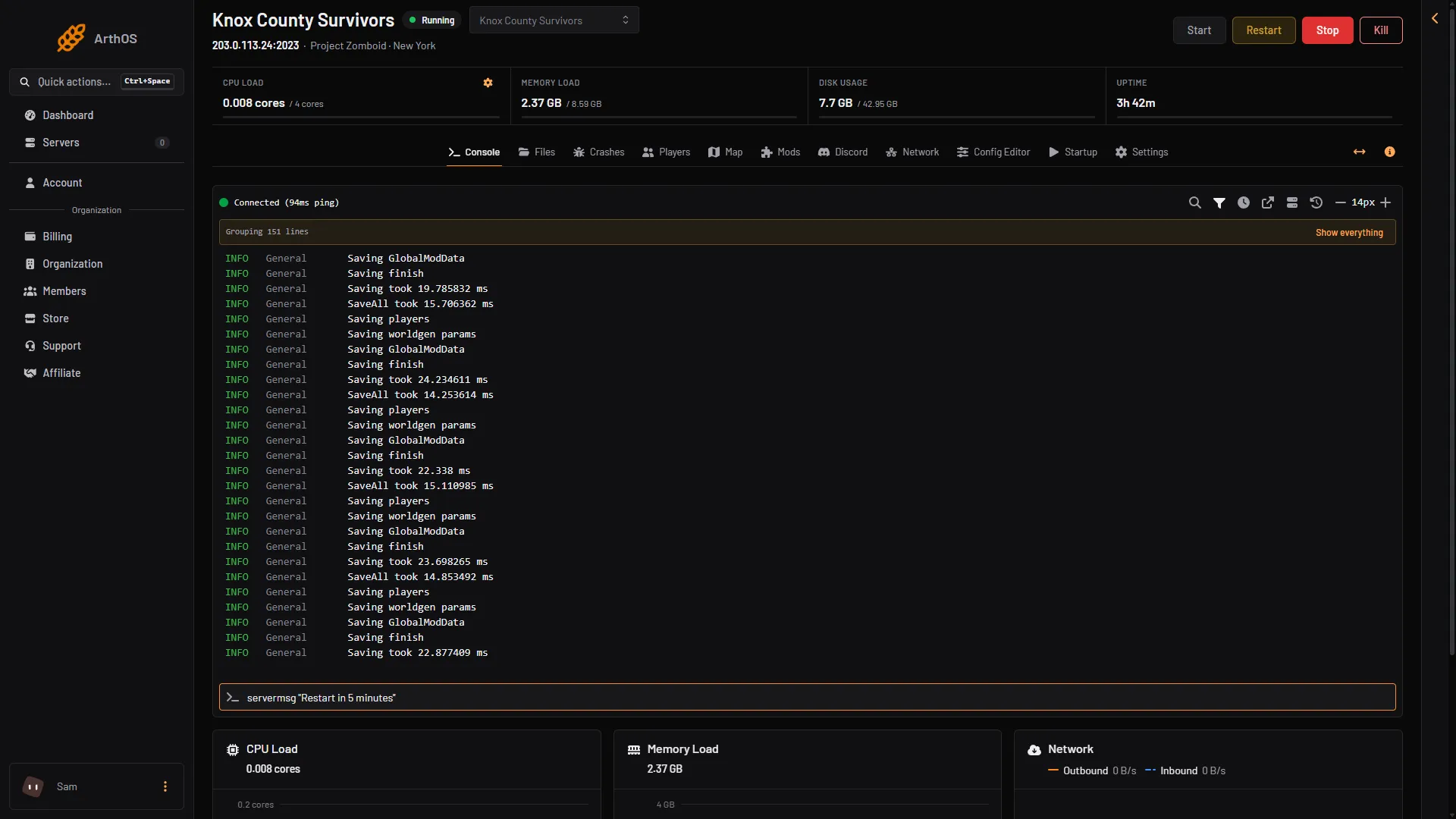
- Command box
In the game chat, an admin types the same command with a slash: /setpassword "rj" "NewPassword".
The game answers “done” for a name that does not exist. Open the Players page to check that the name is right: the list shows every account.
The panel has no button for a password. The command is the way.
Remove the account instead
- Open the Players page.
- On the player’s row, open the three-dot menu and choose Remove account, the last item. A box titled “Remove (name)‘s account” opens.
- Choose Remove account in the box (1).
The panel’s box says that the player “will need a new account to join a server that only lets in players an admin adds. Their saved character is not deleted.” The panel sends removeuserfromwhitelist "username".
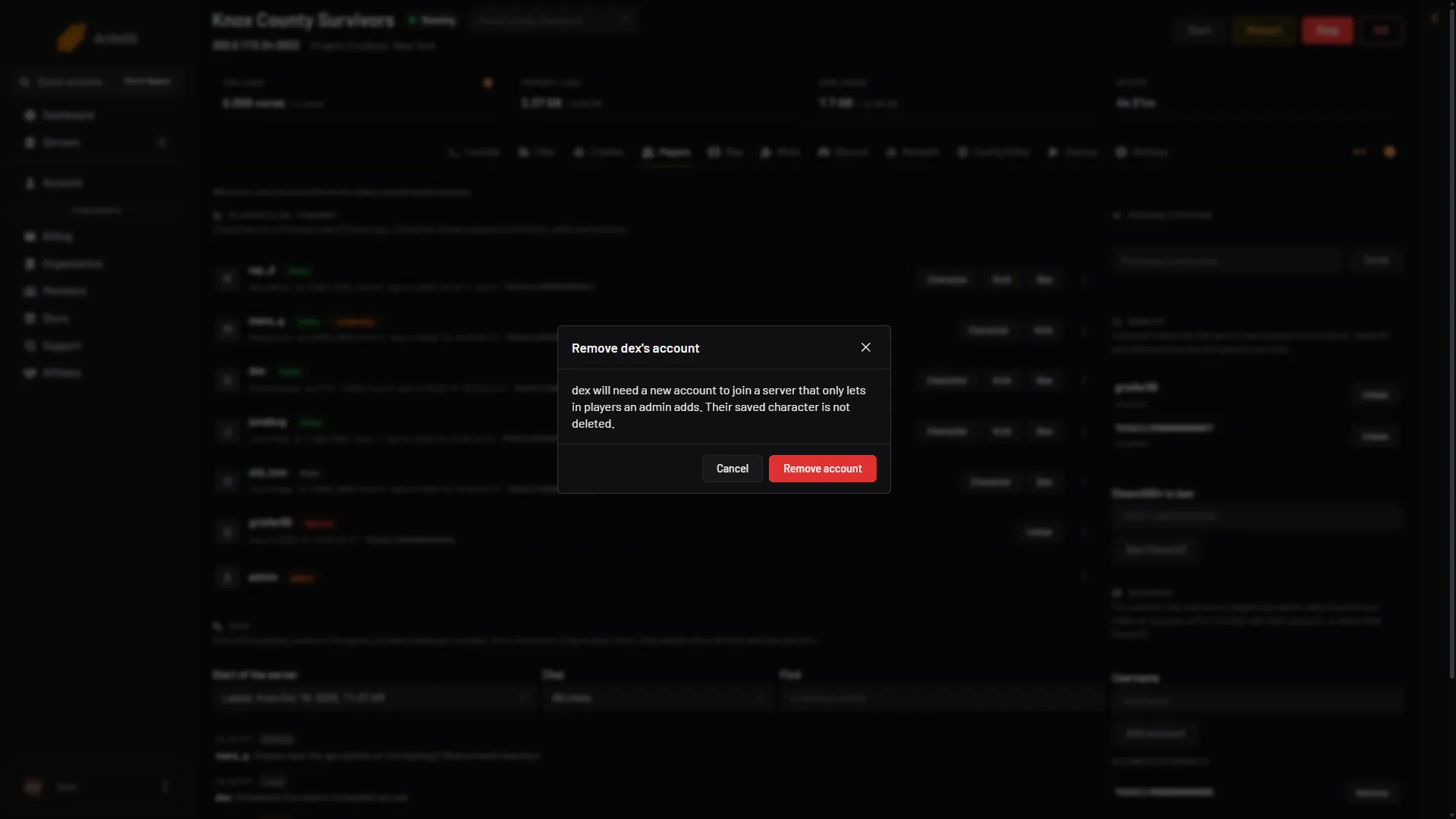
- Remove account
Then the player joins again:
- On a server where anyone can make an account, they make a new account with a new password when they join. This is the Anyone can make an account row of the Config Editor, key
Open. - On a closed server (Anyone can make an account off), you must add the account again. Add account on the Players page makes the account with no password set. What the player types at the first sign-in is not checked, so set a password: type
setpassword "name" "password"in the Console, and give the player that name and password. The name and password they type when adding the server in the game must match.
Not checked on Build 42.21 as of 18 October 2026: whether a new account with the same name gets the old character back. The panel says only that the saved character is not deleted.
Reset the admin password
The admin account is an account like the others. In the Console, type setpassword "admin" "NewPassword", using the admin’s own username. The Admin Password on the Startup page does not change. See make yourself admin.
If it does not work
- The player still cannot join. They may be using the old password, or a different capitalisation of the name. Check the name on the Players page.
- The player is banned. Not checked on Build 42.21 as of 18 October 2026: that a banned account is refused at sign-in. See ban and kick players.
- The command does nothing. The server must be running, and the name goes in double quotes.
More about the game: Project Zomboid servers.
Sources: pzwiki.net: Admin commands