











The World page has no button that starts a new world. To start one, stop the VEIN server, then rename Server.vns in Files. The old world stays as a copy you can put back. Take a backup first.
What a reset changes
The world is the save, Server.vns. Everything built in it, and the players’ characters, go with it.
Your settings stay. The player limit, rules, passwords, and the lists of admins, whitelist and bans are not part of the save.
Reset the world
- Stop the server. The panel saves the world before it stops, so the old world is kept as it was.
- Open Settings, then Backups, and choose Create Backup. At the backup limit the panel refuses a new one, so delete an old backup first.
- Open Files, then the folder
Vein/Saved/SaveGames. - Open the menu on
Server.vns(1), choose Rename, and give it the nameServer-before-reset.vns. - If
Server.bak.vnsis also there, rename it toOld-world-bak.vns. It belongs to the old world, and left in place it makes the World page warn that a save was cut off. This name does not start withServer-, so it is not listed on the World page, on purpose. It is a half-written save: do not put it back. - Start the server.
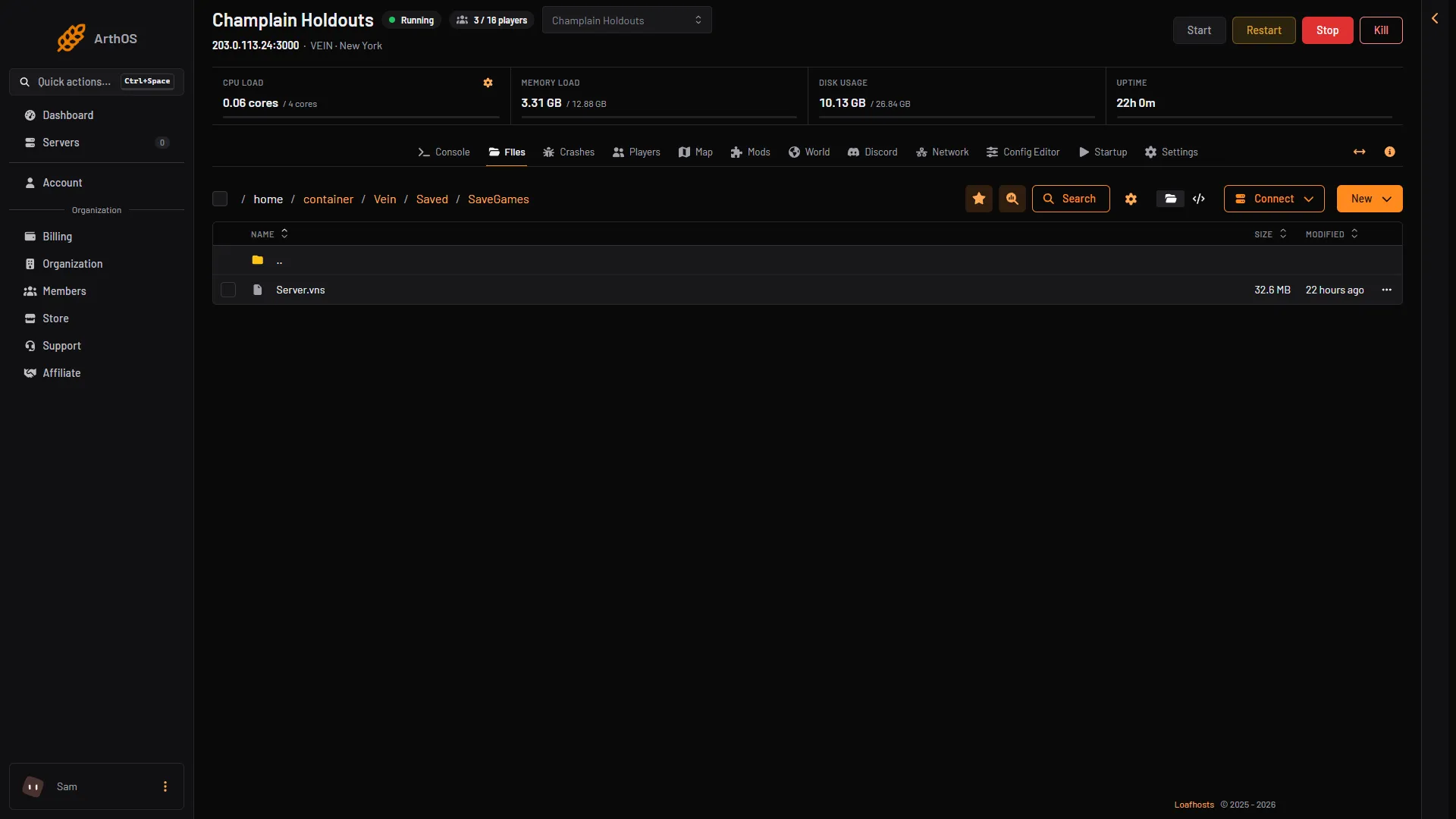
- The save file to rename
Use that kind of name for Server.vns. A file that starts with Server-, ends in .vns, and uses only letters, numbers, -, _ and . shows up under Copies and uploads on the World page. A name that does not match is not listed.
With no Server.vns in the folder, the World page shows “No save yet”. The game makes a new world when it starts, and the page then shows its size and the time it was written.
The game also makes a new world on the first start of a new server, in the same way.
Go back to the old world
Put back means the copy becomes the live save again.
- Stop the server.
- Open the World page. Under Copies and uploads, choose Put back next to
Server-before-reset.vns. - In the box, choose Put it in place. The panel makes a copy of the world on the server now and keeps it first.
- Start the server.
Nothing in that list is deleted by the panel. Delete copies you no longer want in Files.
If it does not work
- The copy is not listed. The name does not fit the rule above. Rename it in Files.
- Put back is greyed out. The server is running. Stop it.
- The old world is still there after the start.
Server.vnswas not renamed, or you renamed a file in another folder. Check the folderVein/Saved/SaveGames. - Players cannot join. Wait about a minute for the server to be ready, and about 30 seconds more to show in the server browser.