











Before the panel changes the save on a VEIN server, it makes a copy of the old one and keeps it. The copies are listed on the World page, in the card Copies and uploads. Put back means the copy becomes the live save again. The panel never deletes the copies.
When a copy is made
The panel makes a copy in three cases:
- An upload. You choose Use this world on an uploaded world. The save as it is now becomes
Server-before-upload-(time).vns. - A put back. You choose Put back on a copy. The save as it is now becomes
Server-before-restore-(time).vns. - A version change. You choose a different version under Game version. The save is copied to
Server-before-(version)-(time).vns, for exampleServer-before-0.025h2-20261025-170000.vns. Choosing the current version givesServer-before-current-(time).vns. A running server is saved first.
The time in the name is in UTC. The pictures are a demo, so their names have no time at the end; yours do.
Put a copy back
-
Stop the server. The game writes its save while it runs, so the buttons are greyed out until you do.
-
Open the World page. In Copies and uploads, choose Put back next to the copy.
-
A box asks “Put (name) in place?”. It says the save as it is now is kept as a copy first, so nothing is lost. Choose Put it in place (1).
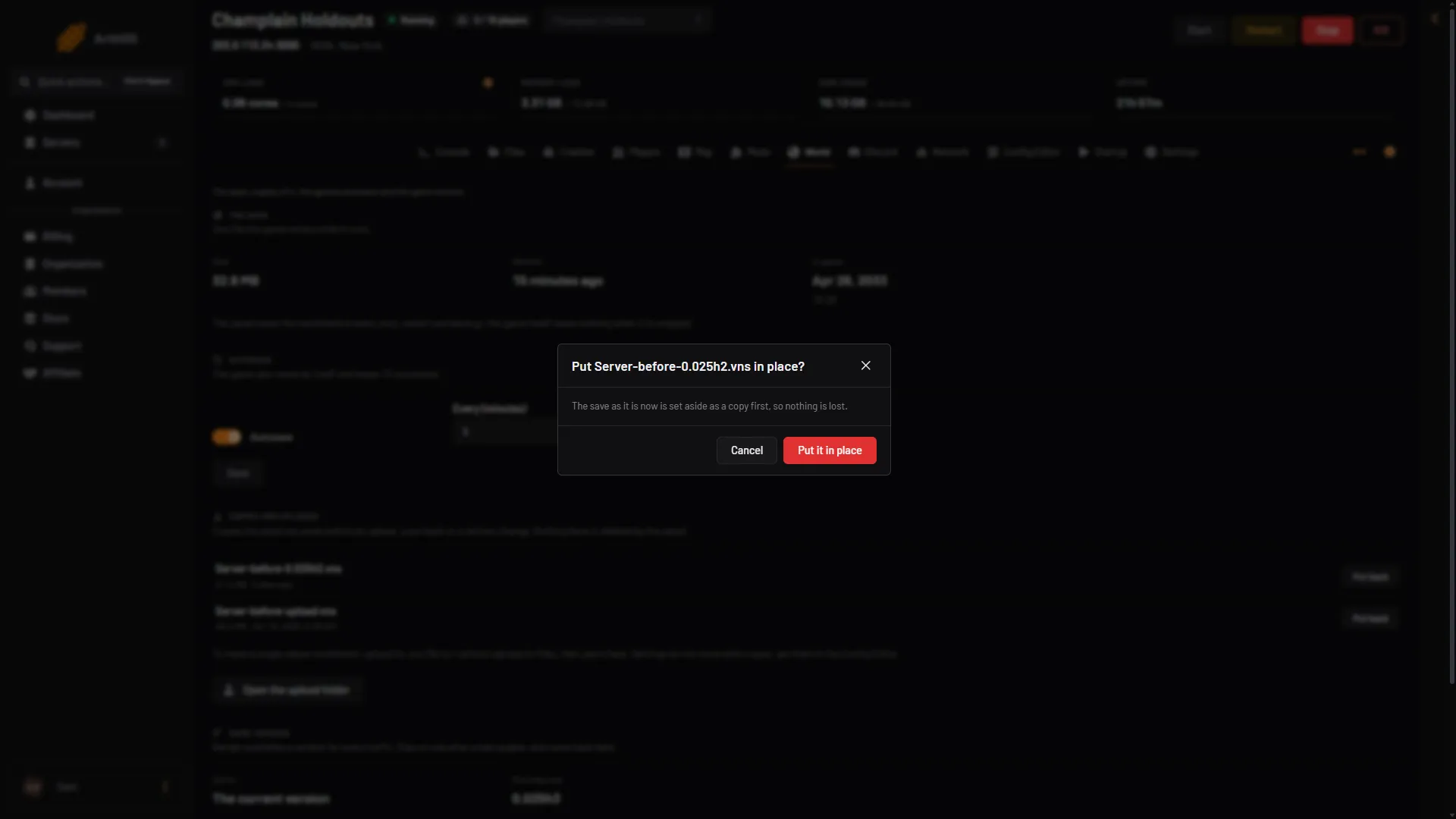
- Put it in place
-
The page says “Done. The save it replaced is kept as a copy.” Start the server.
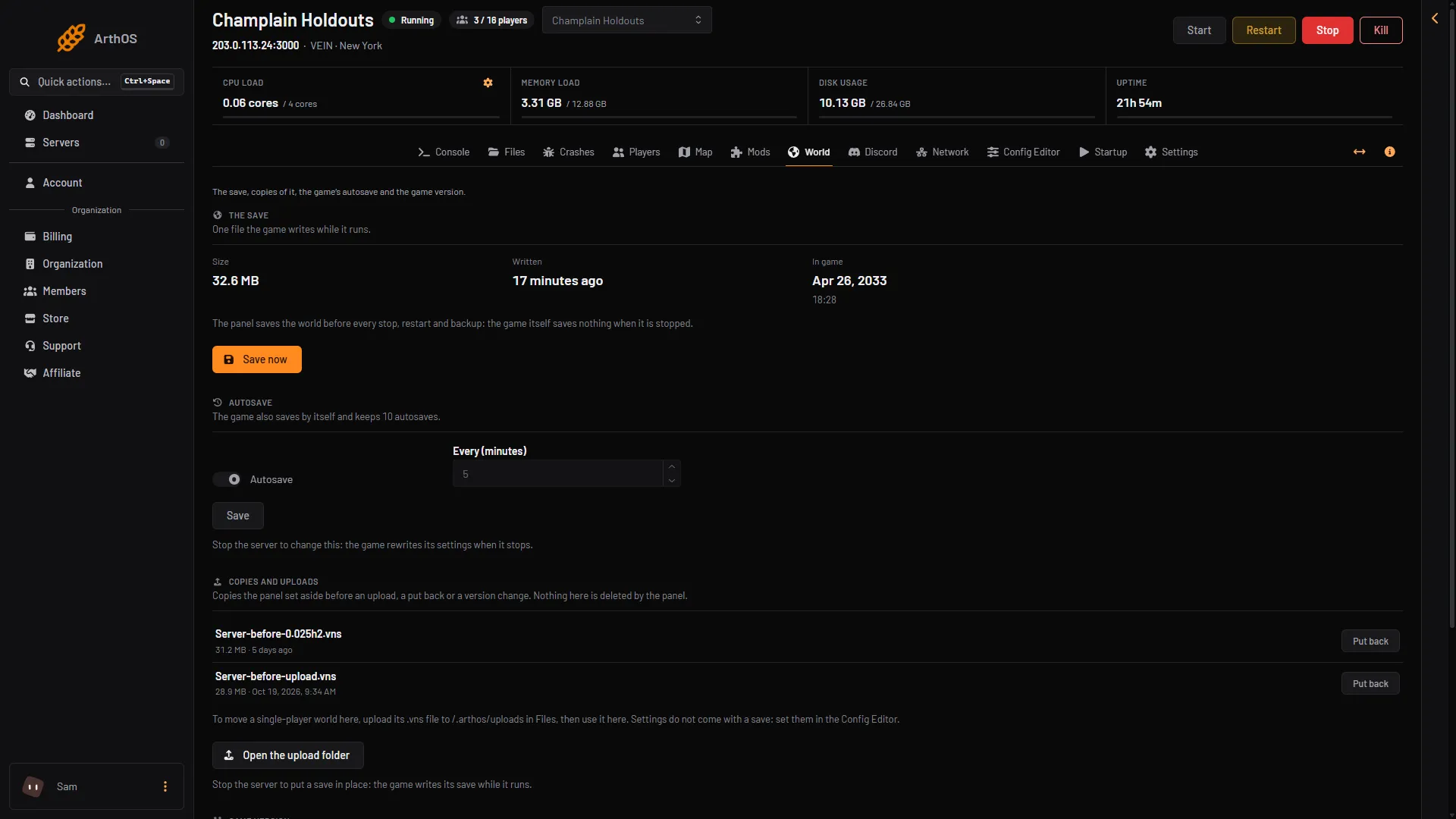
- Put back
The copy you used moves into the place of Server.vns, so it leaves the list. The save you replaced appears as a new copy. You can swap between two worlds this way.
Uploads
Worlds you uploaded wait under Uploaded worlds, with Use this world. See uploading a single-player world.
Copies take disk space
Each copy is a whole save. Nothing deletes them, so they add up. To free space, open Files, go to Vein/Saved/SaveGames and delete the copies you no longer want. Download one first if you might need it.
You can also make a copy by hand. Give a file a name that starts with Server-, ends in .vns, and uses only letters, numbers, -, _ and .. It is listed too. Files with other names are left alone and are not listed.
Copies are not the same as backups. Backups are under Settings, then Backups.
If it does not work
- Put back is greyed out. The server is running. Stop it.
- “That save is not on the server any more”. The copy was deleted or renamed. Reload the page.
- “That file is not a VEIN save (too small or too large)”. Files under 1 KB or over about 4 GB are refused.
- No copies yet. The panel has not changed the save yet. Copies appear after an upload, a put back or a version change.