











The World page is where you look after your VEIN world. It shows the save, saves it on demand, sets how often the game saves by itself, makes an older copy the live save again and picks the game version. Some changes need the server stopped. This guide says which.
The four cards
Open the World page. It has four cards, top to bottom.
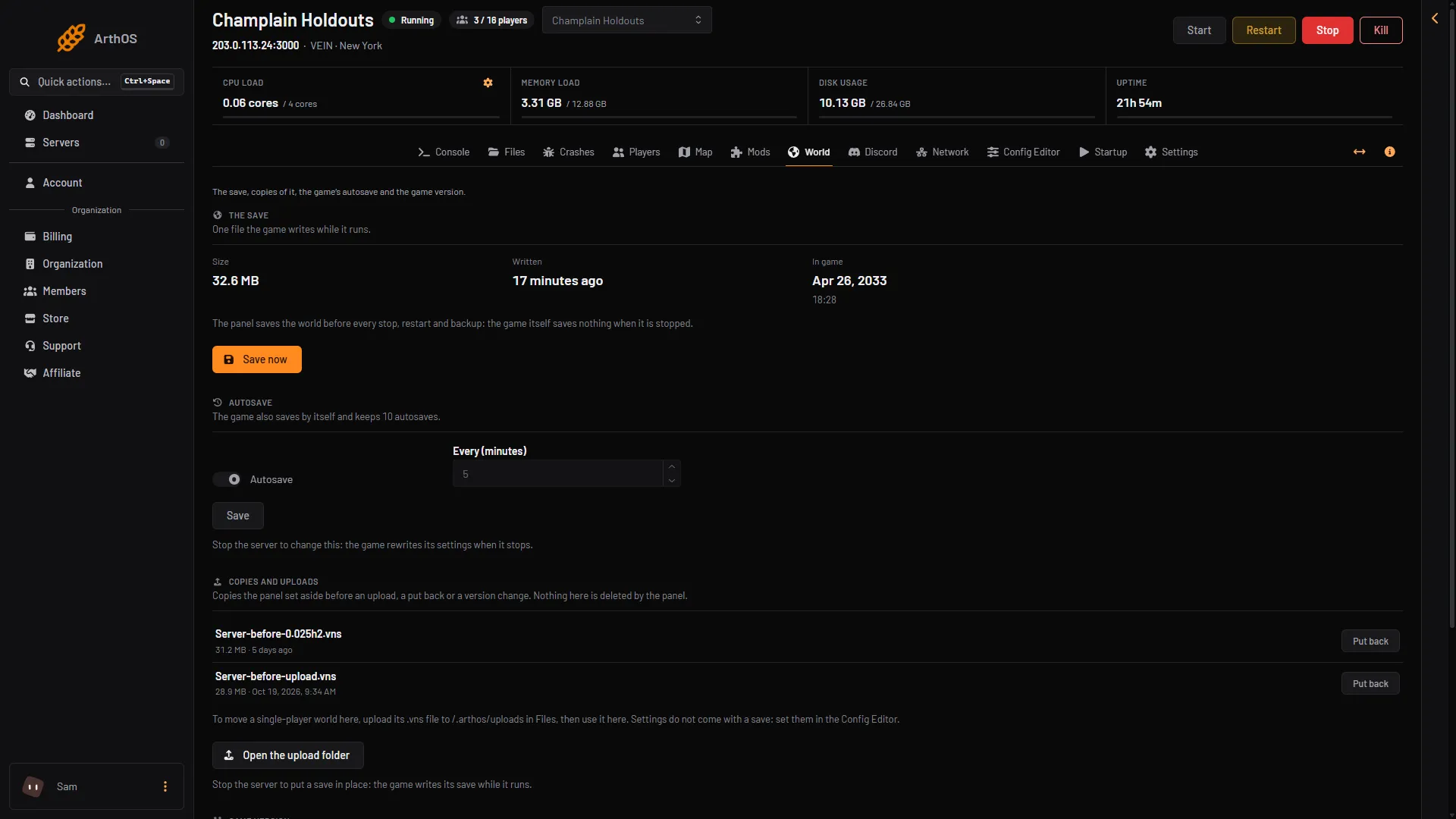
- Save now
- Autosave
- Put back a copy
The save
VEIN keeps your world in one file, Server.vns. The game writes it while it runs. The card shows:
- Size: how big the file is. It says “No save yet” before the game has written one.
- Written: when the file was last written. The words “Saving now” appear next to it while the game is writing.
- In game: the date and time inside the game, from the game’s own calendar. It is not a player count. It shows while the server runs.
The panel saves the world before every stop, restart and backup. The game itself saves nothing when it is stopped.
Save now saves the world at once. It shows only when the server is running. See save now.
If a save was cut off, because the game was stopped while it wrote, a warning on the card says so while the server is stopped. Characters may be missing. Make a copy the live save again from the card below. See a save was cut off. To start a new world instead, see reset the world.
Autosave
The game also saves by itself. The card shows Autosave (on or off) and Every (minutes). The game has one save file on the server, Server.vns, so an autosave writes over it. See autosave settings.
The card says so too: the game saves into the same one file, Server.vns, and keeps no older saves.
You can only change this while the server is stopped. The game rewrites its settings when it stops, so a change made while it runs would be lost. The change applies at the next start.
Copies and uploads
Before the panel replaces your save, it makes a copy and keeps it. This happens before an upload, a Put back or a version change. The copies are named Server-before-(what)-(time).vns and listed here with their size and time. Each has Put back. Put back means the copy becomes the live save again. A world you uploaded has Use this world. The panel never deletes the copies.
Put back needs the server stopped. Before it starts, the panel makes a copy of the current save and keeps it, so nothing is lost. See save copies.
To move a single-player world here, upload its .vns file to the upload folder (/.arthos/uploads) in Files, using Open the upload folder. Then use it here. Settings do not come with a save, so set them in the Config Editor.
Game version
Ramjet publishes a version for every hotfix (a small update that fixes problems). This card shows what the server is Set to and what is Running now. Pick a Version and choose Use this version to stay on an older hotfix after a bad update. The panel makes a copy of the save first and keeps it. The version applies at the next start, so no stop is needed to set it.
Update when the server starts is a switch. Off keeps the files as they are, even on the current version. Not checked on 0.025 as of 27 October 2026: whether a version you pick is downloaded while this switch is off.
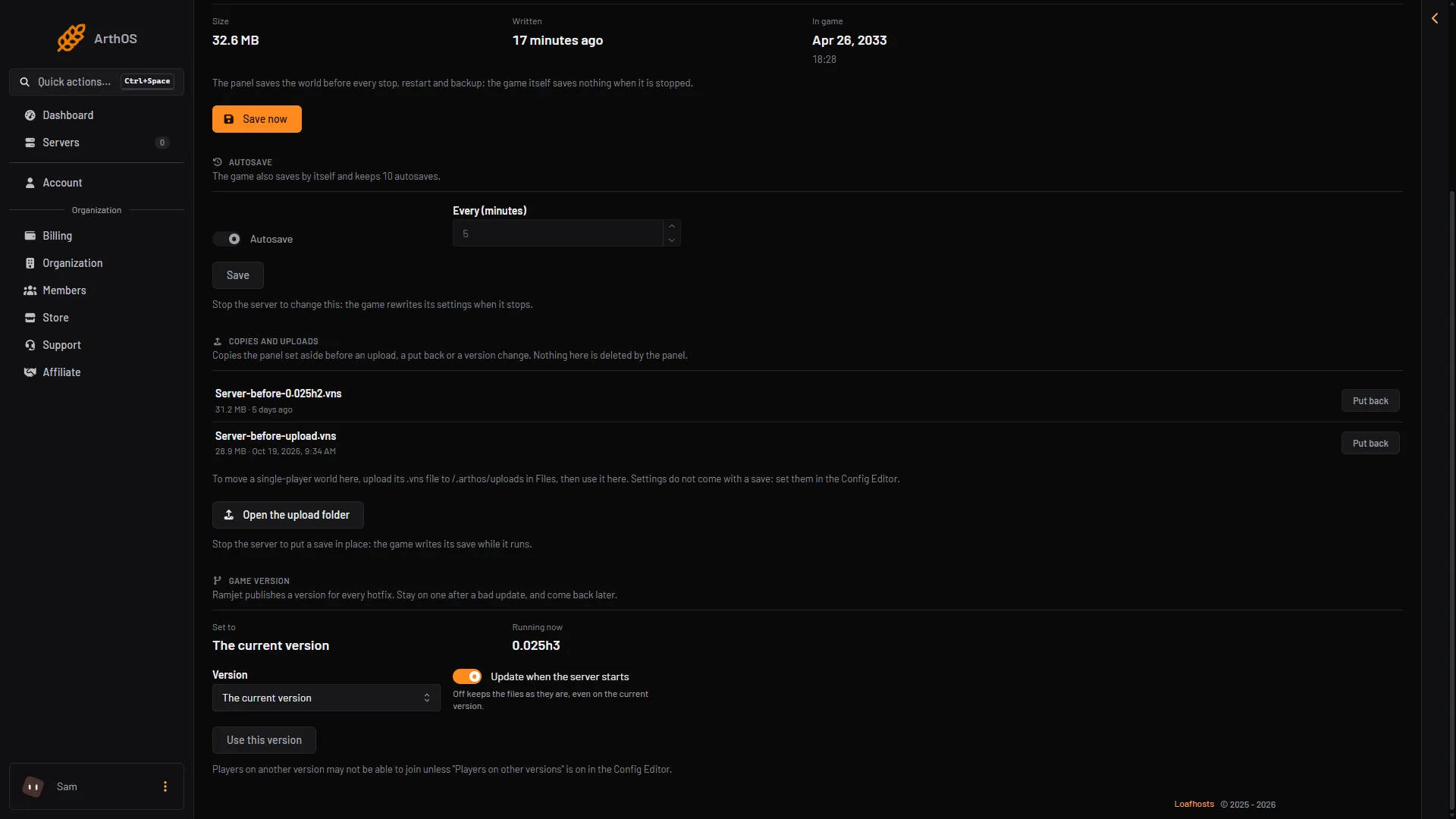
- Running now
- Pick a version
- Use this version
Players on another version may not be able to join unless Players on other versions is on in the Config Editor. Not checked on 0.025 as of 27 October 2026: how a player picks an older version in Steam.
What applies when
- Save now: the server must be running. It saves at once.
- Autosave and Every (minutes): the server must be stopped. The change applies at the next start.
- Put back and Use this world: the server must be stopped. The save is replaced at once, and the game loads it when you start.
- Use this version and Update when the server starts: running or stopped. The change applies at the next start.
If it does not work
- Save now is missing. The server is not running, or your role cannot restart the server. To start it, choose Start at the top right of the server page.
- Autosave is greyed out. Stop the server first.
- Put back is greyed out. Stop the server first.
- There are no copies. The panel makes one only when it replaces a save. A new server has none.
More about the game: VEIN servers.