











Your VEIN server keeps its world in one file, Server.vns. Save the world first, then download the file from Files, in the folder Vein/Saved/SaveGames.
Save first
The game itself saves nothing when it is stopped, so the file on disk may be older than the world you see. Pick one:
- Server running. Open the World page and choose Save now. Wait until the line Written shows a new time and “Saving now” is gone.
- Server stopped. Nothing more to do. The panel saves the world before every stop and restart.
Do not download while a file called Server.bak.vns is in the folder on a running server. It is there only while a save is being written.
Download the file
- Open Files.
- Open the folder
Vein, thenSaved, thenSaveGames. - Open the menu (three dots) on the row of
Server.vns(1) and choose Download.
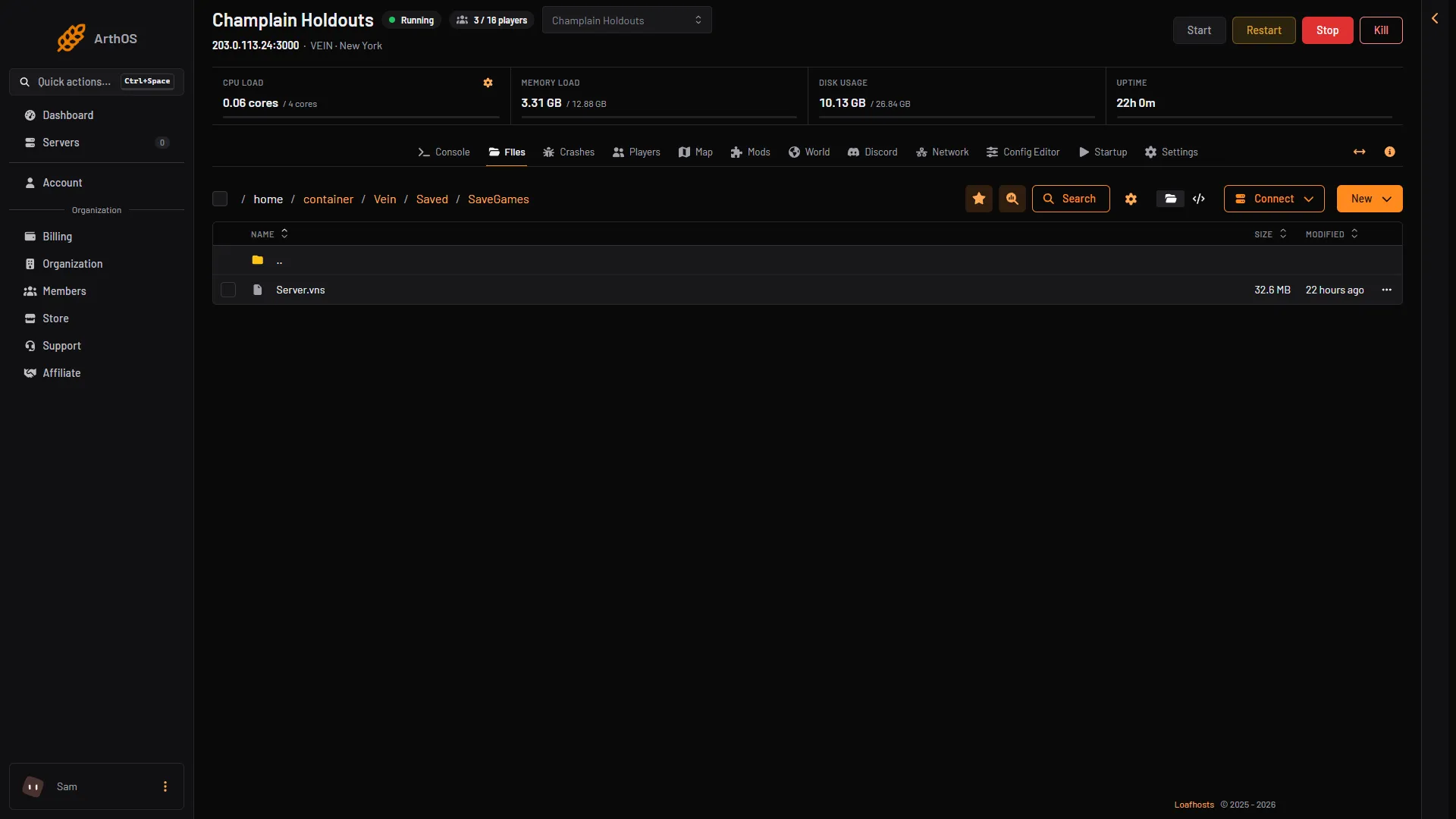
- The save, Server.vns
The World page also shows the size and the time of the file under The save, so you can check it is the one you want.
The copies
The same folder holds the copies the panel made and kept before an upload, a put back or a version change. Their names start with Server-before-. Download one the same way. Put back means the copy becomes the live save again. See save copies.
By hand
SFTP is a way to copy files between the server and your PC. Choose Connect, then via SFTP, on the Files page and use the details with an SFTP program. Open the same folder, Vein/Saved/SaveGames, and copy Server.vns to your PC.
If it does not work
- There is no Server.vns. The server has no save yet. The World page shows “No save yet”. Start the server and let the game write one.
- The save looks old. The server was running and not saved. Use Save now, then download again.
- Server.bak.vns is there and the server is stopped. A save was cut off. The World page warns about it and says characters may be missing. Put back a copy if something is lost.
- Download is missing. Your role may not allow reading files.
Not checked on 0.025 as of 27 October 2026: opening the downloaded file in a single-player game.