












Set the join password in the Config Editor, under Server settings, in the card Passwords. Players type it when they join. Leave it empty for no password. The new password applies at the next start.
A new server has no join password.
Not checked on 1.0.5 as of 4 November 2026: whether Xbox and PlayStation 5 players can type a join password. Test with one console friend before you rely on it.
Set or change it
- Open the Config Editor page.
- Choose Server settings.
- In the card Passwords, type the new value in Join password (1). The eye button shows what you typed.
- Choose Save (3).
- Restart the server. Restart now does it from the Config Editor.
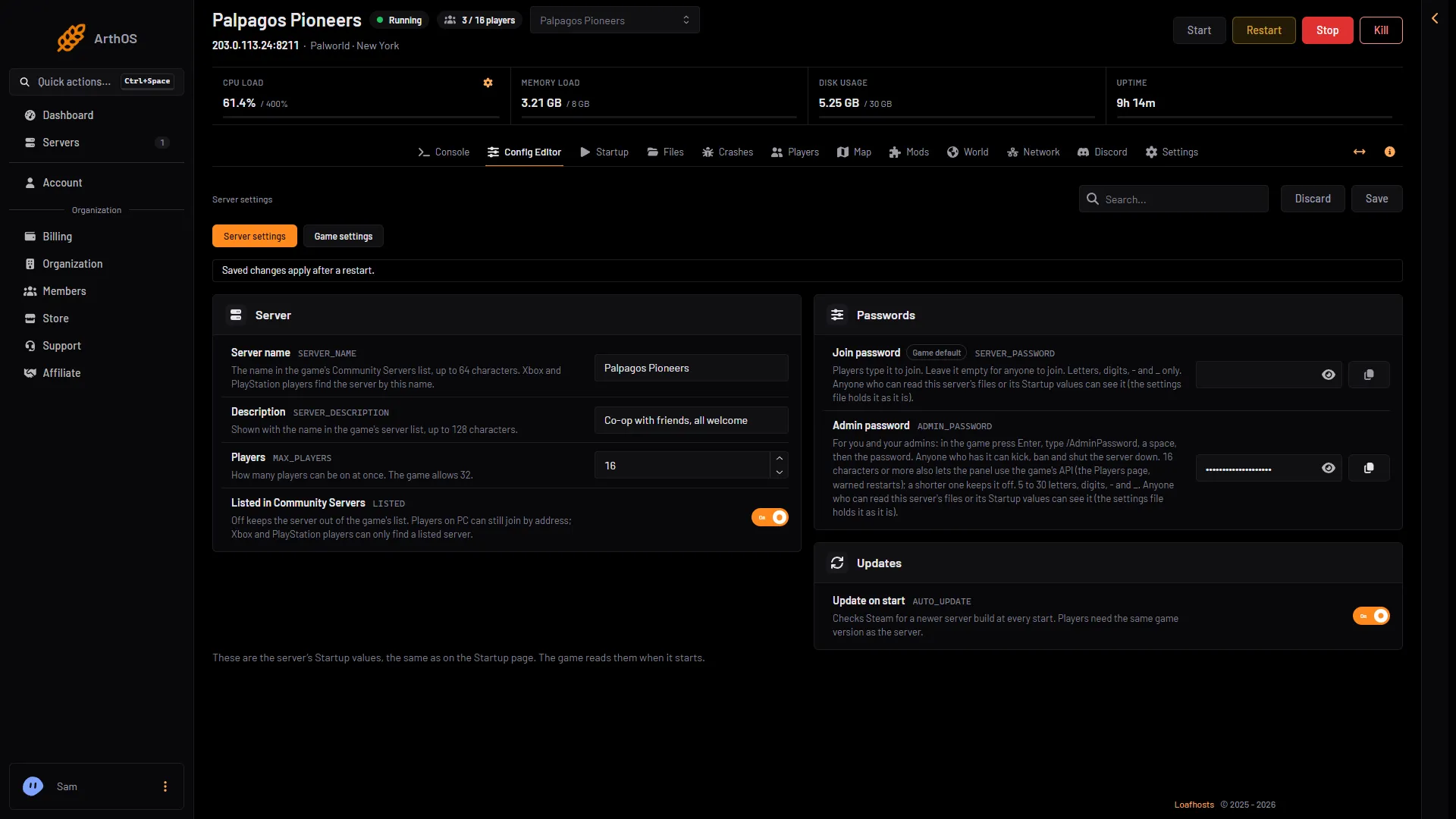
- Join password
- Admin password
- Save
The join password is 1 to 30 letters, digits, - and _. The panel refuses a password with any other character when you save. It applies at the next start.
Remove it
Clear the Join password box, save and restart. Anyone with the address, or who finds a listed server, can then join.
What players do
When a player joins a server with a password, they need the join password to join. The Joining card on the Players page says “Players need its join password (Config Editor).” when a password is set, and “It has no join password.” when it is not. The Discord status message carries a note, “password protected”.
Keep someone out
A password is shared by everyone who knows it. If a person you do not want has it, change it. Then restart the server and tell your friends the new one. Players on the server when you restart must type the new password to come back.
To keep out one person without changing the password for everyone, see Palworld whitelist and kick and ban Palworld players.
Who can see the passwords
Anyone who may change the server’s startup settings, or read its files, can see both passwords: PalWorldSettings.ini holds them as they are. So give panel roles that can read files or change startup settings only to people you trust.
The admin password is different
The admin password is not for players. It lets you run admin commands in the game. It is in the same card, under the join password. It is 5 to 30 letters, digits, - and _. The game’s API is how the panel talks to the game, and the panel keeps it on only while the admin password is 16 characters or more. See the Palworld admin password.
If it does not work
- Players still join without a password. The change applies at the next start. Restart the server.
- The panel refuses the password. Use 1 to 30 letters, digits,
-and_. Any other character is refused when you save. - A player says the password is wrong. Check what they typed against the saved value.
More on Loafhosts: Palworld servers.
Sources: docs.palworldgame.com: Configuration