

















Open Config Editor, then the Server settings tab. Message of the day (MessageOfTheDay) and Message of the day link (MessageOfTheDayUrl) are in the Joining group. Description (ServerDescription) is in the Server list group. Save, and restart the server to apply them.
Keen Software House, the game’s makers, says the message of the day “will show up to every player, when connected to the server”. If you run the game yourself, these keys are in SpaceEngineers-Dedicated.cfg.
What each one is
- Description. Shown in the game’s server list.
- Message of the day. Shown to every player as they join. It is text.
- Message of the day link. A page shown to every player as they join. Type the web address of a page, such as
https://example.com/rules.
Each box is one line of text with no line breaks. The panel refuses a line break.
Set them
Unlike the World settings, these are in the server’s own config. You can save them while the server runs. They are read at the next start.
- Open Config Editor.
- Choose the Server settings tab (1).
- Type your text in Message of the day and, if you want one, an address in Message of the day link. The picture shows both boxes empty.
- Type your Description in the Server list group.
- Press Save in the bar at the bottom. The page says “Saved changes apply after a restart.”
- Restart the server so the game reads them.
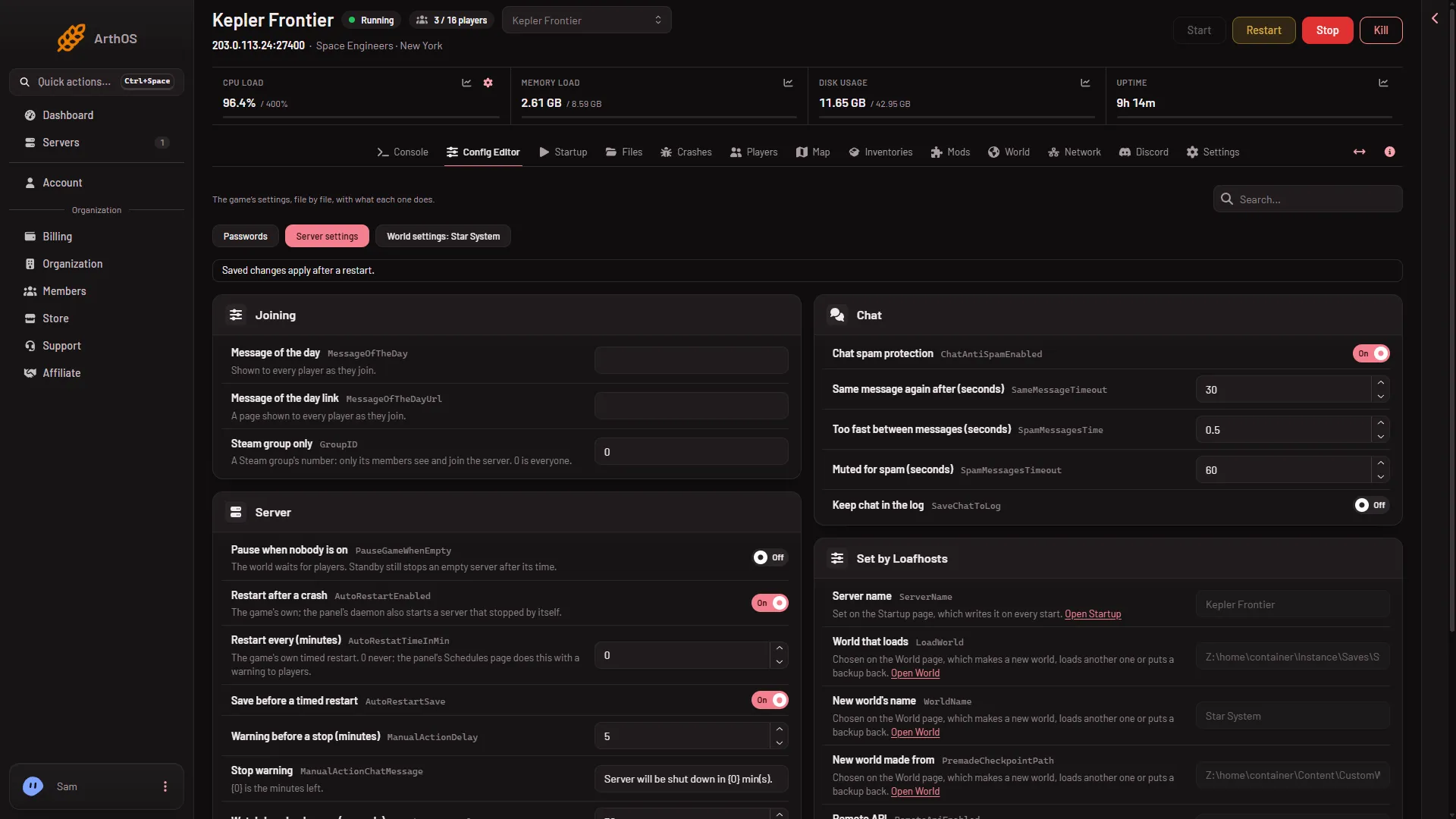
- Server settings tab
Leave a box empty to show nothing.
Where players see them
A player sees the description in the game’s server list, under Join Game and Servers. They see the message of the day when they connect. Not checked with a player on 1.210 as of 15 November 2026: exactly how the message and the link window look, and how long a message can be.
If it does not work
- Players do not see the new text. Restart the server. The game reads these at the start.
- The box will not take my text. Remove any line breaks. Each box is one line.
- I cannot find Description. Type “Description” in the Search box at the top right.
- The Save button is greyed out. Your role may only view the settings, or the server is starting or stopping. Wait for it to finish.
More about the game: Space Engineers servers on Loafhosts.