

















The Settings tab holds the cards that run the server itself, not the game world. Here you rename the server, set how a stop works, decide whether it starts again by itself, and reinstall it. Each card has its own Save button. Tabs along the top of the page lead to Schedules, Backups, Databases, Access and Activity.
The cards, one by one
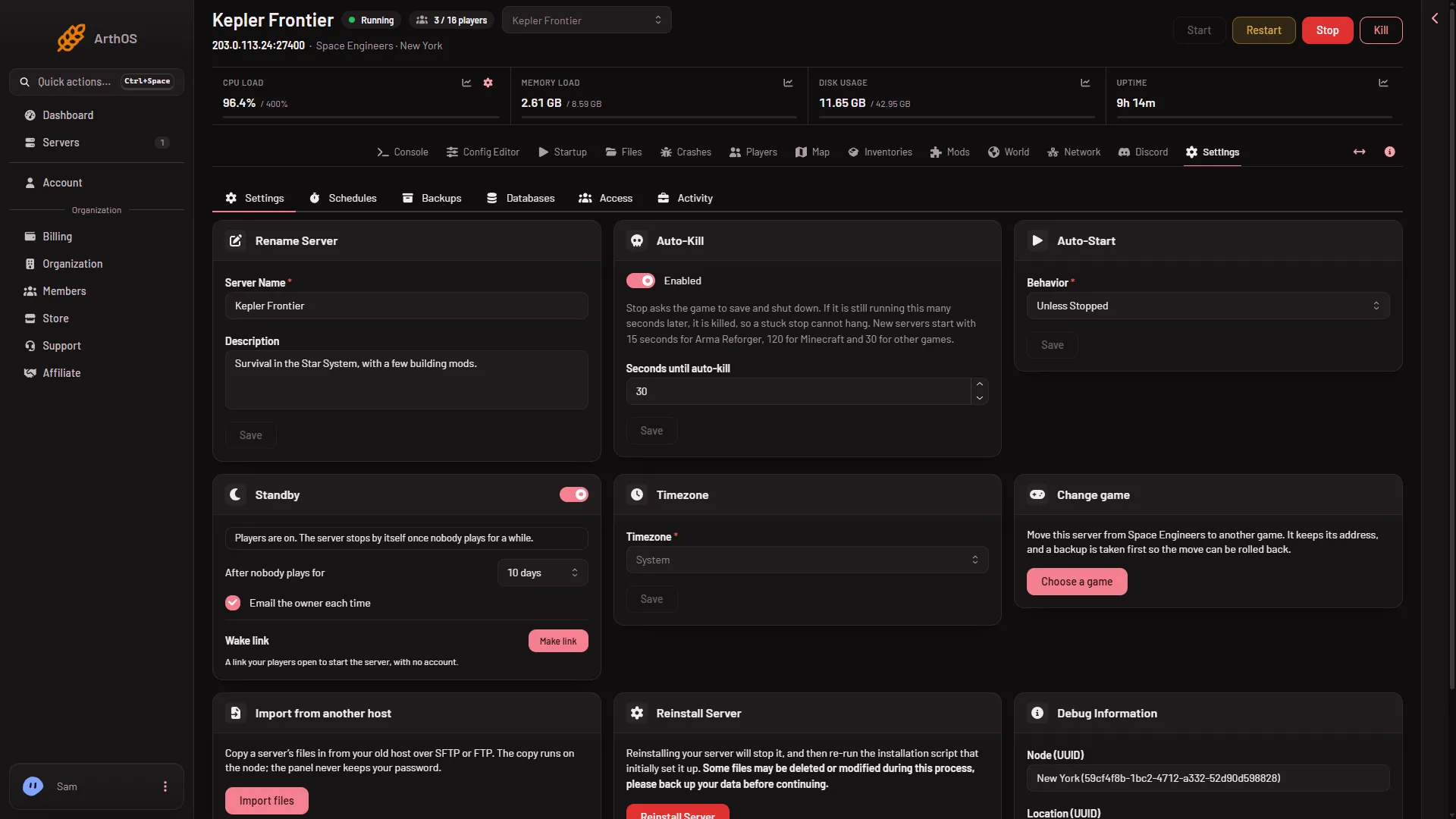
- Auto-Kill
- Seconds until auto-kill
- Standby
- Wake link
- Timezone
Rename Server
Change Server Name and Description, then press Save. This renames the server in the panel only. The name players see in the game’s server list is a different setting: Server name on the Startup page. A new server is called Hosted By Loafhosts.com there until you change it. See change the server name.
Auto-Kill (1)
A normal stop asks the game to save and shut down. If the server is still running after the number of seconds in Seconds until auto-kill (2), the panel kills it, so a stop that does not finish cannot block the server. The card’s text says new servers start with 30 seconds for games other than Arma Reforger and Minecraft, and a Space Engineers server shows 30.
A normal stop of this game ends in 3 to 9 seconds, so 30 is plenty for a small world. A kill does not save: you lose what happened since the last autosave. If a very large world needs longer to save, raise the number. Not checked with a big world on 1.210 as of 15 November 2026.
Auto-Start
Behavior decides whether the server starts again by itself after it stops. Leave it as the panel set it unless you know you need something else. Press Save after you choose.
Standby (3)
Standby stops a server when nobody has played for a while, and it saves the world first. It never kills, and it deletes nothing. It is on for every server, set to 10 days. You can change:
- the switch Stop the server when nobody plays on it;
- After nobody plays for, from 30 minutes up to 24 days;
- Email the owner each time.
The Wake link (4) lets players start a sleeping server with no account. Press Make link, then Copy link and share it. With the panel tools off, standby counts players by the Steam player query alone (the list of players the game reports to Steam) and waits an extra hour before it stops. A count the panel cannot read never counts as empty. The full story is in Standby on a Space Engineers server.
Timezone (5)
This sets the clock that Schedules use. Pick your zone and press Save.
The other cards
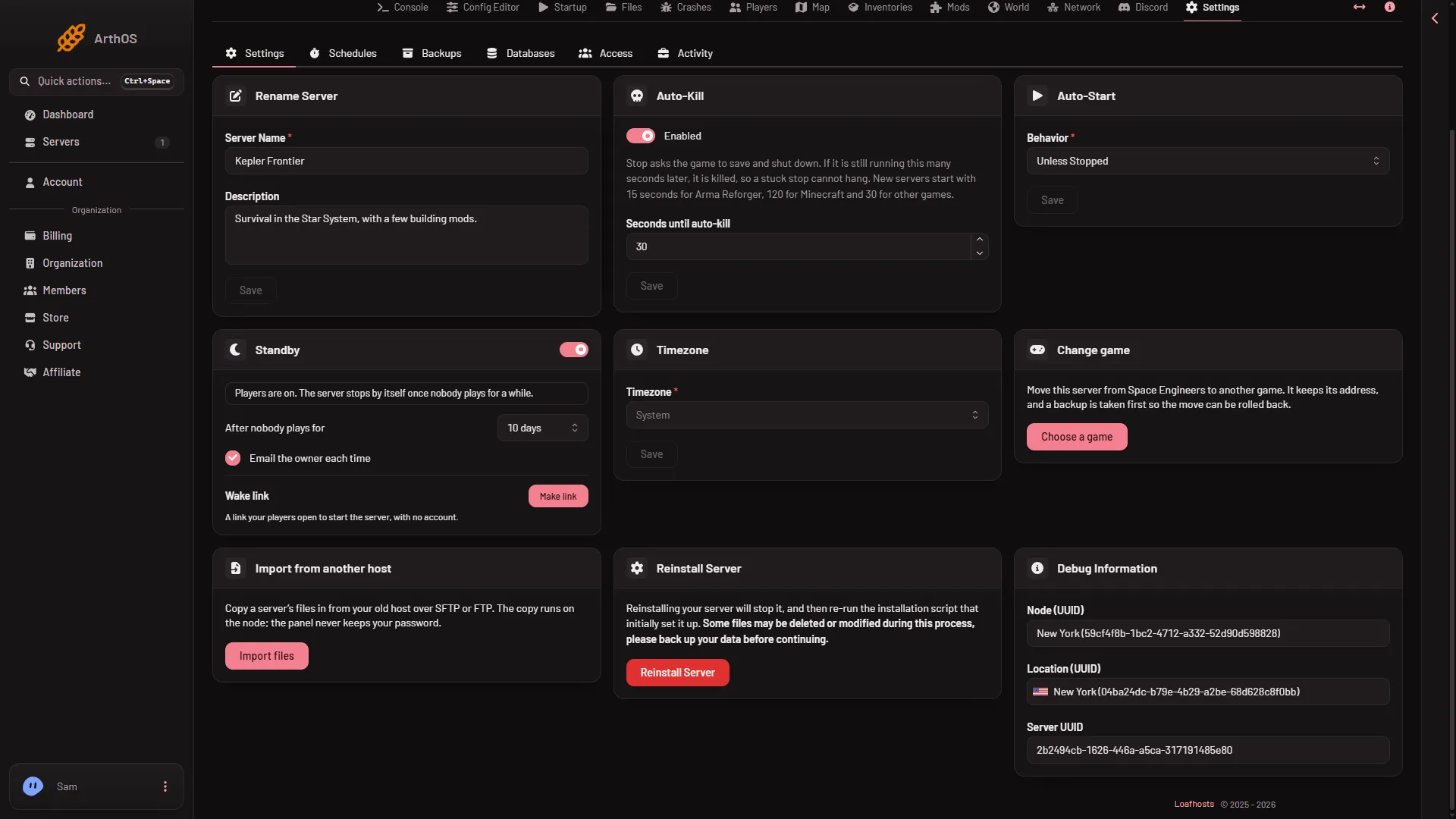
- Change game
- Import from another host
- Reinstall Server
- Change game (1): moves this server to another game. Do not press it unless you mean to leave Space Engineers. It keeps its address, and a backup is taken first so the move can be rolled back. A server changed to Space Engineers starts with no join password until you set one.
- Import from another host (2): copies a whole server’s files in from your old host over SFTP or FTP, into the server’s top folder. For one world, use Bring a world in on the World page instead. See import a world from another host.
- Reinstall Server (3): see below.
- Debug Information: the node, location and server IDs. Staff ask for these when you write to support. The picture shows demo values.
Reinstall Server
Reinstalling stops the server, then runs the install again: it downloads the game’s server files, checks them, and rebuilds the Windows runtime if it is missing. It does not delete the Instance folder, so your worlds stay. A game file you changed is put back as the game ships it. The card still warns that some files may be deleted or changed, so back up first.
- Take a backup on the Backups tab: press Create, then Create Backup.
- Press Reinstall Server.
- Choose whether to Start the server after the reinstall has finished, then press Reinstall.
The install takes about 5 minutes and runs before any start. The first start makes the world, and players can join once the Console shows Game ready. For about 11 minutes after the first start the server builds .NET files (the game’s runtime) in the background, so it works harder and may run slower. A later start of a small world took about half a minute on a Loafhosts server (measured: 31 seconds, Star System with three mods).
The other tabs
- Schedules: timed restarts, backups and commands. A scheduled restart does not warn players. See a daily restart schedule.
- Backups: press Create, then Create Backup. A backup copies the files as they are, so stop the server first. See panel backups.
- Databases: for servers that have a database. A Space Engineers world is saved as files.
- Access: who can reach the server. See letting a friend run it.
- Activity: a log of what was done on the server: power, backups, mods, files, worlds and player actions.