

















The name players see in the game’s server list is the Server name on the Startup page. It can be up to 64 characters long. The panel writes it into the game’s settings (the ServerName key in SpaceEngineers-Dedicated.cfg) at every start, so a new name shows after the next start.
A new server is called Hosted By Loafhosts.com until you change it. A store order does not set the name. Players who look for your server must search for the name you set here.
There is a second name, in Settings, Rename Server. That one renames the server in the panel only. Players never see it.
Change the name in the game’s server list
- Open your server and choose Startup.
- Under Variables, find Server name (1). The text under it says “The name players see in the server list.”
- Type the new name. Up to 64 characters.
- Choose Save. The panel says “Variables updated.” Saving does not restart the server.
- Restart the server when players can be disconnected. Use Restart at the top of the page.
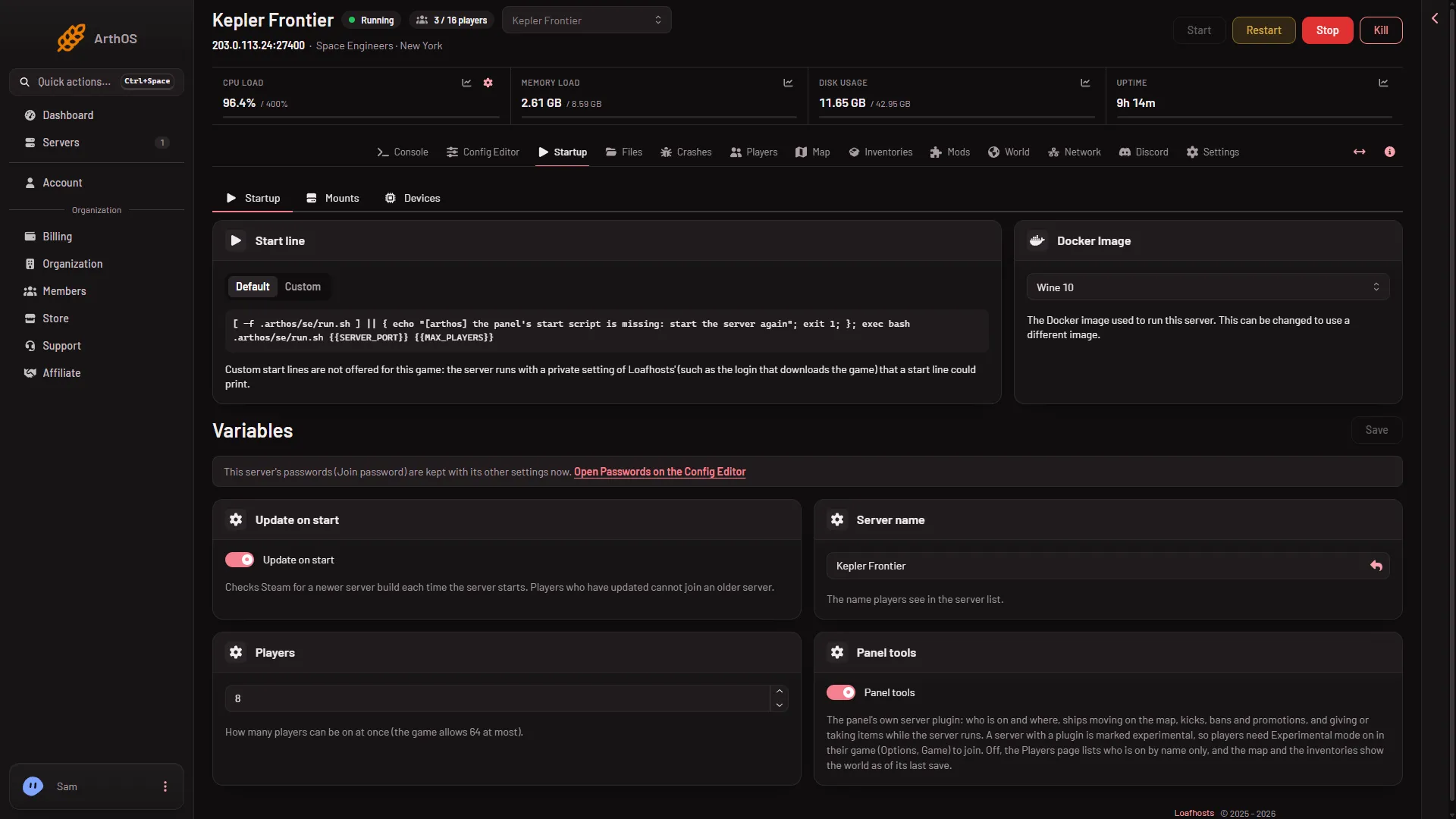
- Server name
After the restart, the new name is the one the game uses. The panel removes line breaks and other control characters, cuts the name to 64 characters and trims spaces at both ends. If you save an empty name, the panel leaves the name the game already has.
Rename the server in the panel only
The name at the top of your server pages, and in your server list on the panel, is a different name. To change it:
- Choose Settings.
- In the Rename Server card, change Server Name.
- Choose Save. The panel says “Server renamed.”
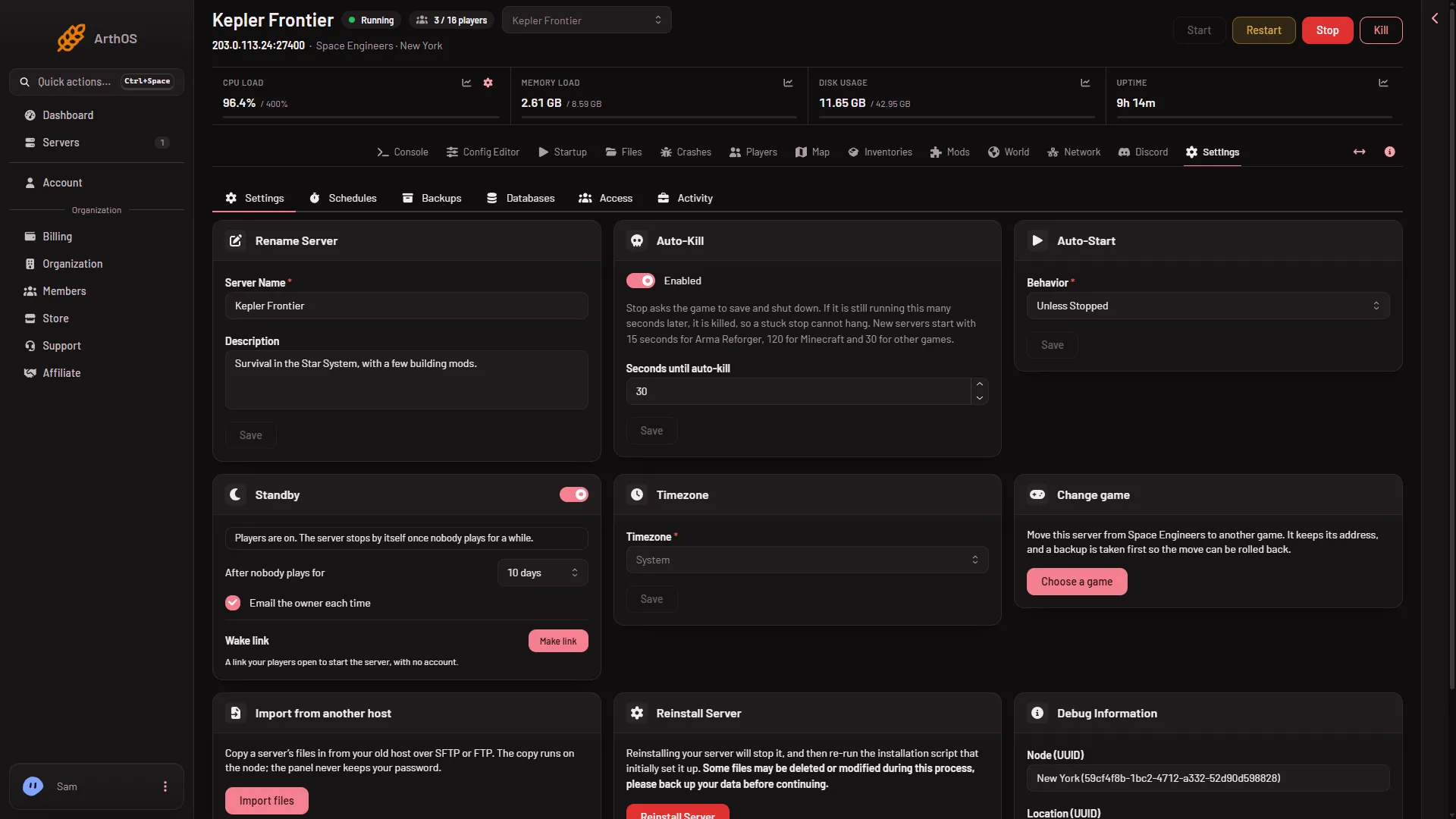
This does not change what players see in the game. It takes effect at once, because nothing in the game has to read it.
The description
The game’s server list can also show a description. It is in Config Editor, Server settings, in the Description row (ServerDescription), with the help line “Shown in the game’s server list.” Edit it, save, and restart. The settings in this file apply at the next start. The Description field on the Rename Server card is the panel’s own: use the Config Editor one for the game.
Name and world are not the same
The server name is not the name of the world. The world is chosen and named on the World page. Changing the server name does not touch the world. Not checked with a player on 1.210 as of 15 November 2026: whether the game’s list also shows the world’s name. More about the game: Space Engineers servers.
If it does not work
- The old name still shows in the game. The server has not restarted since you saved. Restart it, then press Refresh in the game’s server list.
- You renamed the server in Settings and nothing changed in the game. That field is the panel’s name. Change Server name on Startup.
- The name is cut short. The limit is 64 characters. Shorten the name.
- You cannot change it. Your role may not allow changing the startup settings, so the fields are greyed out. Roles are changed on the organization page: Settings, Access, Manage roles.