

















Open the Mods page, then On this server. Drag a row, or type a new number in its number box, then press Apply and restart. The new order loads when the server starts again. Which end of the list wins when two mods change the same thing was not checked on a Loafhosts server: see the end of this guide.
The load order is the order the game goes through the mods in. It can matter when two mods change the same thing in the game. Most mods do not care.
Move a mod
- Open Mods on your server and stay on On this server.
- Look at the list. Each row has a drag handle on the left and a number box next to it with its place on the list.
- Drag the row by its handle to the place you want. Or type the new place in its number box. The row moves there.
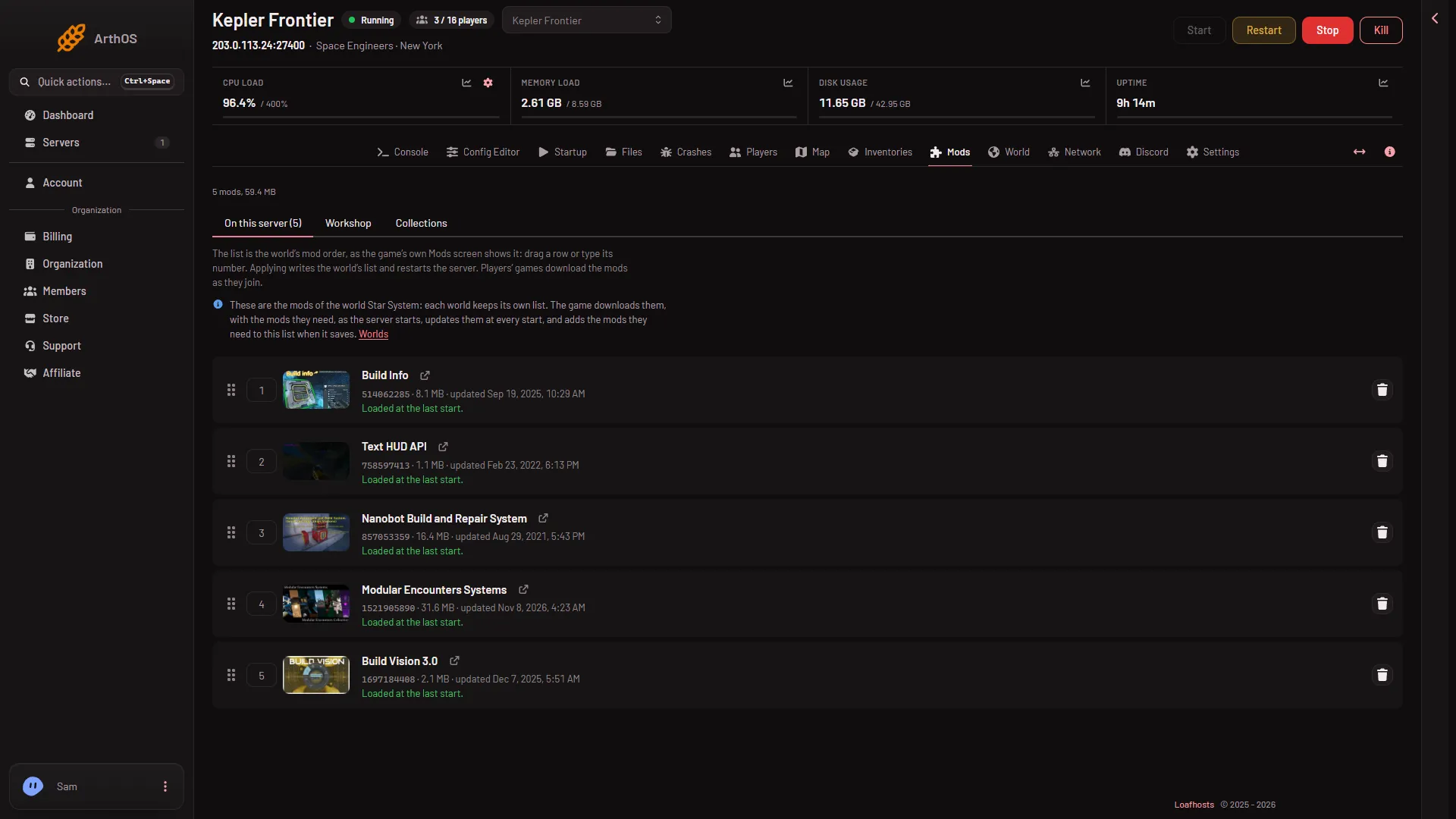
- On this server (1)
- A row's last start line (2)
The tab (1) holds the list. Under each mod (2) the panel says whether the game loaded it at the last start.
The handle works only when you are not filtering the list. The filter box appears once the list has more than 8 mods. Clear it first, or type a number instead.
Each move is saved as a draft. Nothing on the server changes yet. You can move several mods, then apply once.
Apply the new order
- Look at the bar at the bottom. It counts your changes and shows Discard changes and Apply and restart.
- Press Apply and restart (2). On a stopped server the button reads Apply.
- Read the box that opens, Apply the mod changes?, and confirm.
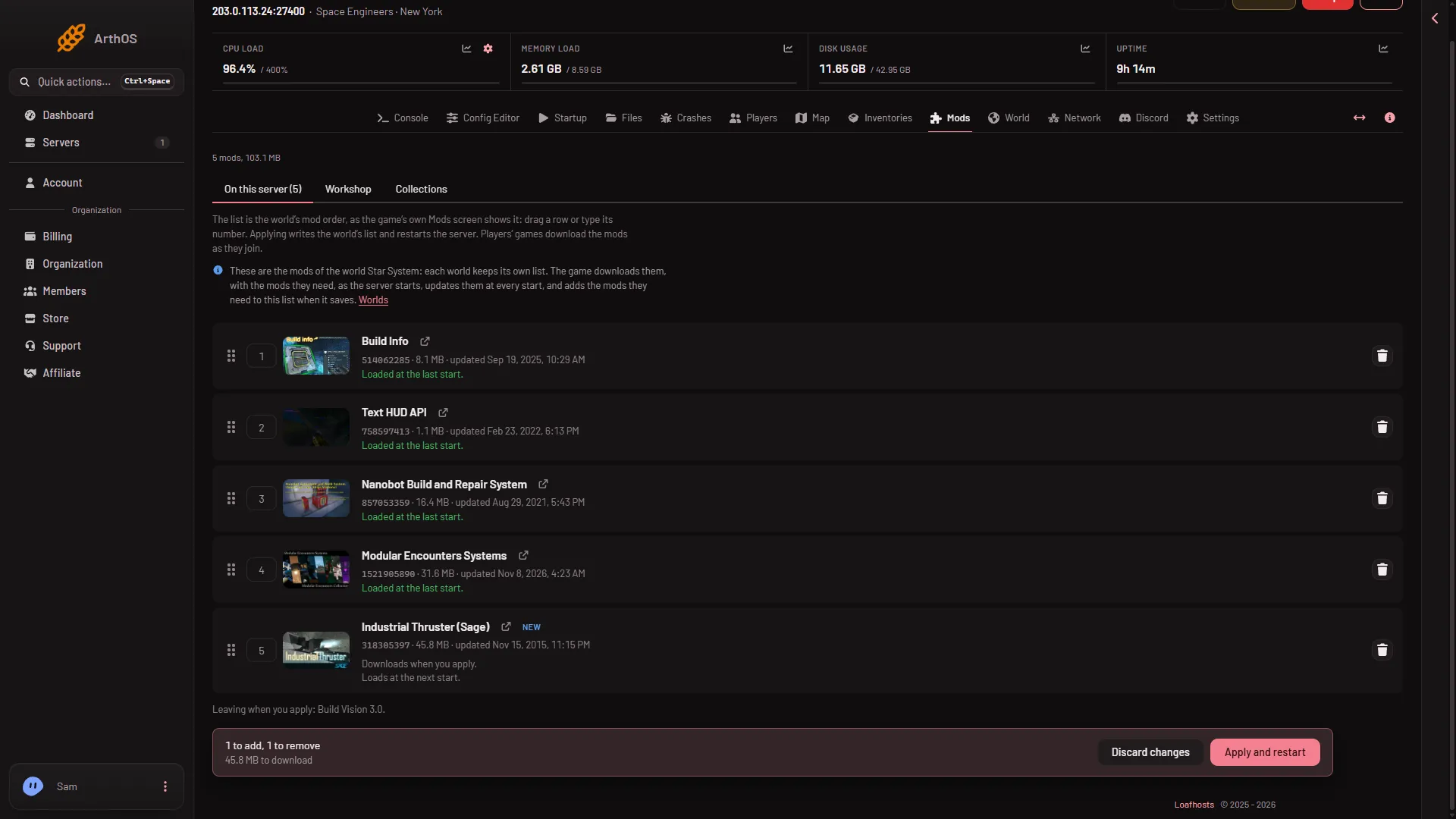
- Discard changes (1)
- Apply and restart (2)
If you change your mind, press Discard changes (1) and the list goes back to what the server has.
Applying stops the server, writes the world’s list, and starts it again. Players online are disconnected. If the server was stopped, it stays stopped and loads the new order at its next start. Players’ games download any mods they lack when they join.
Mods that need other mods
A mod can need another mod. The game adds the needed mod to the list by itself, and it loads the needed mod after the mod that asked for it. The panel does not move these for you. See mods that need other mods.
If it does not work
- The number box or handle does nothing. Your role may not allow changing the startup. The page says so when adding needs that permission.
- The order I set is not what the game shows. The list shows the world’s order as the panel reads it. A mod the game adds by itself appears after the next save.
- A mod now shows a problem after the restart. Read its row. “Loaded at the last start.” is good. If its script did not compile, the row links to the log on the Crashes page. Update the mod or take it off the list.
- Two mods fight over the same thing. Try moving one of them, then apply. If that does not help, tell both mods’ authors on their Workshop pages.
Which end of the list wins
The panel says the list is the order “as the game’s own Mods screen shows it”. The wiki of Keen Software House, the game’s makers, says that screen runs bottom to top while the save file runs top to bottom. Which end wins on a Loafhosts server was not checked with a player on 1.210 as of 15 November 2026.
More about the game: Space Engineers servers.
Sources: spaceengineers.wiki.gg: Mods