

















Open the Mods page and use the Workshop tab. Search for a mod, or paste its link or ID and press Look up. Add it, then press Apply and restart. The server restarts, and the game downloads the mod, and any mod it needs, as it starts. Players download the mod when they join.
Space Engineers mods come from the Steam Workshop. Each world keeps its own mod list, so the mods you add go to the world that loads.
Before you start
- A world must load. A new server makes its world at the first start. If the Mods page says no world is chosen yet, choose or make one on the World page first.
- Your role needs permission to change the startup and to restart the server.
- A list can hold up to 200 mods.
Find a mod
A server with no mods opens on the Workshop tab. With mods, it opens on On this server, so choose Workshop yourself.
Search the Workshop. Type a name in Search the Workshop. Results are mods only: the Workshop holds many blueprints and worlds, and they are not listed. Without words in the box, Sort shows Most subscribed, Trending, Recently updated or Newest. Each card has its size, its last update and its subscribers. Press Add on a card. A mod already on the list says On the list.
If the page says searching is not set up, find the mod on the Workshop and use a link or ID. Open the Space Engineers Workshop takes you to the Steam page.
Add by link or ID. This is the fastest way when you know the mod.
- On the Workshop page of the mod in Steam, copy the address, or the number after
id=. For examplehttps://steamcommunity.com/sharedfiles/filedetails/?id=1234567890has the ID1234567890. - In Add by link or ID (1), paste one link or ID. You can paste several, one after another, or a collection link.
- Press Look up (2).
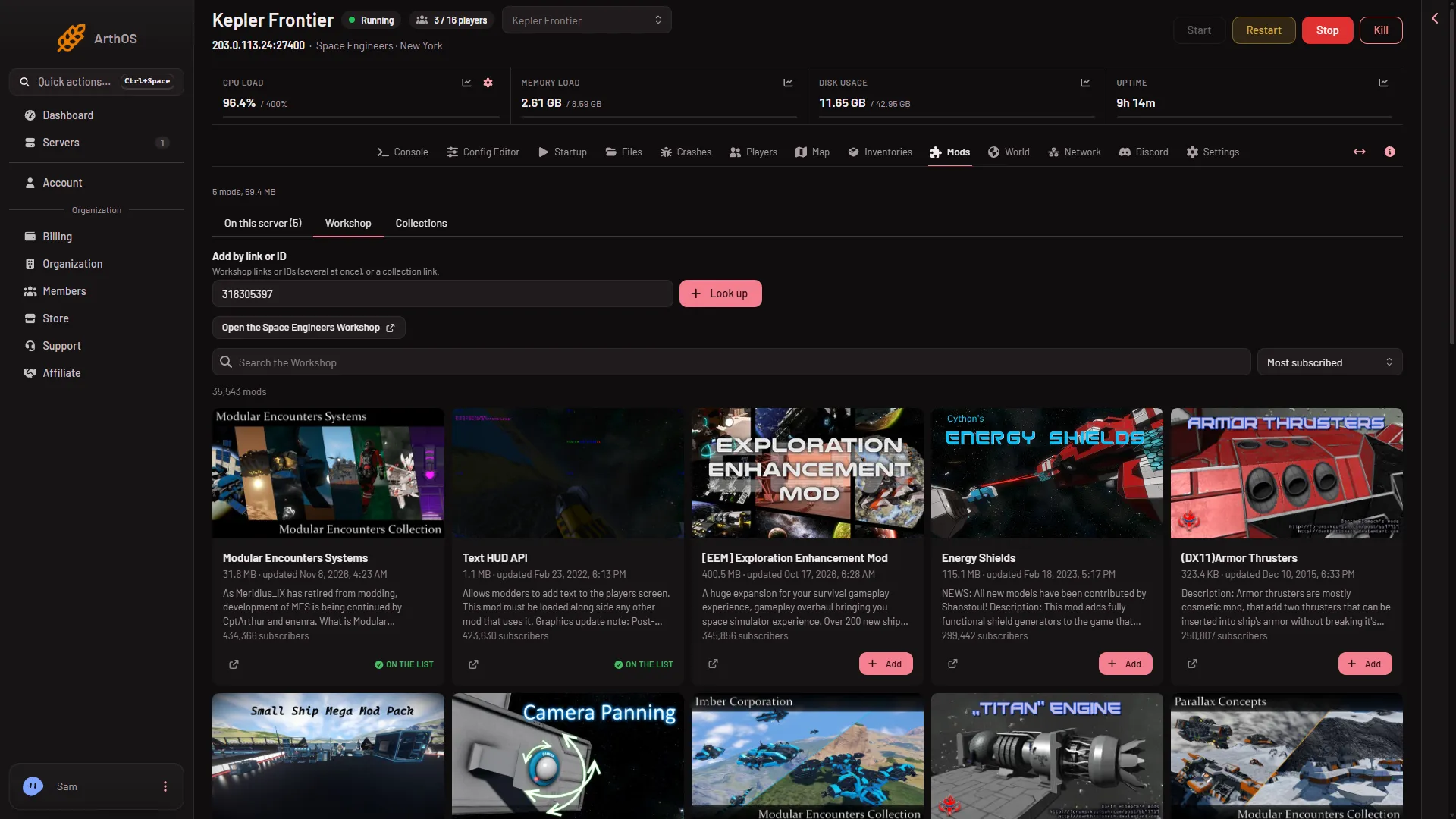
- Add by link or ID
- Look up
- Open the Workshop
- Search the Workshop
Check what you are adding
Look up opens the box Add these mods? (1). It lists each mod with its picture, name and size.
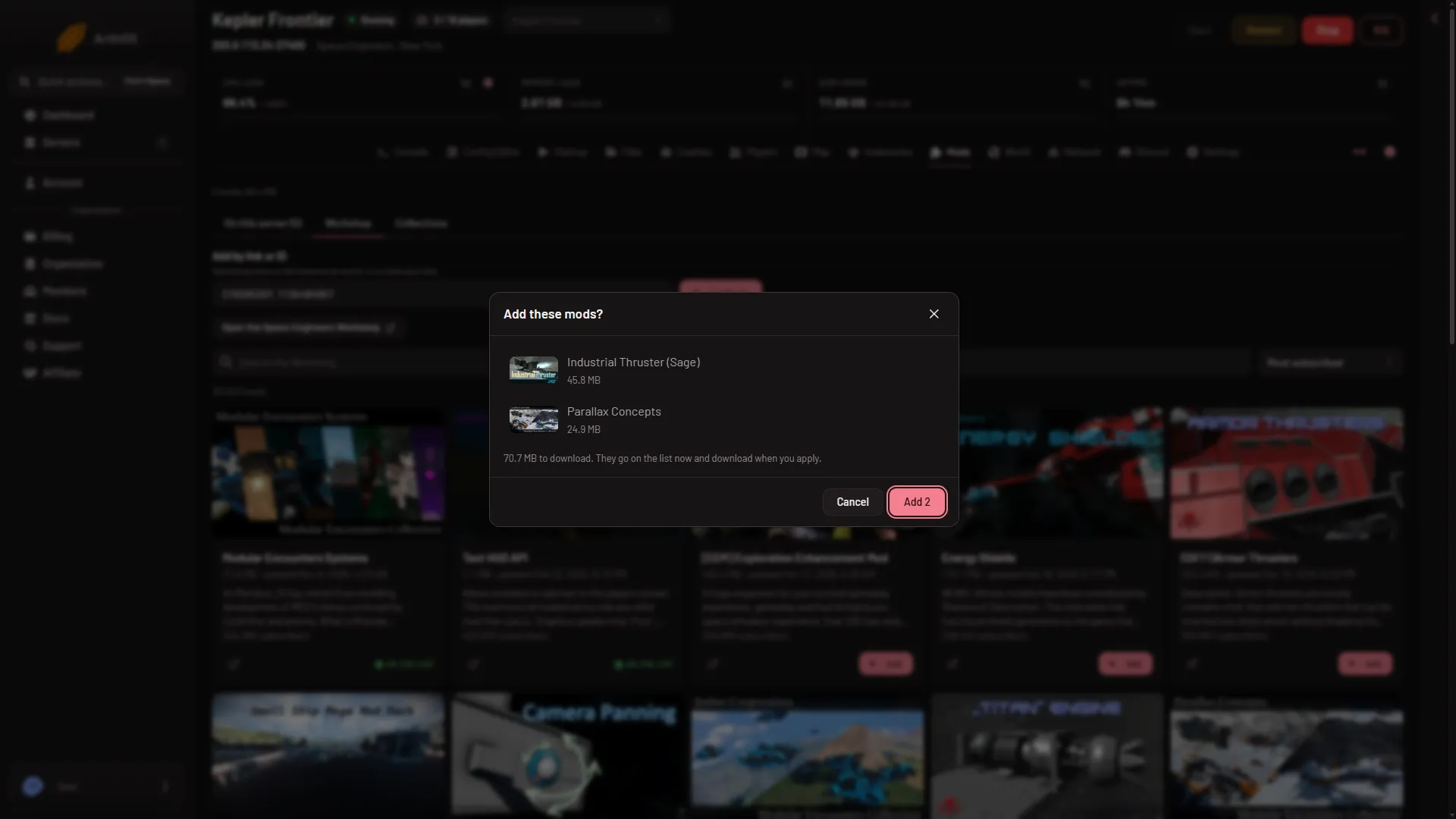
- Add these mods?
An item can be refused. The box says why next to its ID:
- “It is a world, blueprint or in-game script, not a mod”: it cannot load on a server.
- “It is a mod for (another game), not Space Engineers”: it is not for Space Engineers.
- “No public Workshop item has this ID”: check the ID. A private item cannot be added.
- “The Workshop did not answer for it”: try again in a minute.
Press Add with the count in it. Adding does not change the server. It fills a draft, and a new row carries a New tag. A bar at the bottom counts the changes, for example “1 to add, 1 to remove”, and shows the download size. It has Discard changes and Apply and restart. Press Discard changes if you change your mind.
Apply the list
- Press Apply and restart in the bottom bar. If the server is stopped, the button says Apply.
- Read Apply the mod changes? (1). It lists the mods that will be added and the ones taken off.
- Press Apply and restart again.
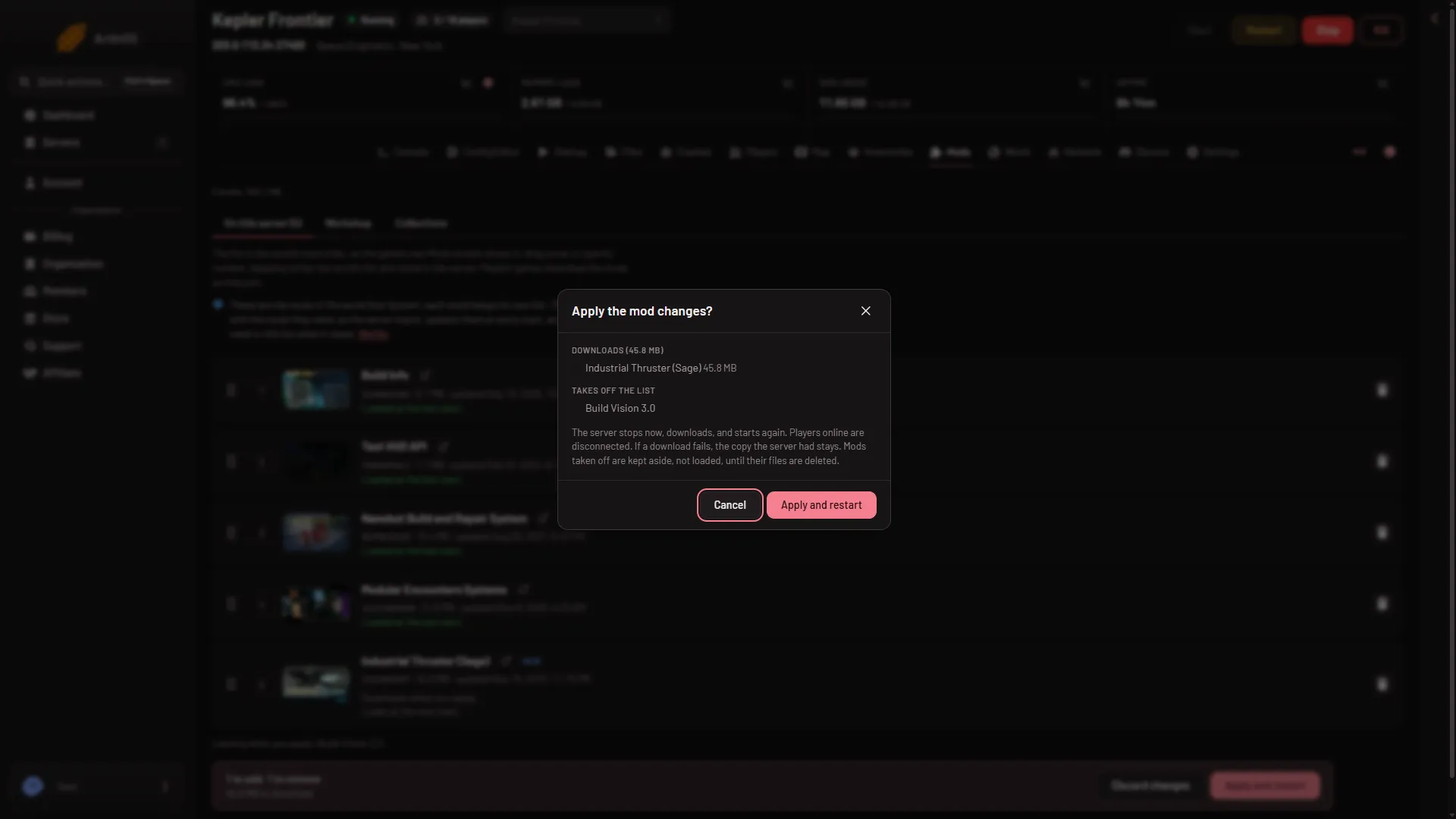
- Apply the mod changes?
The panel stops the server, writes the mod list into the world, and starts the server again. It starts it only if it was running. A stopped server stays stopped, and loads the list at its next start. The panel waits up to 20 minutes for the server to come up. If it stops while starting, the console says why.
Applying is refused when the disk is too small for the new mods. The message gives the numbers. Free some space. A bigger plan has more disk: 30 GB on Small, 40 GB on Standard, 50 GB on Large.
What the game does
The game downloads the mods, at the start:
- It downloads each mod in the list, and updates it to the latest version, every time the server starts.
- It adds the mods that a mod needs by itself. You do not have to add them. The setting Download what mods need in the Config Editor, Server settings, is on by default. Leave it on.
- Players do not need to subscribe. Their game downloads the world’s mods when they join. The first time can take a long while.
A first start with new mods can be slower than usual. Wait until the Console shows Game ready.
The list is also the mod order. Drag a row, or type its number, to move it. Which end of the list wins when two mods change the same thing is not checked: see the load order guide.
Check that they loaded
Open On this server (1). Each mod row says one of these:
- Loads at the next start. The mod is on the list, but no start has read it yet.
- Loaded at the last start. The game’s log names the mod. This is what you want.
- Loaded at the last start, but its script did not compile, so what the script does is missing. The mod is old for this version of the game. Update it or take it off.
- On the list, but the game did not load it at its last start. Open the link on the row to read the log.
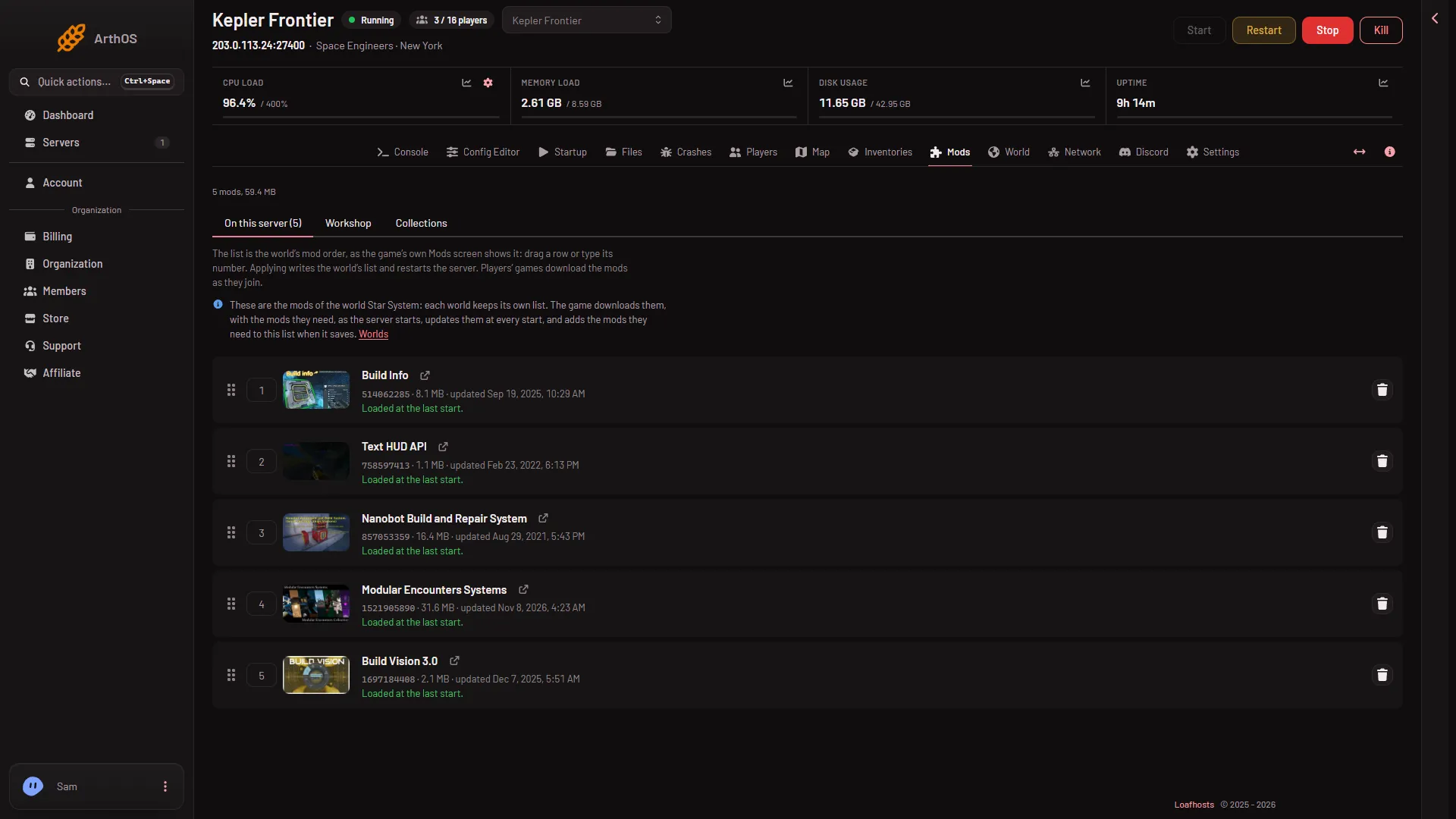
- On this server
- Loaded at the last start
The Console and Crashes tabs show more when a start fails.
If it does not work
- Apply is refused: the list changed. The list changed since the page loaded. Reload the page and apply again.
- Apply is refused: no world. Choose or make a world on the World page first.
- The server stopped while starting with the new mods. Open the console and Crashes. Take off the last mod you added and apply again.
- A mod says Not downloaded. The game has not started with it yet. Start the server and wait.
- A mod is gone from the Workshop. Its author removed it or made it private. Take it off the list.
Sources: spaceengineers.wiki.gg: Mods, spaceengineers.wiki.gg: Multiplayer