

















A Space Engineers mod list belongs to one world. The server does not have a list of its own. When you switch to another world, the server loads that world’s mods instead. A world you bring in from a player’s game brings its own mods with it.
The Mods page always edits the world that loads now, and it says which one at the top.
See which world the Mods page edits
- Open the Mods page.
- Stay on the On this server tab (2).
- Read the note under the list’s intro line. It starts “These are the mods of the world” and then names the world (Star System in the picture).
- Choose the Worlds link (1) in that note to go to the World page.
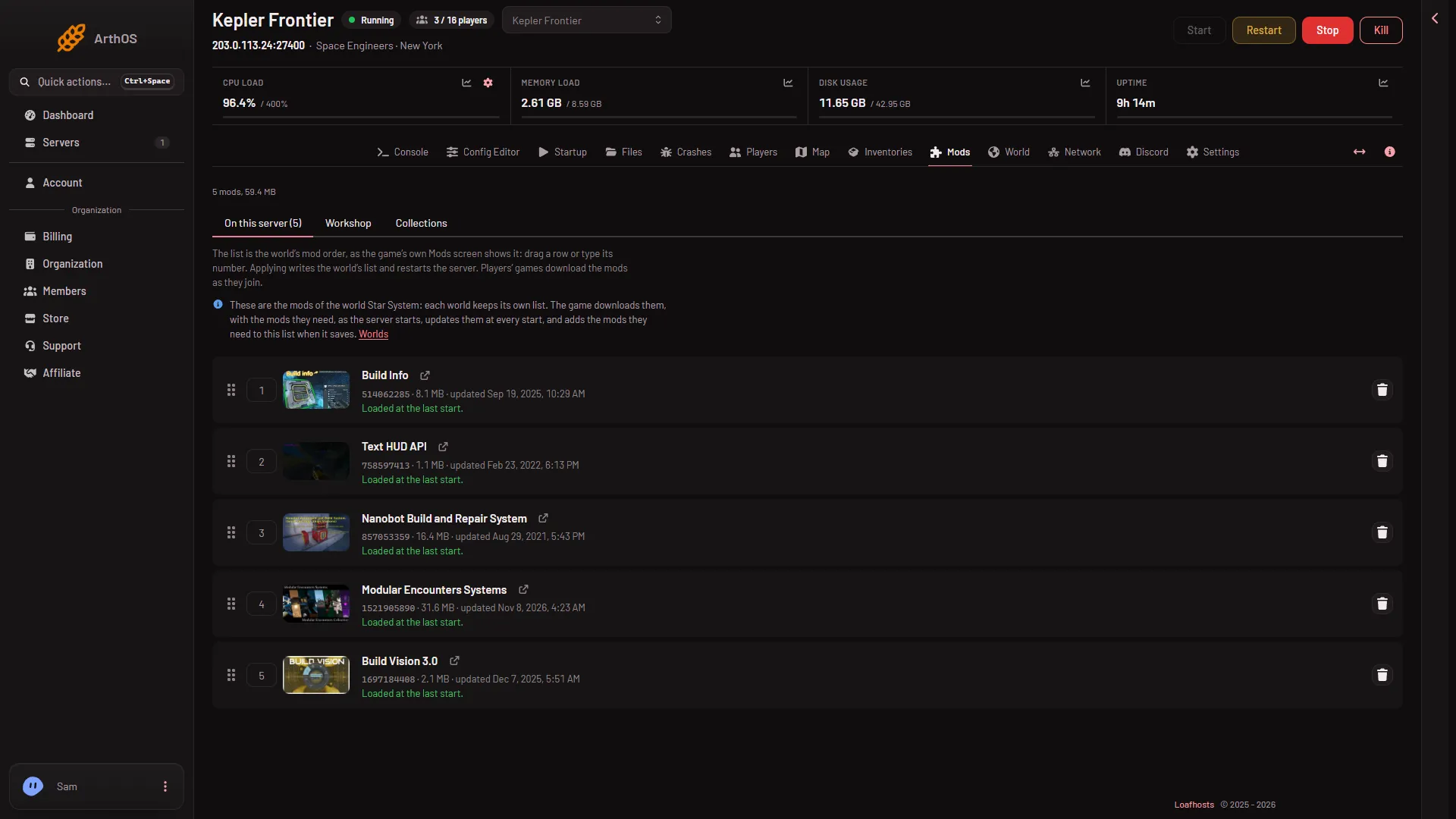
- The Worlds link
- On this server
If no world is chosen yet, the page warns you: “No world is chosen yet, so there is no mod list to change.” Choose or make a world on the World page first.
What happens when you change worlds
- Use this world. On the World page, press Use this world on another world. The world loads from the next start, and the Mods page then shows that world’s list. The mods of the first world stay in its own file. They come back when you load it again.
- Make a copy. A copy is a whole copy of the world’s folder, so it starts with the same mod list. After that the two lists are separate: a change in one does not touch the other.
- Bring a world in. A world from a player’s computer lists its mods in its own settings file. The game downloads them as the server starts. The steps are on the Bring a world in card of the World page, and in the upload a world guide.
- A new world. It is a different world, so look at its On this server tab before you add mods.
Change the list of another world
You cannot edit a world that is not loading. To change its mods:
- On the World page, press Use this world on it.
- Open the Mods page and check the world’s name in the note. The list shown is that world’s.
- Add or take off mods, then press Apply and restart (running) or Apply (stopped).
Good to know
- A list holds at most 200 mods. The panel refuses more with “a Space Engineers server can load at most 200 mods”.
- The game updates the mods at every start, and it adds the mods they need to the list when it saves.
- A mod that is taken off the Workshop can stop a world from loading. Take a copy of the world with Make a copy before you remove mods that added blocks. Blocks from a removed mod leave the world for good.
If it does not work
- The mods you expect are not there. The server is probably loading another world. Check the world’s name in the note on the Mods page, and the Loads tag on the World page.
- A brought-in world has no mods listed. Its settings file lists none. Add them on the Mods page after you choose the world.
- A change did not stick. If the server was running, the game rewrote the file at its save. Use Apply on the Mods page, which stops the server first.
More about the game: Space Engineers servers on Loafhosts.
Sources: spaceengineers.wiki.gg: Mods