

















The Start from list offers 17 of the game’s own worlds for a new world. They run from Empty World, with none, to Star System, with eight planets. You pick one in Start from under New world on the World page. A new server starts with Star System.
The worlds and their planets
The number is the panel’s count of the world’s .vx2 files (a voxel file holds a planet or, in the asteroid scenarios, an asteroid). Star System has eight planets. For the other worlds, the number is not always planets.
- Alien Planet: 6
- Asteroid Armory: 3
- Crashed Red Ship: 1
- Dead Drop Arena: 1
- Distant Moons: 3
- Earth Planet: 6
- Empty World: 0
- Green Station: 3
- Home System: 3
- Lone Survivor: 1
- Mars Planet: 6
- Moon Base: 6
- Pertam Orbiter: 7
- Red Ship: 1
- Red Ship 2: 1
- Rival Platforms: 2
- Star System: 8
The panel reads this list from the game’s own files on the server, so it shows the worlds of the game version on your server. Not every world folder in the game is offered.
What Star System holds
Star System is the world a new server starts with. Its eight planets are Alien, Earthlike, Europa, Mars, Moon, Pertam, Titan and Triton. Earthlike, Mars and Alien are the large planets with air. The Moon has no air. Europa and Titan are small, with a thin air layer. Triton and Pertam are in between. To see what ore each planet has and how deep it starts, read planet ores.
Pick one for a new world
- Open the World page.
- In New world, open Start from. The list shows the game’s worlds.
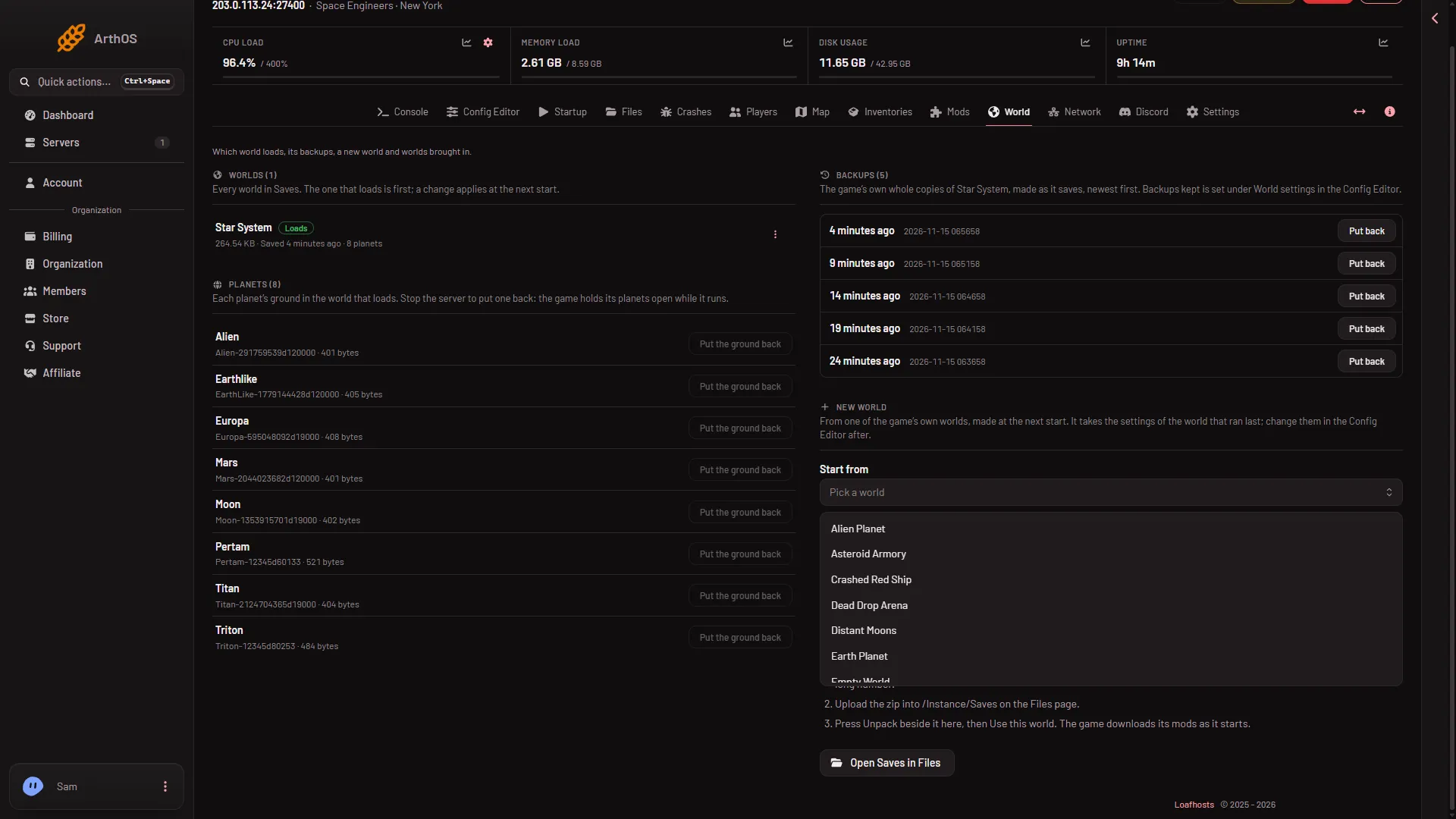
- Start from
- Alien Planet
- Earth Planet
- Pick a world, check the Name, and press Make it at the next start.
The step by step is in start a new world. The world is made at the next start. Your old world stays on the server.
Things to know
- The settings are not the premade world’s own. A new world takes the settings of the world that ran last. Change them afterwards in the Config Editor, under World settings, with the server stopped. A new server shows only Passwords and Server settings until it has started twice: the first start makes the world, the next start names it as the world that loads. Start it again (or restart it), then stop it to change world settings. The same happens after Make it at the next start.
- Empty World has no voxel files. Its count is 0.
- Each world has its own mods. A new world has its own mod list, set on the Mods page.
More about the game: Space Engineers servers.