

















To start a new world, open the World page, pick one of the game’s own worlds in Start from under New world, type a Name, and press Make it at the next start. The next start makes the world. Your old world is not deleted: it stays on the server and stops loading.
A new Space Engineers server already starts with a world made from Star System, so you only need this when you want a fresh one, or a different map.
Make the new world
- Open the World page.
- Find the New world card. Open Start from and pick a world.
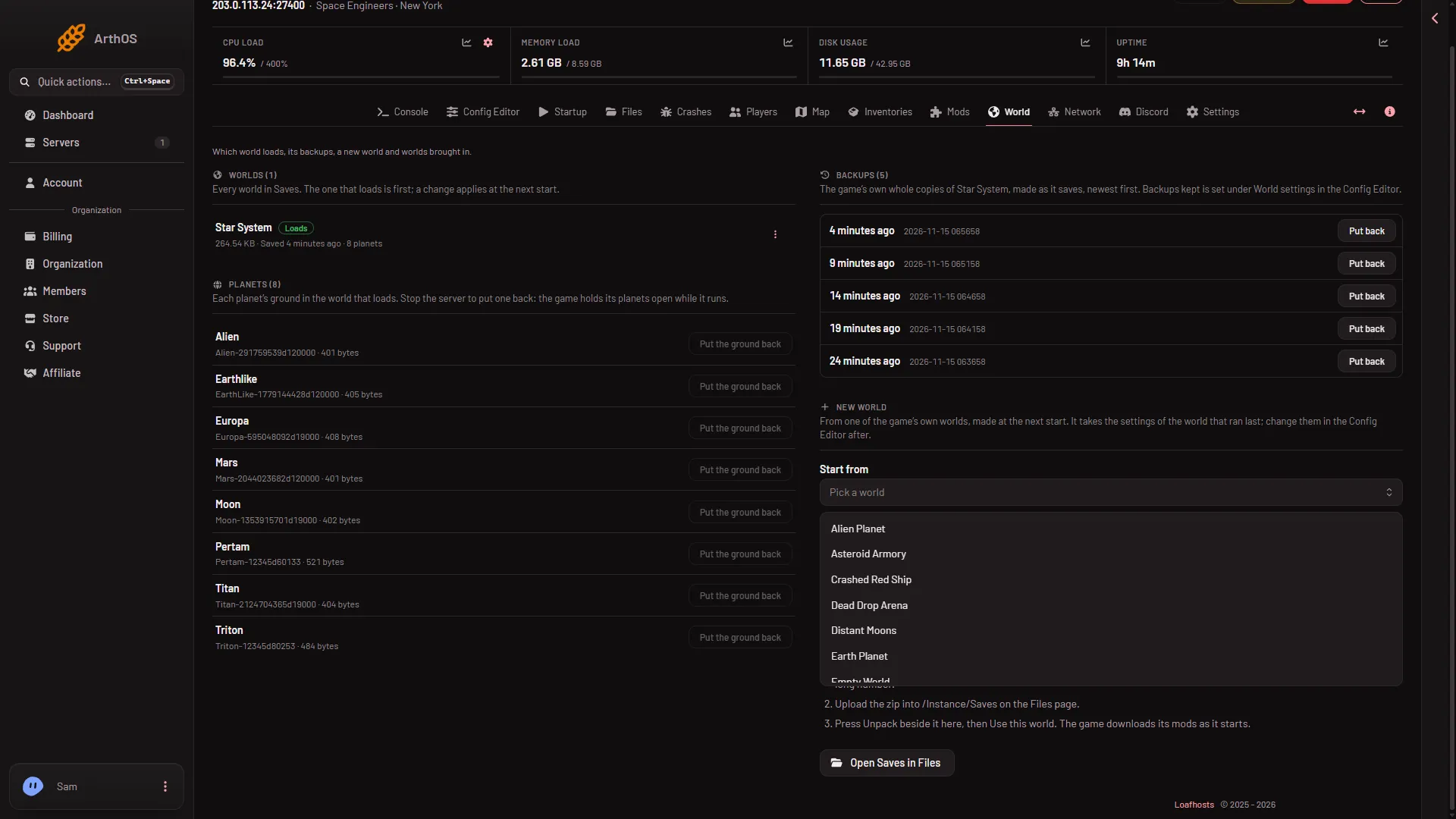
- Start from
- Alien Planet
- Earth Planet
The list holds 17 of the game’s own worlds, from Empty World to Star System, which has eight planets. See the game’s premade worlds for the list and what is in each.
- Check the Name. When you leave it empty, the panel fills it with the chosen world’s name. Type your own if you like. Use 1 to 60 letters, digits, spaces and these marks:
-,_,',(,)and,. - Press Make it at the next start.
The page now shows a notice at the top: “The next start makes a new world, (name), from (the world you picked). The panel then keeps loading it, so it is made once.” The change does not stop or restart anything. It works before a first start too.
The old world loses its Loads tag now. Nothing is deleted. Press Use this world on the old world to cancel the new one before the start.
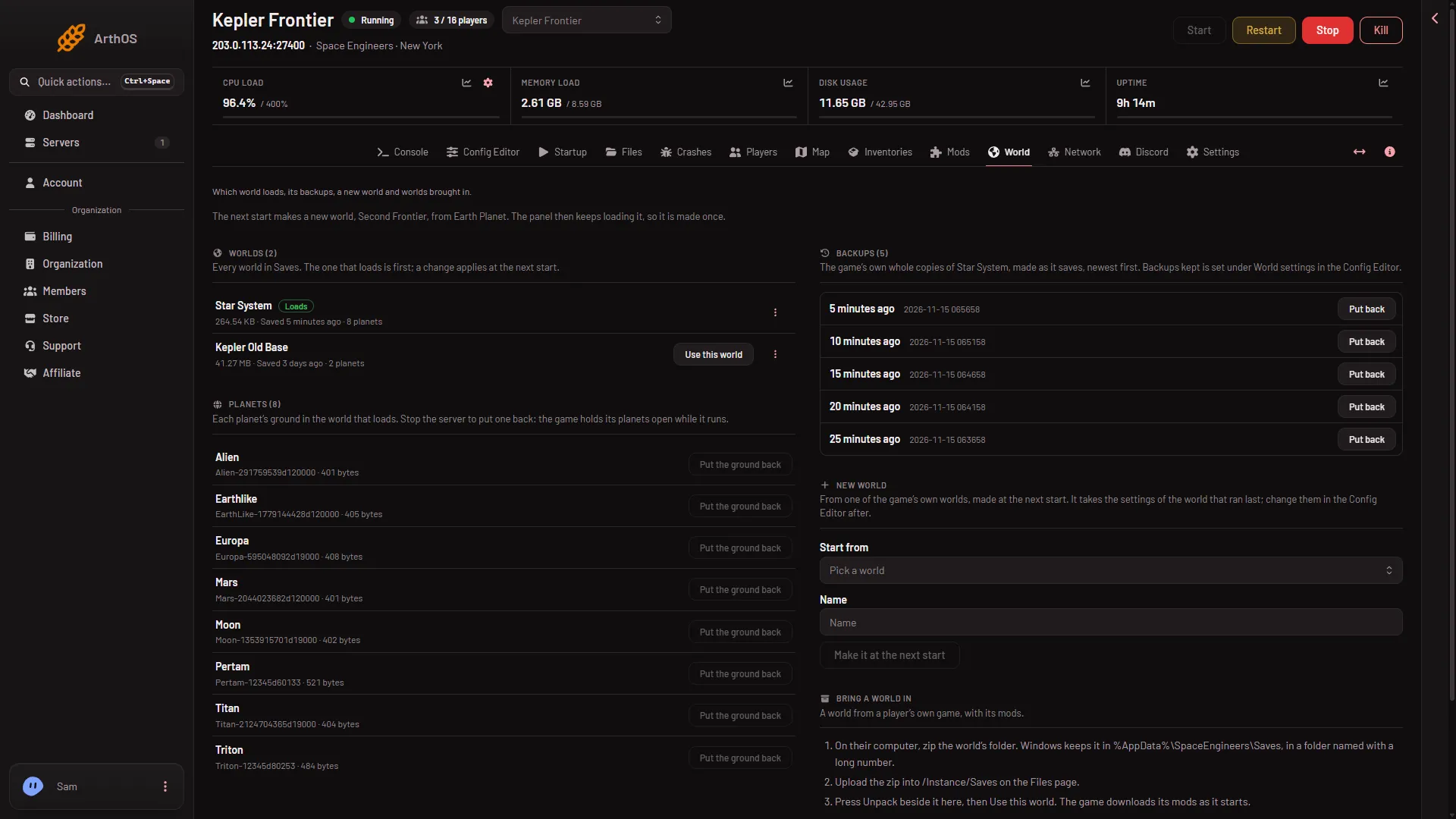
- A new world at the next start
Start the server
The new world is made when the server starts. If the server is running, restart it. Players on the server are disconnected by a restart, so warn them first. If it is stopped, start it.
When the game has made the world, it appears under Worlds with the Loads tag. The panel then keeps loading that world at every later start, so you do not get another new world each time.
The settings of the new world
A new world takes the settings of the world that ran last, not the premade world’s own. That is, if you had Creative mode, the new world is Creative too. Change them in the Config Editor, under World settings (the keys are in the world’s Sandbox_config.sbc). World settings can be saved only while the server is stopped, and apply at the next start.
The tab is missing at first. A new server shows only Passwords and Server settings until it has started twice: the first start makes the world, the next start names it as the world that loads. Start it again (or restart it), then stop it to change world settings. The same happens after Make it at the next start.
Each world has its own mod list. Check the Mods page after the first start, and add what you want there.
Go back to the old world
On the World page, the old world is listed under Worlds. Press Use this world on its row, then restart. It loads exactly as you left it. If you no longer want it, its three-dots menu has Delete, which moves it to the server’s trash, where it can be restored for 3 days.
If it does not work
- “A world of that name is on the server.” Pick a name that is not used by a world already under Worlds.
- Make it at the next start is greyed out. Pick a world in Start from first, and check the Name is filled, not already used by a world under Worlds, and free of marks the panel does not accept.
- There is no New world card. Your role must be allowed to change the startup settings: without that the whole card is hidden.
- The new world is not there after the start. Check the server finished starting. Open Crashes. A world that cannot load reads Crashed or Failed to start: read the finding.
- You get a new world you did not ask for. The world that loads is not on the server any more, so the game made a new one of that name. The World page warns about it. Choose a world with Use this world.
More about the game: Space Engineers servers.
Sources: spaceengineers.wiki.gg: Setting up a Space Engineers Dedicated Server