
















A ban removes a player from your Terraria server and keeps them out. What the ban matches depends on the program your server runs. The World page shows which one you have.
Ban from the panel
- Open the Players page.
- Open the menu on the player’s row, What to do with (name).
- Choose Ban. On TShock the item reads Ban (account, character and address).
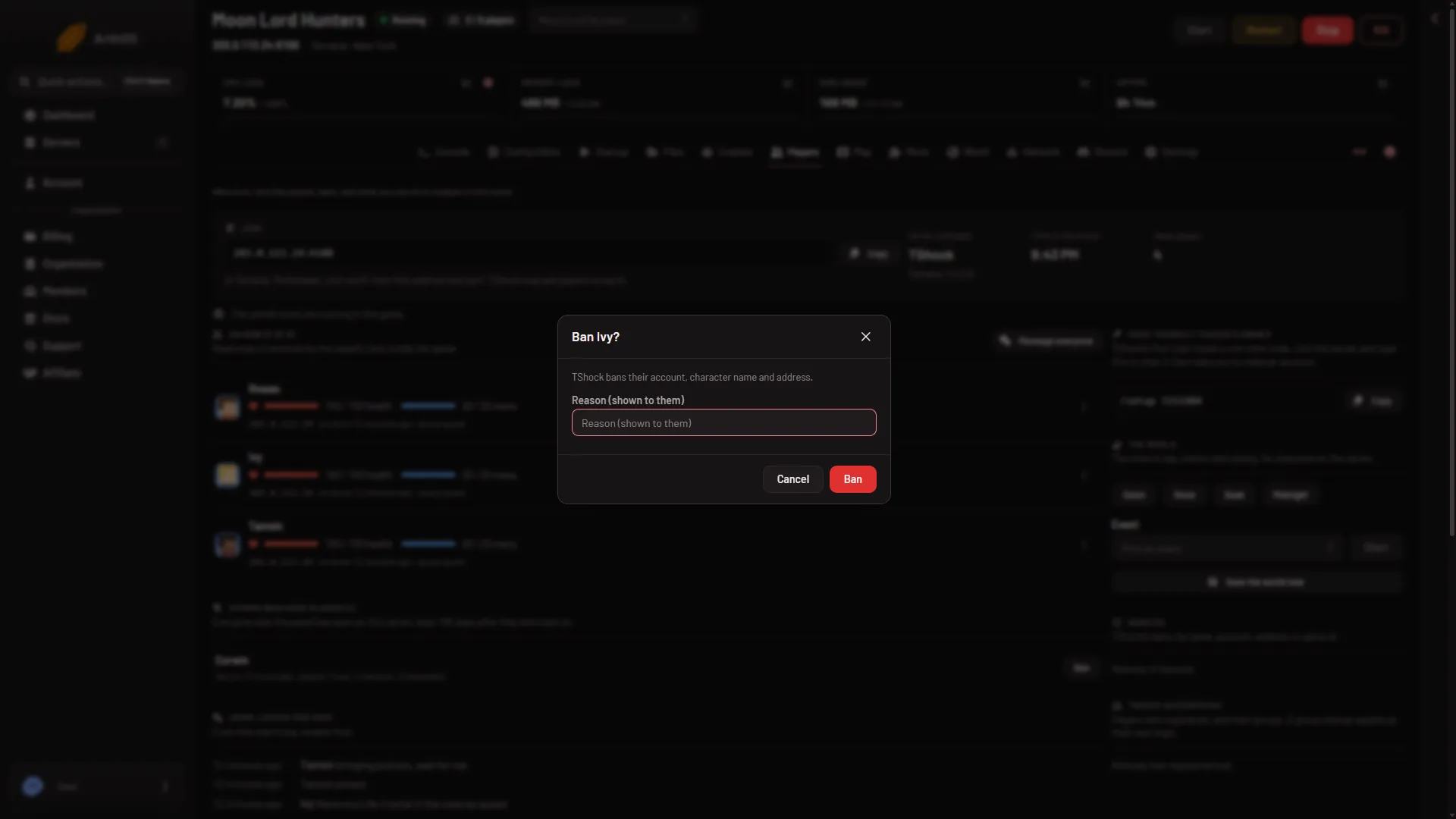
- Read the box. It is titled Ban (name)?
- Optionally write a reason in Reason (shown to them), up to 200 characters.
- Confirm.
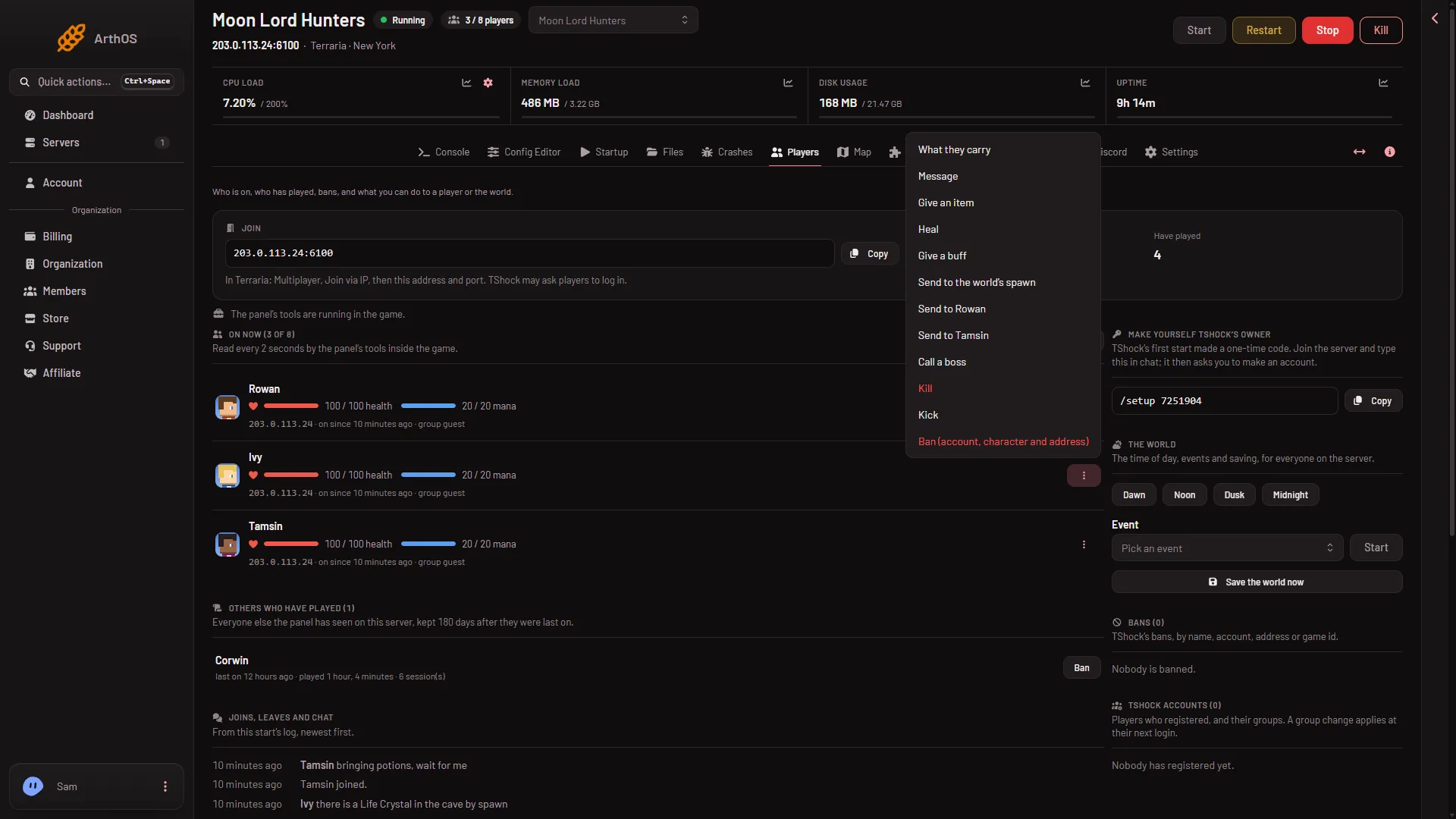
- Choose Ban
Choose Ban (1) to open the box.
What each program bans
- Vanilla and tModLoader. The box says: “The game bans their name and the address they joined from, and removes them from the server.” The game writes both to
banlist.txt. The page then says “Banned by their name and address, and removed from the server.” - TShock. The box says: “TShock bans their account, character name and address.” TShock keeps the ban in its own database. TShock’s own default ban holds the account name, the game id and the address. The page says “Banned by their account, character and address.”
Only TShock uses the reason. It sends the reason you wrote, or “Banned by an admin” when the box is empty. Vanilla and tModLoader take no reason.
Ban someone who is not online
On Vanilla and tModLoader, ban a player while they are on.
See and lift bans
Every ban appears under Bans on the same page. See lifting a ban. On Vanilla and tModLoader you can also edit the ban list file.
If it does not work
- “The server is not running.” Start it. The ban is a console command.
- No Ban in the menu. Your role may not allow moderating players.
- The player comes back with a new name or address. Vanilla and tModLoader record the name and the address the player joined from. TShock records the account, the character name and the address. How well either holds against someone on a new address was not checked.
- Too many actions. The panel allows 30 player actions a minute on one server.
Sources: terraria.wiki.gg: Server, github.com: TShock