
















A kick disconnects a player from your Terraria server. It is not a ban. They can join again right away. Use it to clear a slot or to get someone’s attention. Use a ban to keep someone out.
Under the hood, a kick is the game’s console command. The panel types it for you.
Kick from the panel
- Open the Players page.
- Find the player under On now.
- Open the menu on their row, named What to do with (name), and choose Kick.
- A box titled Kick (name)? says “They are disconnected and can join again.”
- Optionally write a reason in Reason (shown to them), up to 200 characters. Only TShock uses it; Vanilla and tModLoader ignore it.
- Confirm the box.
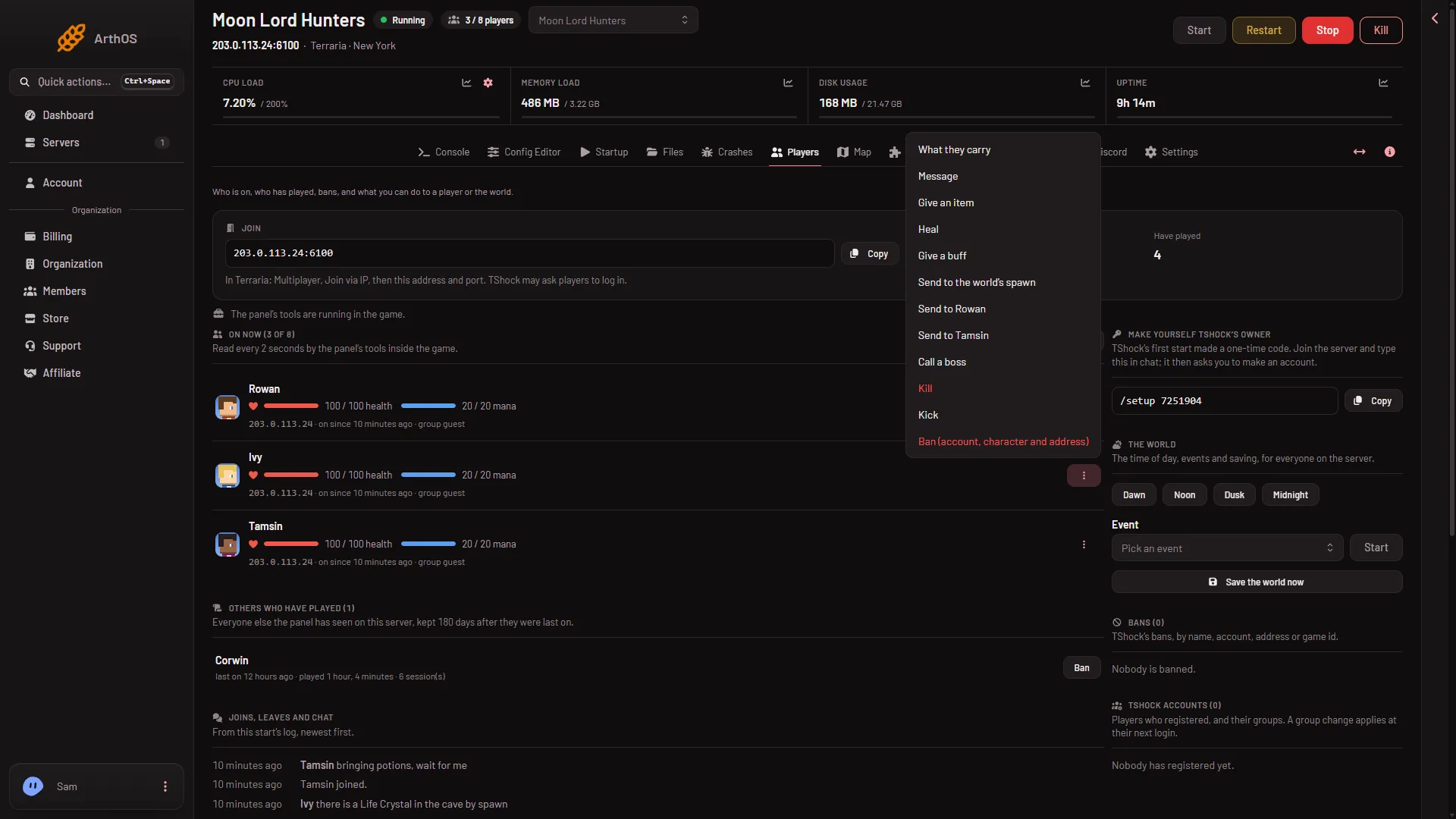
- Choose Kick
Choose Kick (1). A box opens with the question and the reason field.
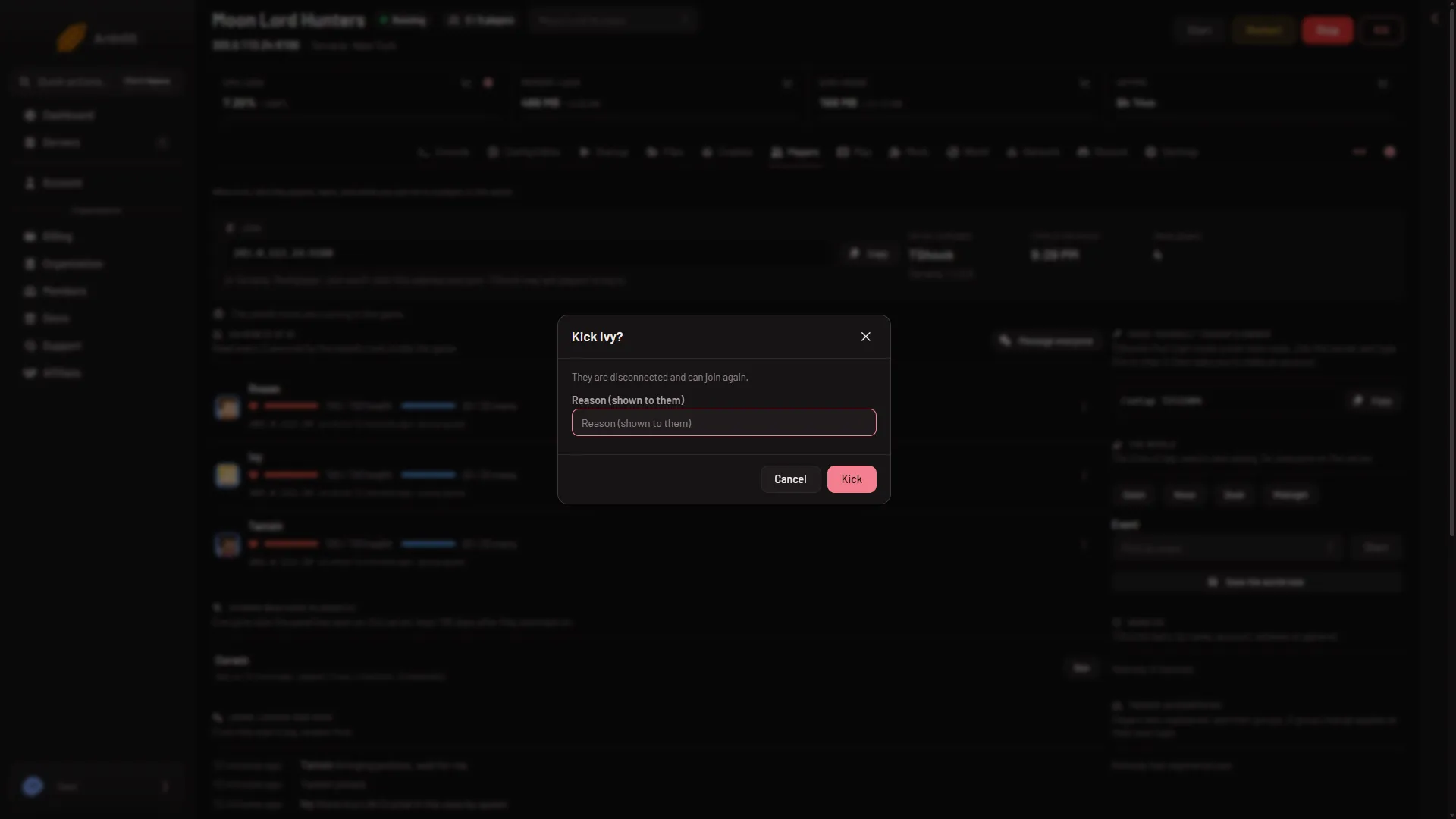
The page then says “Kicked.”
What is sent on each program
Your server runs Vanilla, TShock or tModLoader. The World page shows which.
- Vanilla and tModLoader. The panel sends
kickand the player’s name. The game takes no reason. - TShock. The panel sends
kickwith the name and your reason. If you leave the box empty, TShock uses “Kicked by an admin”.
The server writes the kick to its log as a line that contains was booted: and the reason. The Players page shows it under Joins, leaves and chat as “A player was turned away or kicked”.
Who can kick
You need a role that allows moderating players. The server must be running. If it is not, the panel says “the server is not running”. The panel allows 30 player actions a minute on one server.
If it does not work
- The server is not running. Start it first. A kick is a console command, so it needs a running console.
- No Kick in the row menu. Your role may not allow it. Ask the owner to give your role that permission.
- The player is back at once. That is how a kick works. Use a ban instead.
- “That is not a player name the console can take.” The panel refuses a name the console cannot be given. Nothing was sent.
Sources: terraria.wiki.gg: Server