
















On Vanilla and tModLoader, bans live in a plain text file named banlist.txt in the server’s main folder. You can read it and edit it in Files. The panel says a running server reads its list at its next start, so restart after an edit. TShock does not use this file. It keeps bans in its own database.
The format
Each ban takes two lines. The first starts with // and holds the player’s name. The next line holds the address the player joined from.
//ExamplePlayer
203.0.113.24
The game writes the file itself when you ban someone. The panel’s Ban button and the ban console command both add entries.
Edit it by hand
- Stop the server if you can, so a ban made while you edit cannot clash with your save.
- Open Files and click
banlist.txt. - To lift a ban, delete both lines of that ban: the
//name line and the address under it. The game’s own guide says to delete the name and the address. - To add a ban, add a
//line with the name and the address on the next line. - Save the file.
- Start the server, or restart it. A restart disconnects everyone who is on, so warn them first with Message everyone. The new list is read at the start.
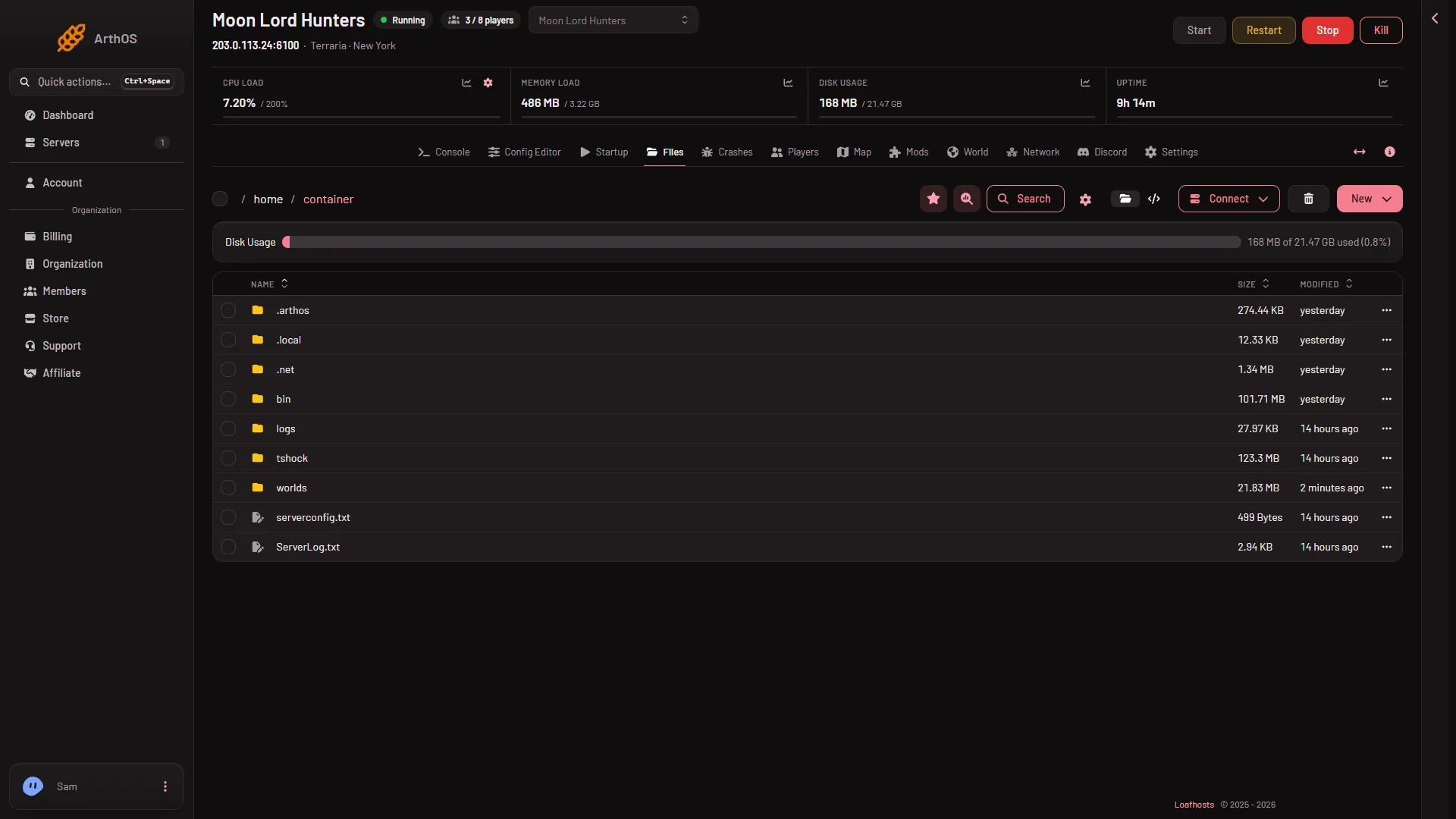
This is the main folder. The server in the picture runs TShock, so it has no banlist.txt. On Vanilla or tModLoader the file sits in this list once someone has been banned.
Easier: use the Players page
Lift in the Bans list on the Players page does the same edit for you. It removes the name and its address. See lifting a ban.
The Config Editor shows Ban list file as locked, with the note “Bans are on the Players page.” The panel sets that file name for you.
If it does not work
- The ban still applies. The server has not restarted since the edit. Restart it.
- A ban is missing from the Bans list. Each ban is a name line and an address line. Check that both are there.
- The file is not in Files. Look in the server’s main folder, not a sub folder. A new server may have no bans yet.
- You use TShock. Use the Bans list on the Players page. TShock’s bans are not in this file.
Sources: terraria.wiki.gg: Server