
















Open Files to see the server’s folders. The world is in worlds, the settings are in serverconfig.txt, and each start writes a log in logs. TShock and tModLoader add their own folders. Leave .arthos and bin alone.
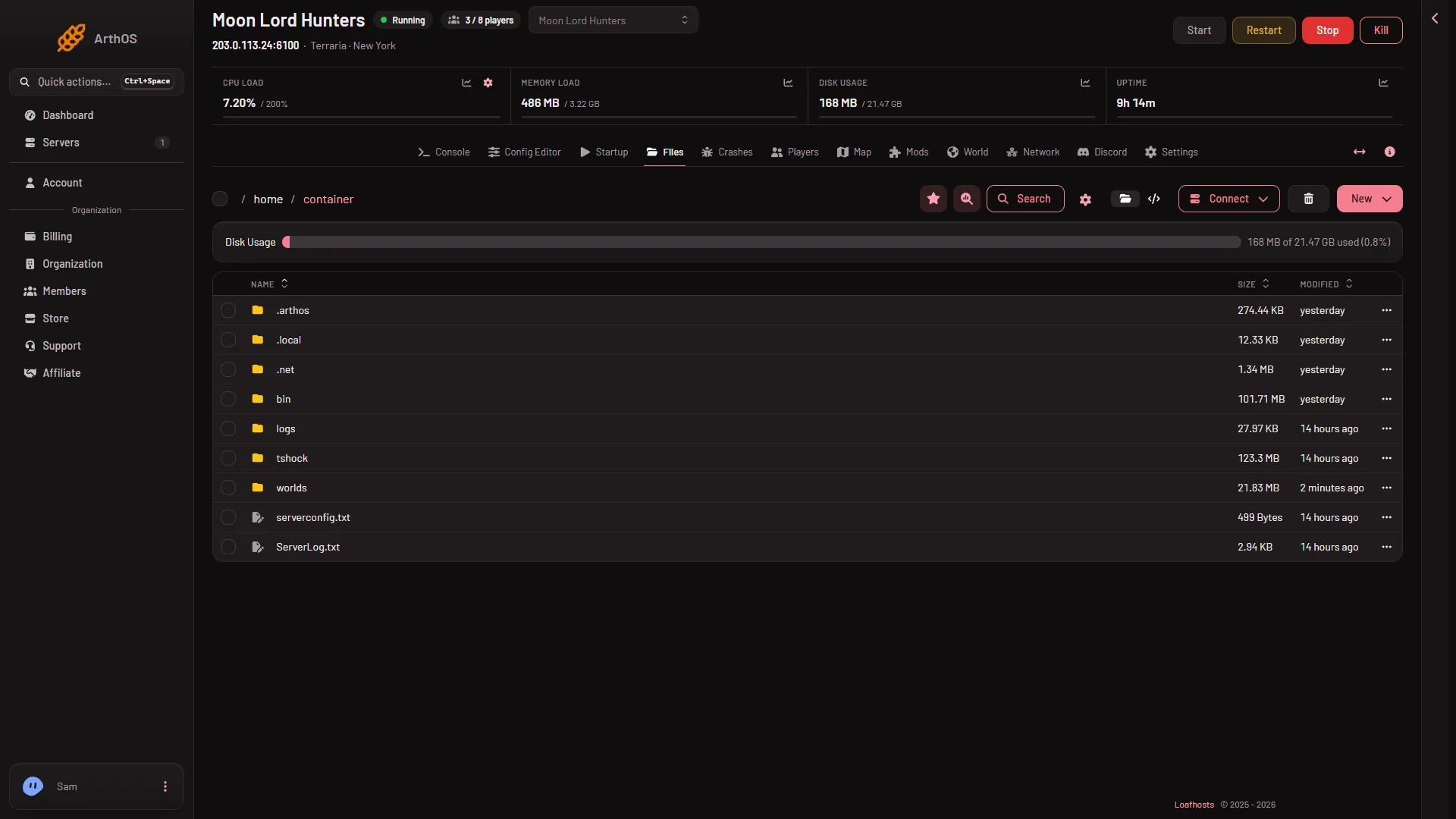
- The worlds folder
- The tshock folder
The worlds are in worlds (1). The tshock folder (2) is there because this server has run TShock. Which folders you see depends on the program the server has run. Folders for a program appear after its first start.
The files you will use
serverconfig.txt: the settings the game reads at start, the same file for Vanilla, TShock and tModLoader. Before every start the panel writes the world, port, player limit, password and message of the day into it from the server’s own settings. A hand edit of those lines is overwritten. The other lines are yours, and the Config Editor edits them for you.worlds: the worlds. A world is(name).wld. The game keeps earlier saves beside it as.bakfiles, such as.bak2. tModLoader also writes a(name).twldfor its part of a world. To add a world from elsewhere, stop the server, openworlds, choose New, then File from Upload, then choose the world on the World page with Play this world. See upload a world.banlist.txt: the ban list for Vanilla and tModLoader. Each ban is a line//namefollowed by the address. The Players page edits it for you.logs: one log per start, namedterraria_and the start time in UTC. Each start keeps the ten newest older logs and adds a new one. Each line has a UTC time stamp.ServerLog.txt: on a server that has run TShock, TShock’s own log of its server tools is also in the top folder.- Folders that start with a dot, such as
.dotnet8(the .NET that tModLoader needs), belong to the server programs. Leave them alone.
The TShock folder
tshock holds TShock’s own files: config.json, sscconfig.json, motd.txt, rules.txt, the database tshock.sqlite, its logs and its backups. Bans and accounts live in the database, so the Players page is the safe way to change them. TShock settings are in the Config Editor too.
The tModLoader folder
tModLoader holds Mods, with enabled.json, and ModConfigs. Mods downloaded from the Steam Workshop are under steamapps/workshop/content/1281930, one folder per mod. The game’s own log of its last start is bin/tml/tModLoader-Logs/server.log.
The Mods page manages enabled.json for you. A .tmod file placed in tModLoader/Mods by hand is shown on the Mods page as a folder that is never changed there.
What not to touch
.arthos: the launcher and the panel’s tools live here. The panel rewrites the launcher before every start, so an edit does not last, and a wrong edit can stop the server from starting.bin: the server programs themselves. Vanilla, TShock and tModLoader each keep their own folder here, which is why switching programs loses nothing. The panel updates them at start.- The world and player lines of
serverconfig.txt: written by the panel at every start.
Safe habits
- Stop the server before you copy, replace or delete a world file. The game saves over a world file it has open.
- Delete a world on the World page, not in Files. The page removes the
.wld, the.twldand the.bakfiles together, and refuses to delete the world in play. - Deleted files go to Trash on the Files page, where Restore to… brings them back for a limited time.
- To download a folder, choose Archive on it first, then download the archive. Or use Connect, then via SFTP.
If it does not work
- A folder is missing. It is made at the first start of that program. Start the server once.
- A world you uploaded is not listed. The file must be in
worldsand end in.wld. Reload the World page. - tModLoader will not open an uploaded world. A world saved by game version 1.4.5 does not open on tModLoader, which runs 1.4.4. The World page marks it “Too new for tModLoader”.
More about the game: Terraria servers.
Sources: terraria.wiki.gg: Server