
















The Players page has a list called Joins, leaves and chat. It shows who joined, who left, what players said, and who was refused or kicked. It comes from this start’s log, newest first. The same list works on Vanilla, TShock and tModLoader. See Terraria servers.
Open the list
- Open the Players page.
- Find Joins, leaves and chat. Its hint reads “From this start’s log, newest first.”
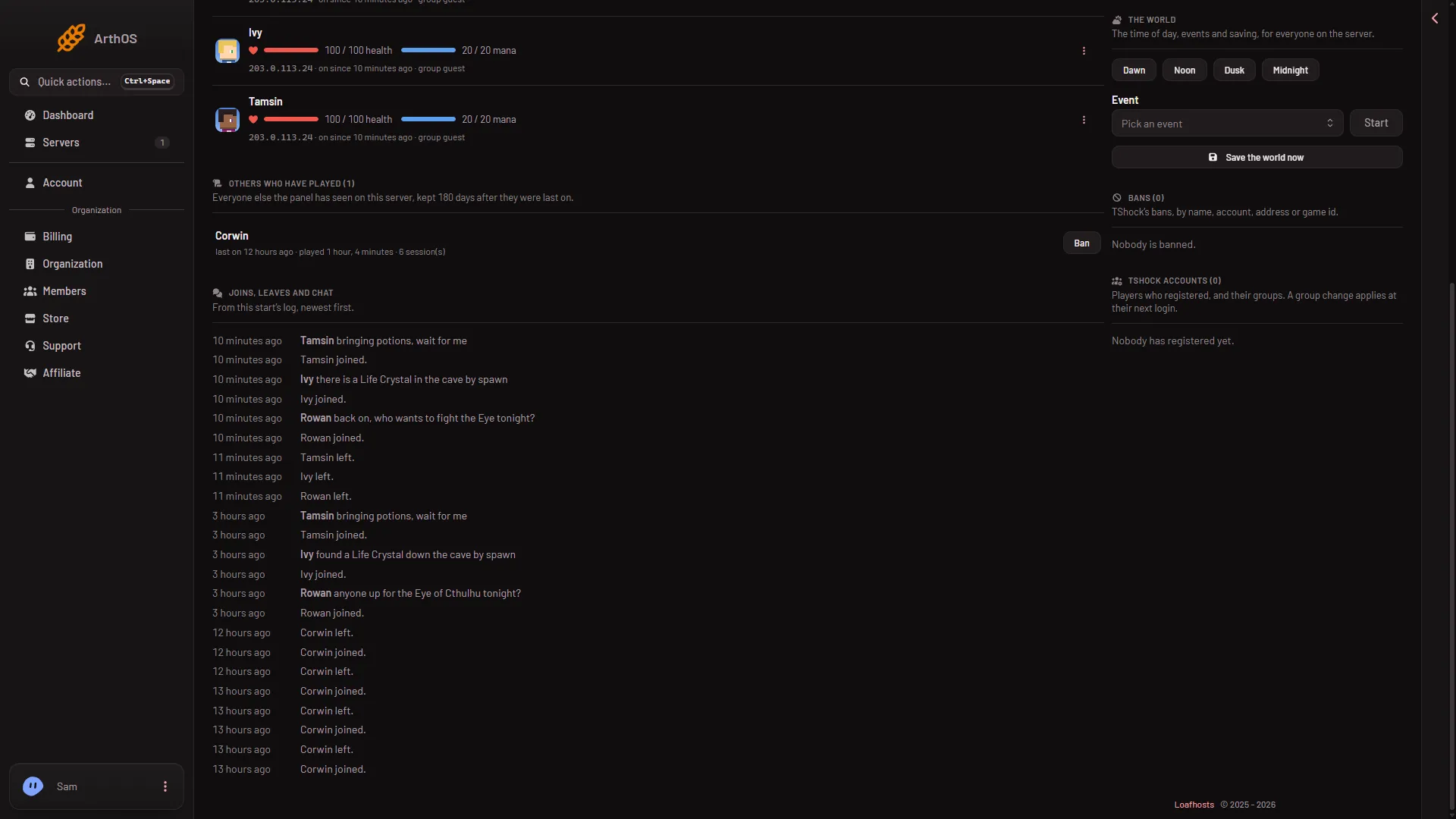
- Joins, leaves and chat
The list (1) shows a player’s name in bold before what they said, and “joined” or “left” for the rest.
What each line means
- A player’s name, a colon and their words. A player said something in chat.
- A name followed by joined. A player came into the world.
- A name followed by left. A player left.
- A player was turned away or kicked:, then a reason. The server refused or removed a player. The reason is the one the game gave, such as “Kicked from server.” or “You are not using the same version as this server.”
- A new world was made, with the seed in brackets. The server made a world at its start.
The list shows the latest 80 lines. Only the current start counts. When the server restarts, the list begins again with the new log.
The raw log
The panel reads the server’s own log. Each start has one file in Files, in the logs folder, named like terraria_20261113_120000.log. The time in the name is UTC. About ten files are kept, and the oldest are removed.
Each line starts with the time, in UTC, as 2026-11-13T12:00:00. Then comes the game’s line:
203.0.113.24:51234 is connecting...
Player_One has joined.
<Player_One> text of a chat line
203.0.113.24:51234 was booted: Kicked from server.
Player_One has left.
A refusal or a kick shows a was booted: line first, with the reason. On TShock the join line also carries the player’s address. The addresses in these lines are private. See player IP addresses.
A chat line starts with the name in angle brackets. A chat line that looks like a server line is still read as chat, so a player cannot fake a join by typing one. For more about logs, see Terraria server logs.
If it does not work
- The list is empty. Nobody has joined since the server started, or the server has not started with the panel’s launcher yet. Choose Restart at the top of the server page. A restart disconnects everyone who is on, so use Message everyone on the Players page first.
- An older chat line is missing. The list shows only this start’s latest 80 lines. Open the older file in
logsin Files. - A kicked player shows as “a player”. Your role does not allow seeing addresses, so the panel hides who was refused or kicked.