
















The Config Editor shows the settings of your Terraria server as named rows with a short help line, so you do not have to edit serverconfig.txt by hand. Open it from the Config Editor tab on the server page. Which files it lists depends on the server software.
The files it lists
Along the top is a row of file buttons. Choose one to open it.
- Server settings is on every Terraria server, whatever the software. It is the file
serverconfig.txt(1). - TShock (2) and TShock server-side characters appear when the server runs TShock. See the TShock settings.
- On tModLoader, each mod that has settings adds a file named like “(Mod): (Config)”. See the tModLoader settings.
- Passwords holds the join password. It is covered at the end.
Vanilla has the Server settings file and Passwords only. The program is chosen on the World page.
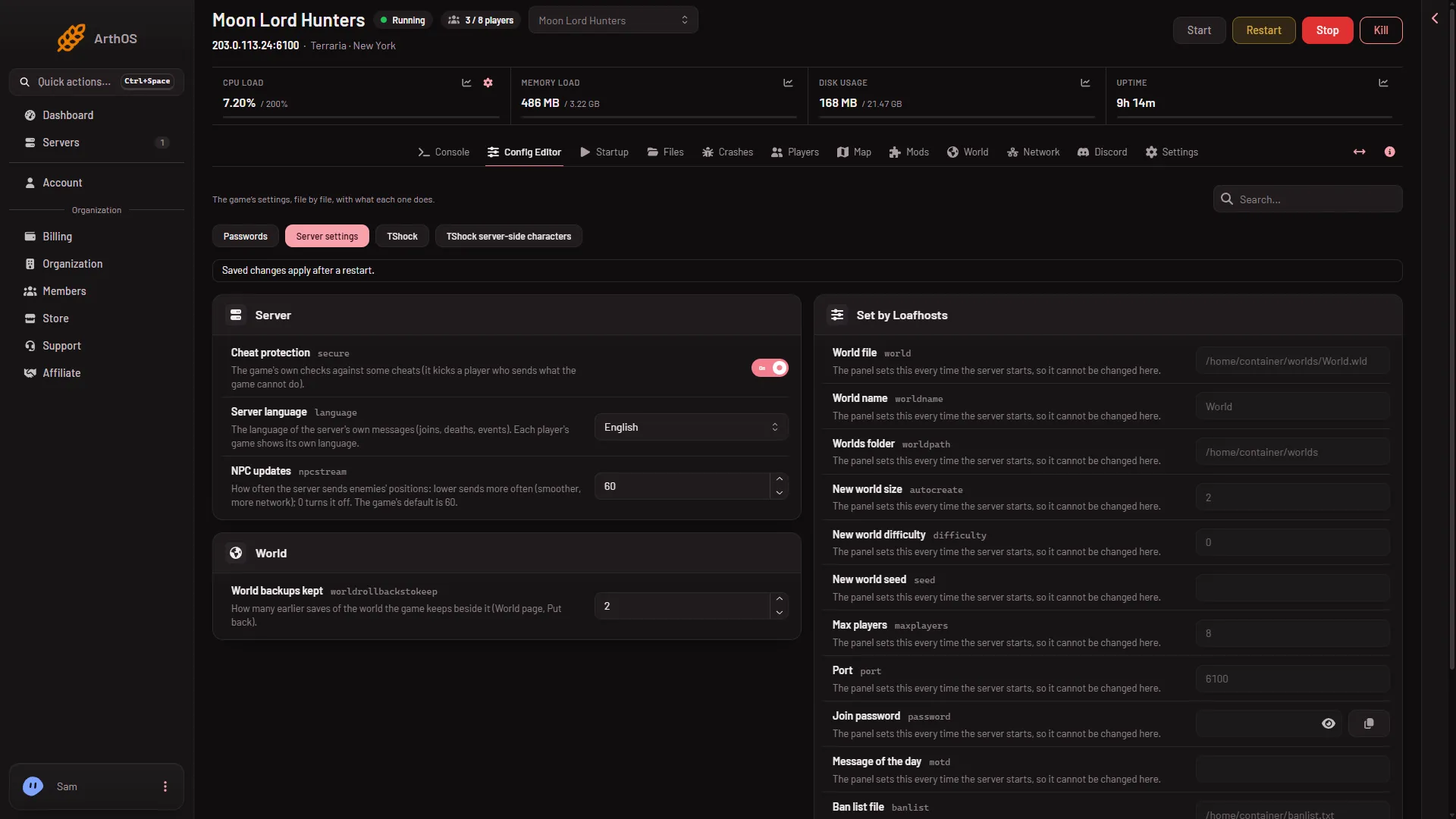
- Server settings
- TShock
Type in the search box to find a setting. While you search, each file button shows how many of its settings match. Under the rows, Edit the whole file as text opens the raw file.
The settings you can change
A setting shows only when serverconfig.txt has its line. A server whose file lacks a line does not show that row, so your list can be shorter than the one below. Server settings can hold these rows, in three groups.
Server
- Cheat protection: “The game’s own checks against some cheats (it kicks a player who sends what the game cannot do).” On or off. See cheat protection.
- Server language: the language of the server’s own messages: joins, deaths, events. Each player’s game still shows its own language. Eleven languages are offered, from English to Korean.
- NPC updates: how often the server sends enemy positions. A lower number sends them more often: smoother, but more network. It is a whole number from 0 to 60. 0 turns it off. The game’s default is 60.
World
- World backups kept: how many earlier saves of the world the game keeps beside it, from 0 to 20. These are the backups you can put back on the World page, not the panel’s own Backups tab.
- Slow liquids: liquids settle more slowly, which eases the load in big flooded areas.
- Announcement boxes off: announcement boxes stop sending their messages to chat.
- Announcement box range: how far away, in tiles, an announcement box is heard. -1 means the whole world.
Journey powers
A new server’s file has no journeypermission_ lines, so this group is usually not in the list. It shows only when the file has them, and it matters only on a Journey world. It has fifteen rows, each marked “Journey worlds only.” Each takes one of three values:
- Nobody: the power is locked for everyone.
- Nobody (host only): the game’s own “host only” value. A dedicated server has no host player, so in practice nobody can use it.
- Every player: any player can use the power.
The powers are Freeze time, Set time to dawn, Set time to noon, Set time to dusk, Set time to midnight, Time speed, Godmode, Wind strength, Freeze wind, Rain strength, Freeze rain, Placement range, Enemy difficulty, Freeze biome spread and Enemy spawn rate.
The locked rows: Set by Loafhosts
The group Set by Loafhosts sits on the right and has 13 rows. They cannot be changed here. Each one reads “The panel sets this every time the server starts, so it cannot be changed here.” The panel writes them again from the server’s own settings at every start, so a hand edit would be overwritten. The table says where each is changed. Process priority has no effect on this server: the game uses it only on Windows.
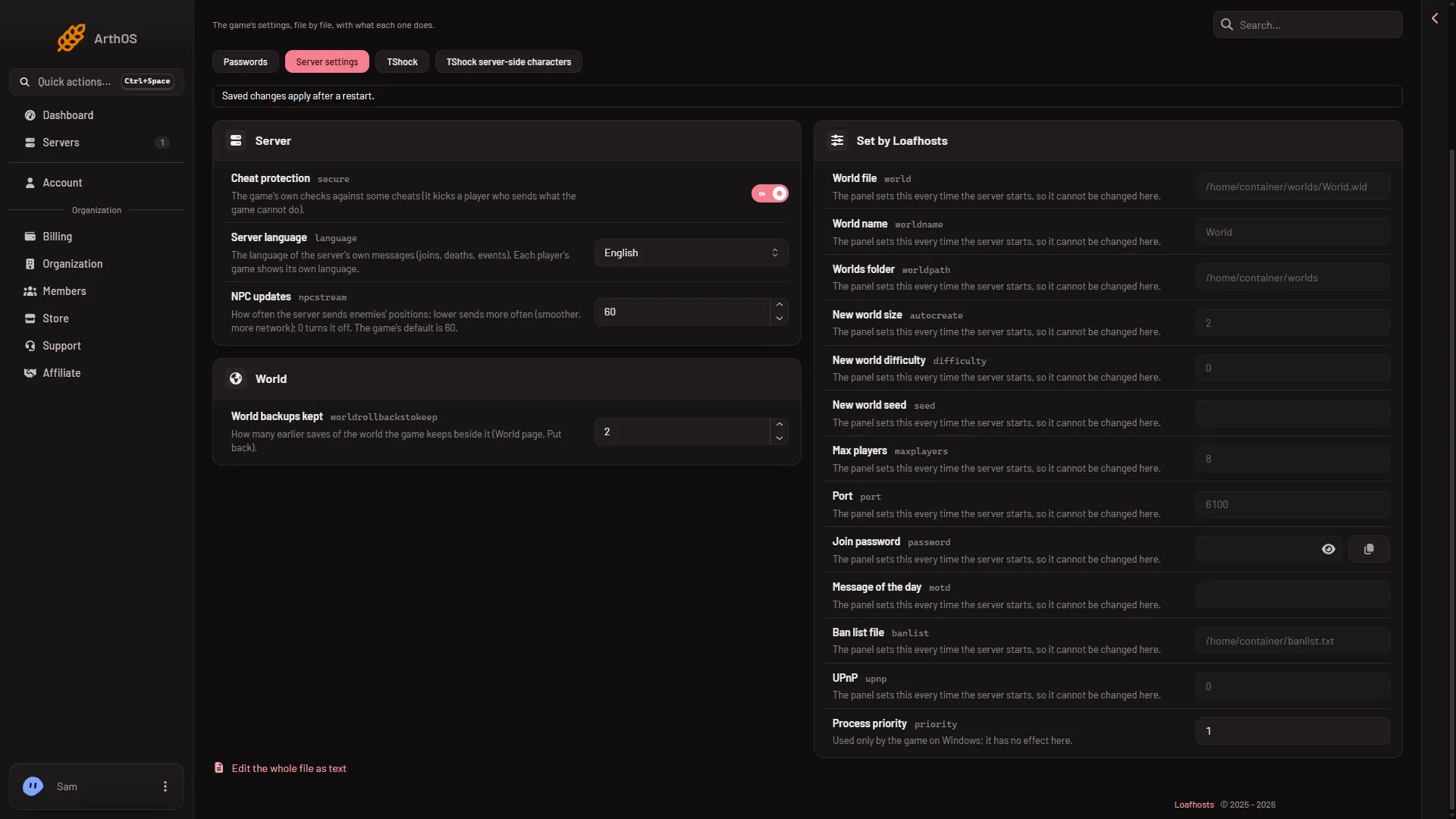
- Cheat protection
- Server language
- NPC updates
The picture shows the Server group (1 to 3) and, beside it, the greyed rows.
| Row | Where to change it |
|---|---|
| World file, World name | The World page |
| Worlds folder | Fixed |
| New world size, New world difficulty, New world seed | The World page, when you make a new world |
| Max players | The Startup page |
| Message of the day | The Startup page |
| Port | The server’s network settings |
| Join password | Passwords |
| Ban list file | The Players page |
| UPnP | Off: the server’s port is already open |
| Process priority | No effect here: the game uses it only on Windows |
The Join password row has a show and a copy button, but you cannot type in it.
Saving, and when it applies
Change a row. A bar reads “Unsaved changes: (n)” with Discard and Save. Choose Save.
- If the server is running, the page says “Saved. Restart the server to apply the changes.” Choose Restart at the top of the server page. A restart drops everyone who is on, so warn them first with Message everyone on the Players page.
- If the server is stopped, the page says “Saved. The changes apply when the server starts.”
The server reads serverconfig.txt when it starts. A change does not reach a running world.
Passwords
The join password is not on Startup. Open Passwords (1) in the Config Editor. The row is Server password: “Players type it to join. Empty for none.” A new server has no join password. The page says “The game reads them when it starts; a change applies at its next start.” Never share a password in a screenshot.
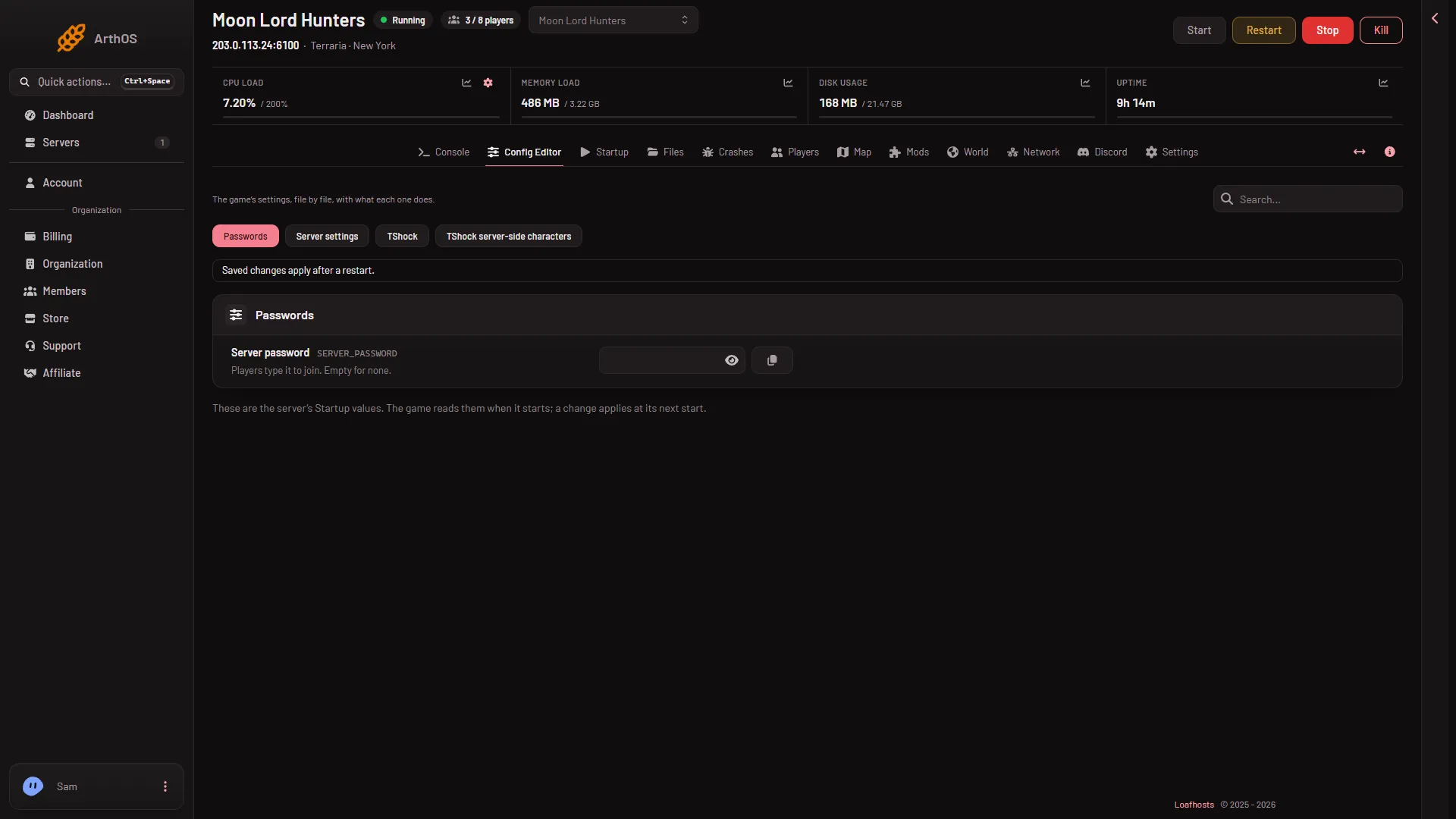
- Passwords
TShock keeps some passwords of its own, such as the TShock join password. They are in the TShock file, under Server.
If it does not work
- The row is greyed out. It is one of the locked rows. Use the page the row names.
- A row from this guide is not there. The file has no line for it. A setting shows only when
serverconfig.txthas its line, so the Journey powers in particular are often missing. - A file is missing. The page says it does not exist yet and that the game creates it the first time the server starts. Start the server once.
- You can see settings but not change them. Your role does not allow changing them. Ask the owner of the server.
- You changed a row and nothing happened. The server has not restarted since you saved.
- You edited
serverconfig.txtin Files and a line went back. It was one of the locked lines. The panel writes those again at every start.
Sources: terraria.wiki.gg: Server