
















Cheat protection is a switch for the game’s own checks against some cheats. When it is on, the server kicks a player who sends what the game cannot do. A new Loafhosts server has it on. You can turn it off or on again in the Config Editor. The change applies at the next start.
What it does
The Terraria server can check what a player’s game sends. If a message is something the game itself could never produce, the server treats that player as cheating and kicks them. That is the whole job of the switch. The game does not publish a list of what it checks, so this guide does not list one.
The panel shows this row for Vanilla, TShock and tModLoader alike, because all three servers have the same serverconfig.txt. TShock has its own anti-cheat settings on top: see TShock’s settings. Not checked on TShock 6.2.1 as of 13 November 2026: whether TShock honours the secure line.
Turn it on or off
- Open the Config Editor for your server.
- Choose the file Server settings.
- In the group Server, find Cheat protection.
- Turn it on or off, and save the file.
- Restart the server with Restart at the top of the server page. The server reads this setting when it starts, so a running server keeps the old value until then. A restart drops everyone who is on, so warn them first with Message everyone on the Players page.
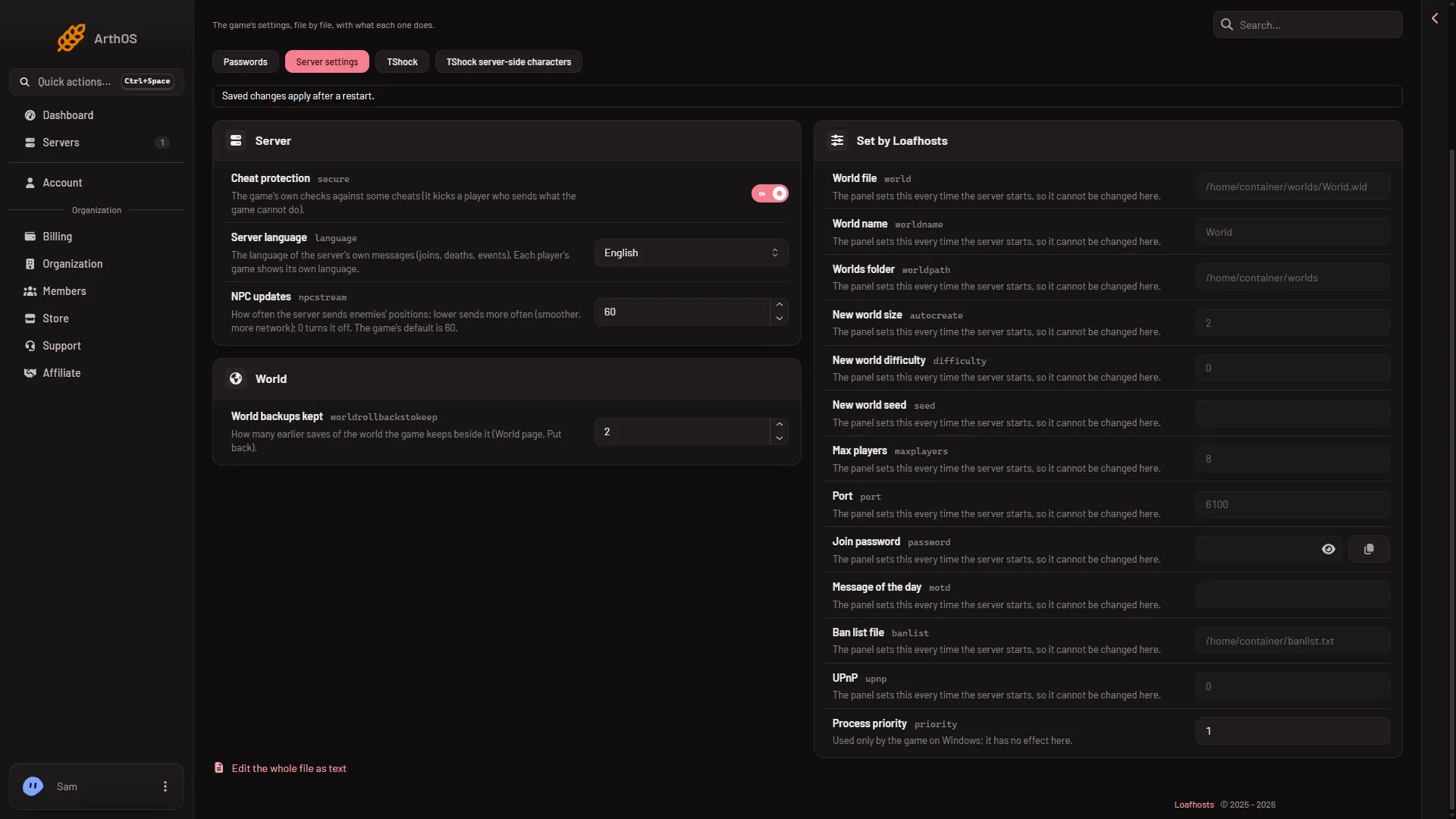
- Cheat protection switch
The switch (1) is On in the picture. A row shows only when serverconfig.txt has its line, so if Cheat protection is missing from your list, the file has no secure line.
Where the setting lives
The panel writes the setting to the key secure in serverconfig.txt: secure=1 is on and secure=0 is off. The panel’s own list of rewritten settings does not include this key, so your choice stays. If you edit the file by hand in Files, restart the server afterwards.
The panel does rewrite the world, port, player limit, join password and message of the day from the server’s own settings before every start. Change those where the panel says, not in this file. See the Config Editor.
If a player is kicked and you think it is wrong
Turn the setting off, restart, and ask them to join again. If they now stay in, the check caught something their game sent. Then decide whether to leave it off. Not checked on 1.4.5.8 as of 13 November 2026: whether Cheat protection kicks a player whose mods send extra data.
If it does not work
- The setting is not in the list. Check that you opened Server settings and the group Server. The row shows only when the file has a
secureline. - The change did nothing. The server has not restarted yet. Restart it.
- A hand edit did not stick. Edit only
secureinserverconfig.txt, save, and restart. Lines the panel owns (world, port, player limit, password, message of the day) are written again at every start.
More about the game: Terraria servers.
Sources: terraria.wiki.gg: Server