
















To update a Terraria server, restart it. Update at start is on by default, so the server brings its software up to the version you asked for at every start. The default is latest. After an update, players need the same version as the server.
You can also do the opposite and keep one version. Both are set on the World page.
See what is installed
- Open the World page.
- Look at the row of the program your server runs: Vanilla, TShock or tModLoader.
- Installed shows the version on the server. Newest shows the latest release.
When the two differ, the row says: “A newer version is out. With Update at start off, the server keeps the one it has.”
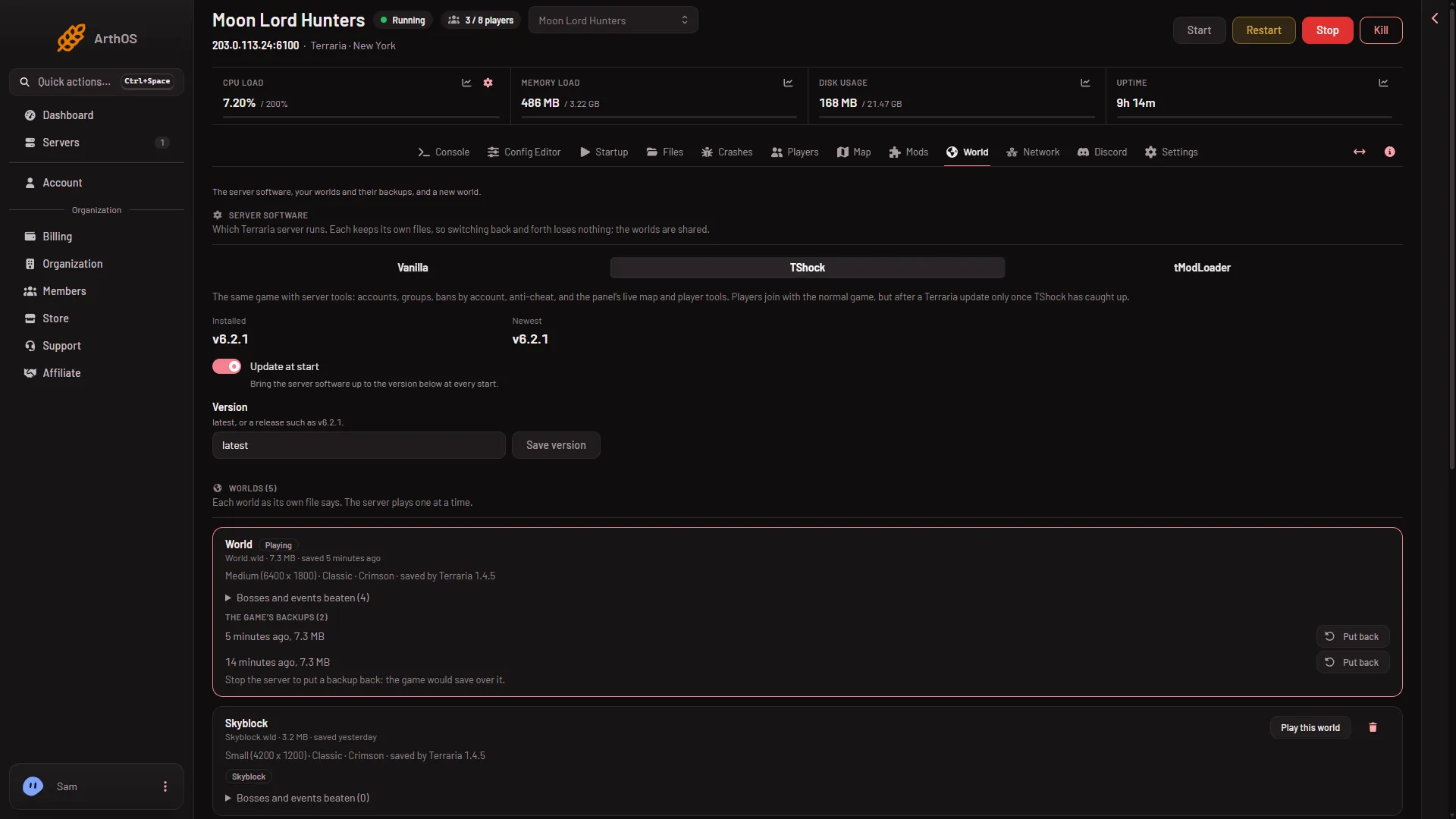
- Update at start
- Save version
Here Installed and Newest are the same, so no line about a newer version shows. Update at start is (1) and Save version is (2).
Update to the newest version
- In the same row, check that Update at start is on. It is on by default. Its note reads “Bring the server software up to the version below at every start.”
- Check that Version says
latest. - Warn your players with Message everyone on the Players page, then restart the server. Everyone on it is disconnected, and the stop saves the world first.
- At the start, the server downloads the new version, then runs it. That start takes longer.
The update applies at the next start, never while the server runs.
Keep one version
Use this when you want to stay on a version, for example while your mods get a version for the new game.
- In the row of your program, type the version into Version:
- Vanilla:
latest, or a version such as1.4.5.8. - TShock:
latest, or a release such asv6.2.1. - tModLoader:
latest(the monthly stable release), or a release such asv2026.09.3.1.
- Vanilla:
- Choose Save version.
- Make sure Update at start is on, then restart the server. It installs that version if it is not the one installed.
If you turn Update at start off, the server keeps what it has and never changes it at a start, even if Version says latest. That is the simplest way to freeze a server. Turn it on again when you want updates.
Players need the same version
- Vanilla. The server version must equal the players’ game version. A player on another version is refused by the game, and the log shows “You are not using the same version as this server.”
- TShock. After a Terraria update, players can join only once a TShock version for the new game version is out. Newest shows the latest TShock release.
- tModLoader. It runs Terraria 1.4.4. Players use tModLoader, and a mod can be made for a newer tModLoader than the server has. The Mods page says so for that mod.
If it does not work
- The panel says “latest, or a release such as 1.4.5.8 or v6.2.1”. The text in Version is not a version. Type
latestor a number written as in the examples, with thevfor TShock and tModLoader. - The server stays on the old version. Update at start is off, or you have not restarted. Check both.
- The download failed. The download site did not answer, or the version asked for does not exist. Start again in a few minutes, or set Version back to
latest. - Players cannot join after an update. Their game and the server are on different versions. Update the game, or set the server to the version they have.
See also switching the server software and Terraria servers.
Sources: terraria.wiki.gg: Server, github.com: TShock