
















This message means the player’s game and the server are on different versions. The game refuses the player at the door. The fix is to make both the same, and it depends on the program the server runs:
- Vanilla: restart the server (Update at start is on by default), or have the player update their game.
- TShock: wait until a TShock version for the new game version is out.
- tModLoader: the player needs tModLoader at the same version as the server.
Confirm it in the log
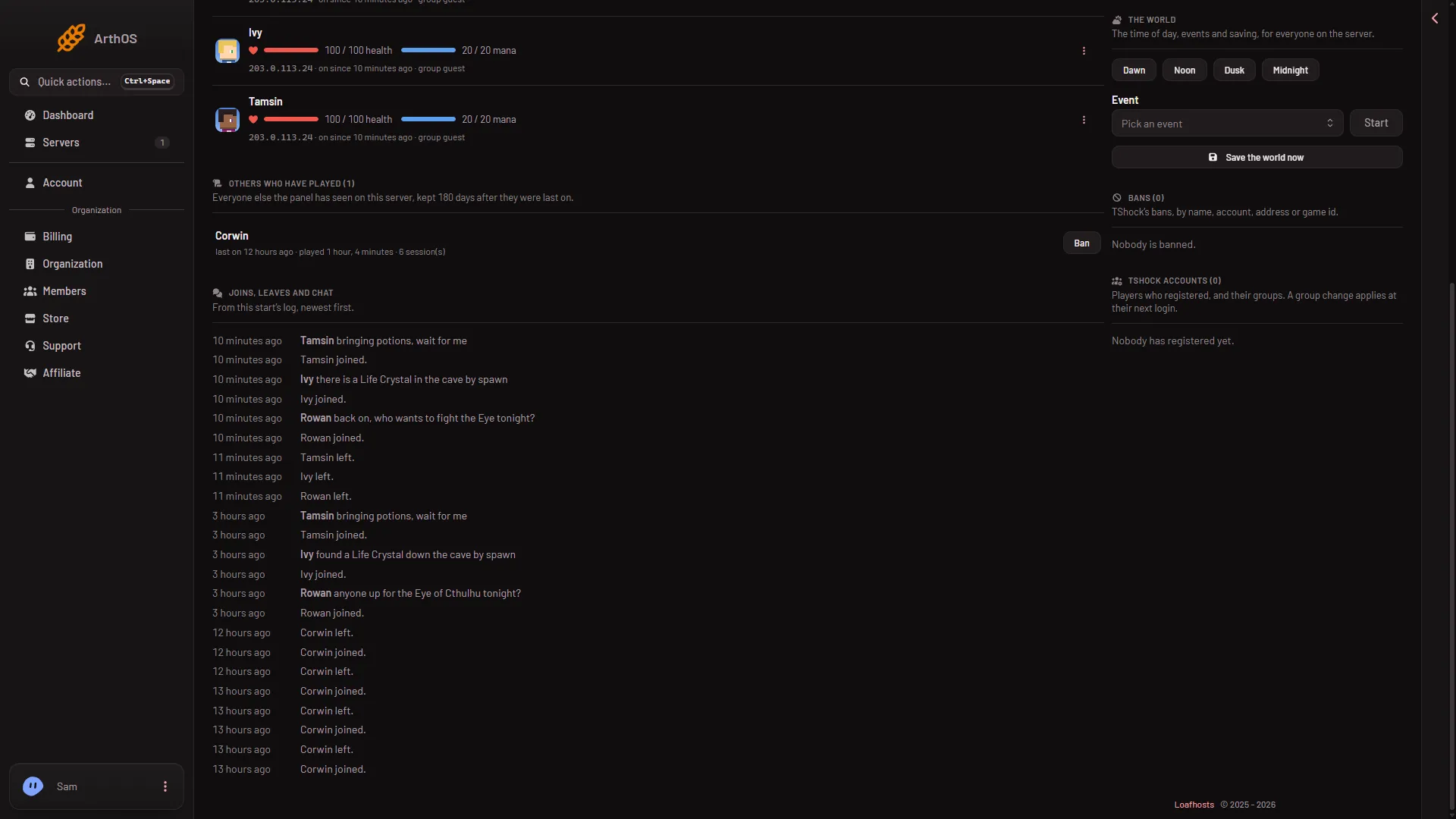
Open the Players page and look at Joins, leaves and chat. A refused player shows as “A player was turned away or kicked: You are not using the same version as this server.”
- Joins, leaves and chat
The same page shows the game version under Server software, for example “Terraria 1.4.5.8”. That is the game version the server’s log reported.
See what the server runs
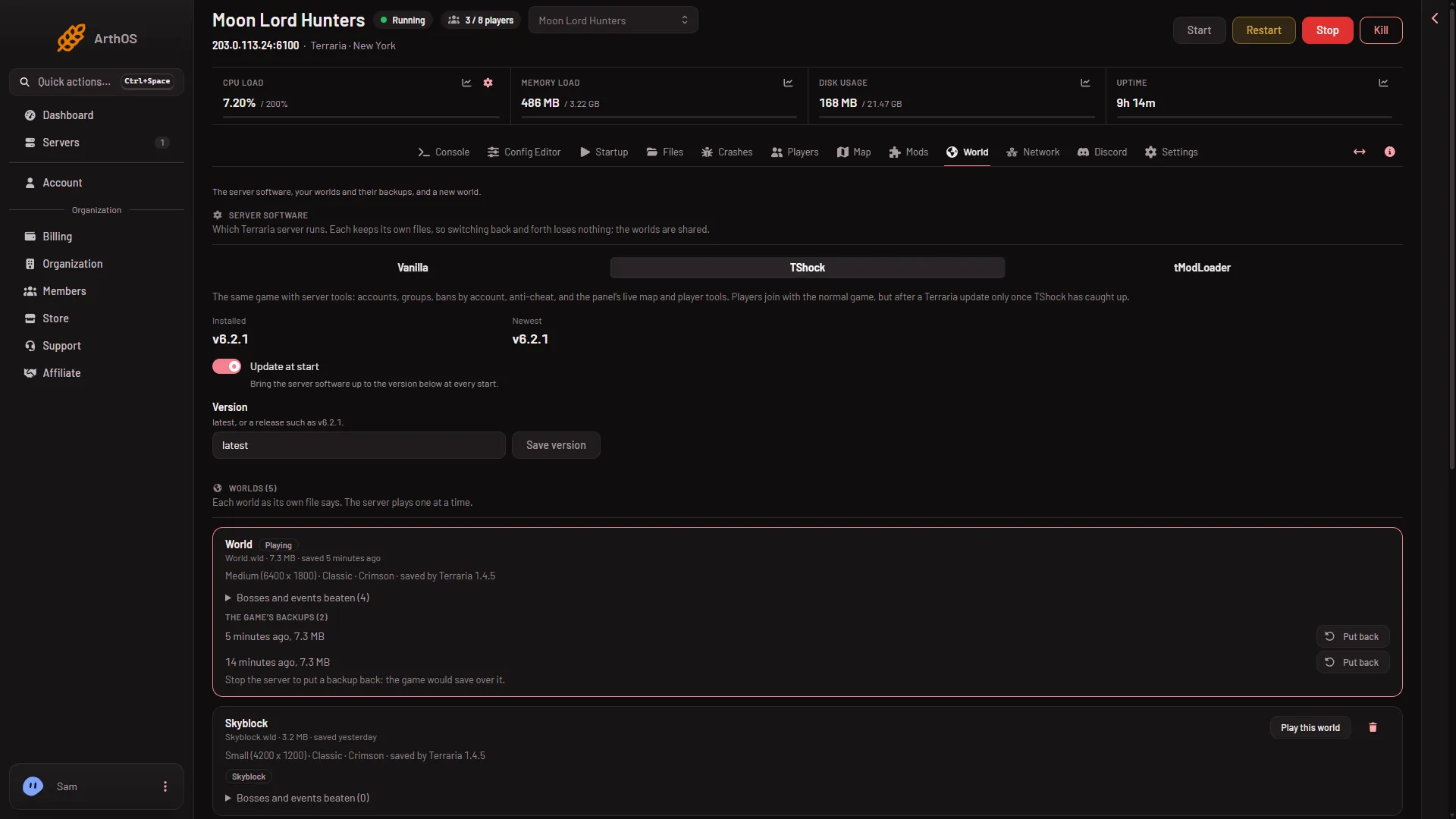
Open the World page. Under Server software, each program shows Installed (the version it has) and Newest (the newest one out). If Newest is higher, the page says “A newer version is out. With Update at start off, the server keeps the one it has.”
The programs are Vanilla (1), TShock (2) and tModLoader (3). Further down, Update at start (4) and Save version (5) set which version the server runs.
- Vanilla
- TShock
- tModLoader
- Update at start
- Save version
Vanilla
Players need the same game version as the server. This is the usual cause: Terraria updated, and either the server or the player is a step behind.
- The player is behind. They update their game, then join.
- The server is behind. Update at start is on by default. Check that it is on and that Version says
latest, then restart. A restart disconnects everyone who is on, so warn them first with Message everyone on the Players page. At every start the server then brings its software to the version named in Version. If Version sayslatest, it takes the newest one. - You want a particular version. Set Version to a version such as
1.4.5.8and choose Save version. It applies at the next start. Players need the same version.
If the version you ask for does not exist, the download fails. The Crashes page then says the server software could not be downloaded. Set Version back to latest.
TShock
TShock runs the same game, but it follows a Terraria update only once a TShock version for the new game version is out. Until then, players with the new game are refused. See TShock will not let me join after an update.
tModLoader
A tModLoader server needs players on tModLoader, at the same version. The Mods page says “The server runs tModLoader (version).” Players must run that tModLoader.
- If the server is behind the newest release, check that Update at start is on (it is by default) and restart. Version takes
latest(the monthly stable release) or a release such asv2026.09.3.1. - If players are behind, they update tModLoader.
tModLoader’s stable release runs Terraria 1.4.4 (measured 12 November 2026). A player who joins with the normal Terraria 1.4.5 is on a different version and cannot join. They need tModLoader.
When it takes effect
A version change applies at the next start. Restart the server after you save it, and warn the players on first.
If it does not work
- Only some players are refused. Their game is on a different version. Everyone on the matching version joins fine.
- You saved a version and nothing changed. The server has not restarted yet.
- The server cannot download the version. Set Version to
latestand start again.
More about the game: Terraria servers.
Sources: terraria.wiki.gg: Server