
















When Terraria updates, players get the new game. A TShock server can only take that game once a TShock version for it is out. Until then, players on the new game are refused. Check the World page. If a newer TShock is out, restart so the server takes it. If not, wait until a new TShock version is out.
Why it happens
TShock is the same game with server tools: accounts, groups, bans, anti-cheat. It must be built for each Terraria version. The game is updated first. TShock follows. In between, a TShock server and a fully updated player are on different versions, so the game says “You are not using the same version as this server.”
Check for a newer TShock
- Open the World page.
- Under Server software, check that TShock (1) is the one in use. This guide is for a TShock server, so do not switch here.
- Compare Installed with Newest.
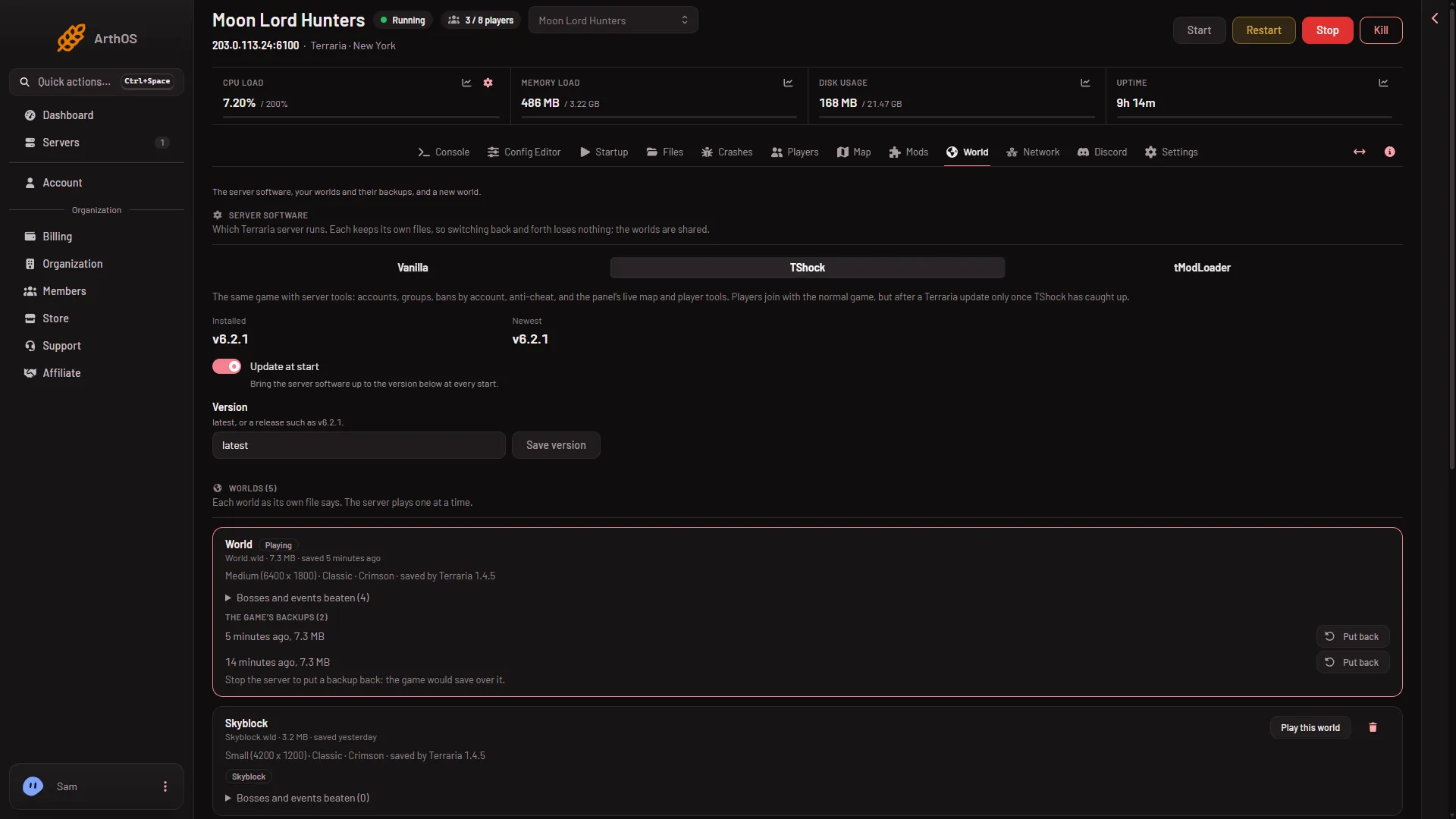
- The software in use
- Check Update at start
- Save the version
- Vanilla for now
If Newest is higher than Installed, a newer release is out. It may be the one that supports the new game version. The TShock release notes on GitHub say. If they are the same, there is nothing newer yet.
Update TShock
Update at start (2) is on by default. Check that it is on, and that Version says latest, or a release such as v6.2.1. Choose Save version (3) if you change it. Then restart the server. It takes the newest TShock at the start.
If TShock has not been updated yet
You cannot make TShock newer than it is. You have two options:
- Wait. Players on the new game join again once a new TShock version is out and you have restarted.
- Run Vanilla for now. First make a panel backup: Settings, Backups, Create. Then choose Vanilla (4) on the World page and restart. Vanilla follows Terraria’s own server list, and players on the new game join it. Worlds are kept as files on the server, and TShock keeps its own files. While on Vanilla, TShock’s accounts, groups and anti-cheat do not run. Not checked on TShock 6.2.1 as of 13 November 2026: whether a world saved by a newer Vanilla opens again in an older TShock.
After choosing, the panel says what will happen and applies it from the next start.
If it does not work
- You updated and players are still refused. Restart the server. Nothing changes until the next start.
- Newest is not higher. There is no newer TShock yet. Wait, or use Vanilla.
- Only some players are refused. The others have not updated their game, and still match the server.
- The download fails. Set Version back to
latestand start again.
See also You are not using the same version.
More about the game: Terraria servers.
Sources: github.com: TShock