
















NPC updates sets how often the server sends the positions of enemies and other NPCs to the players. It takes a number from 0 to 60. A lower number sends more often. That means less skipping, and more data on the network. 0 turns it off (not checked on 1.4.5.8 as of 13 November 2026: what 0 does to enemy movement, so use 1 to 60). The game’s own value is 60, and a new Loafhosts server uses it.
Lower number, more updates
The game’s own words for it: the setting reduces enemy skipping but uses more bandwidth. The lower the number, the less skipping, and the more data is sent.
So this is a trade:
- Higher, up to 60. Fewer updates. Less data. Enemies may seem to jump on a slow connection.
- Lower. More updates. Enemies move more smoothly. More data goes to every player.
- 0. Off. It is not the smoothest value, and what it does to enemy movement was not checked.
Change it
- Open the Config Editor for your server.
- Choose the file Server settings.
- In the group Server, find NPC updates and enter a number from 0 to 60.
- Choose Save. A running server shows “Saved. Restart the server to apply the changes.”
- Restart the server. The server reads the number when it starts. A restart drops everyone who is on, so warn them first with Message everyone on the Players page.
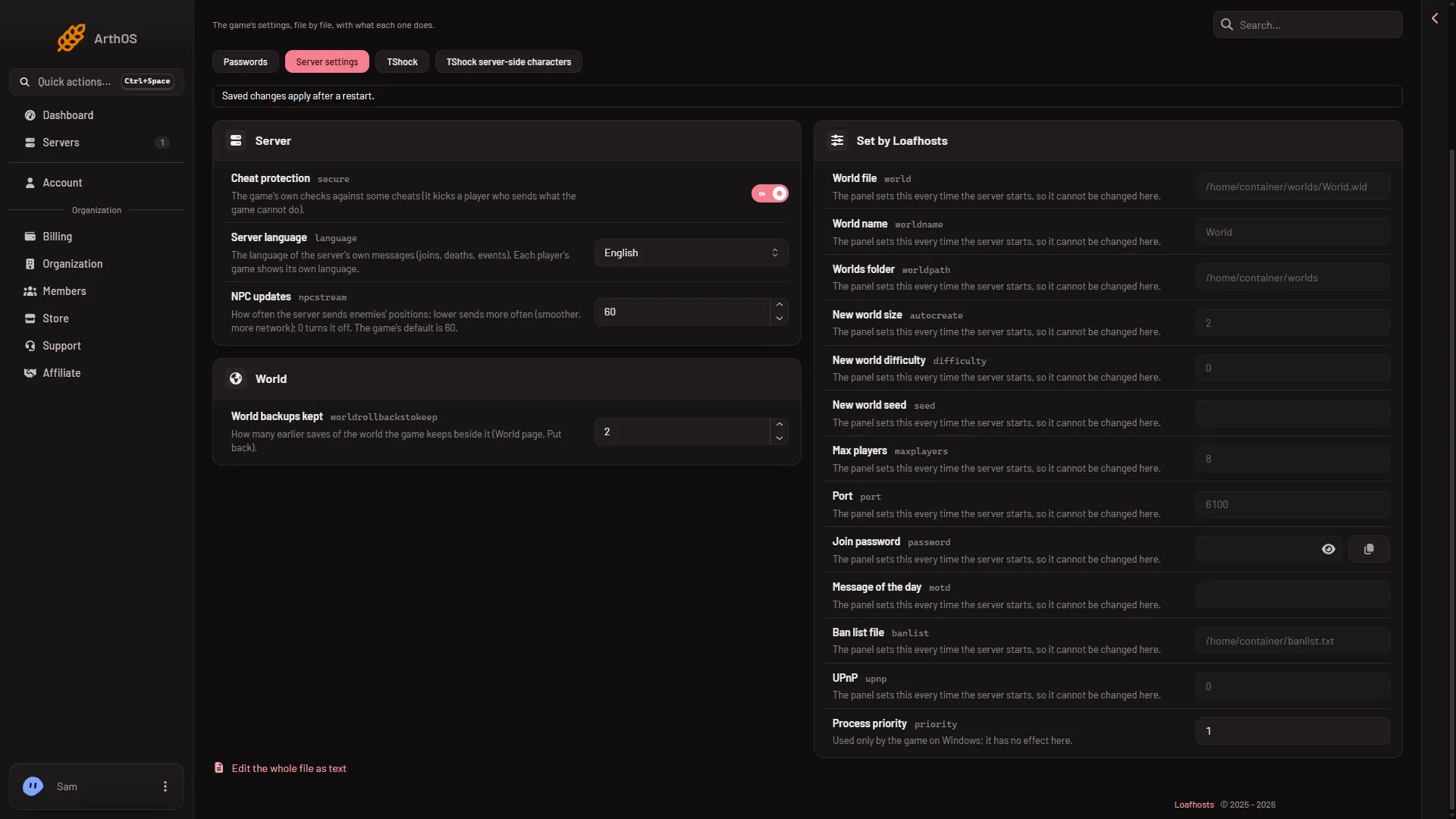
- NPC updates
Type the number in the box on the row (1).
How to pick a value
Start from 60. If players say enemies skip or jump, lower the number in steps. For example, go from 60 to 30, restart, and ask players to try a fight. If it is still rough, lower it again. Stop when it feels right. Every step costs more data for each player, so do not go lower than you need.
This setting is about enemy skipping only. If the whole server lags, see server lag.
By hand
The setting is the key npcstream in serverconfig.txt:
npcstream=60Edit the file in Files, then restart the server. The panel does not rewrite this key at start.
If it does not work
- Nothing changed. The server has not restarted since you saved. Restart it.
- You set 0 and want smoother enemies. Set a number from 1 to 60 instead.
- The number is refused. The panel accepts only whole numbers from 0 to 60.
More about the game: Terraria servers.
Sources: terraria.wiki.gg: Server