
















You can delete any world except the one the server plays. Open the World page, choose the red bin on the world’s row and confirm. The deletion is for good, so keep a copy first if the world matters.
What goes
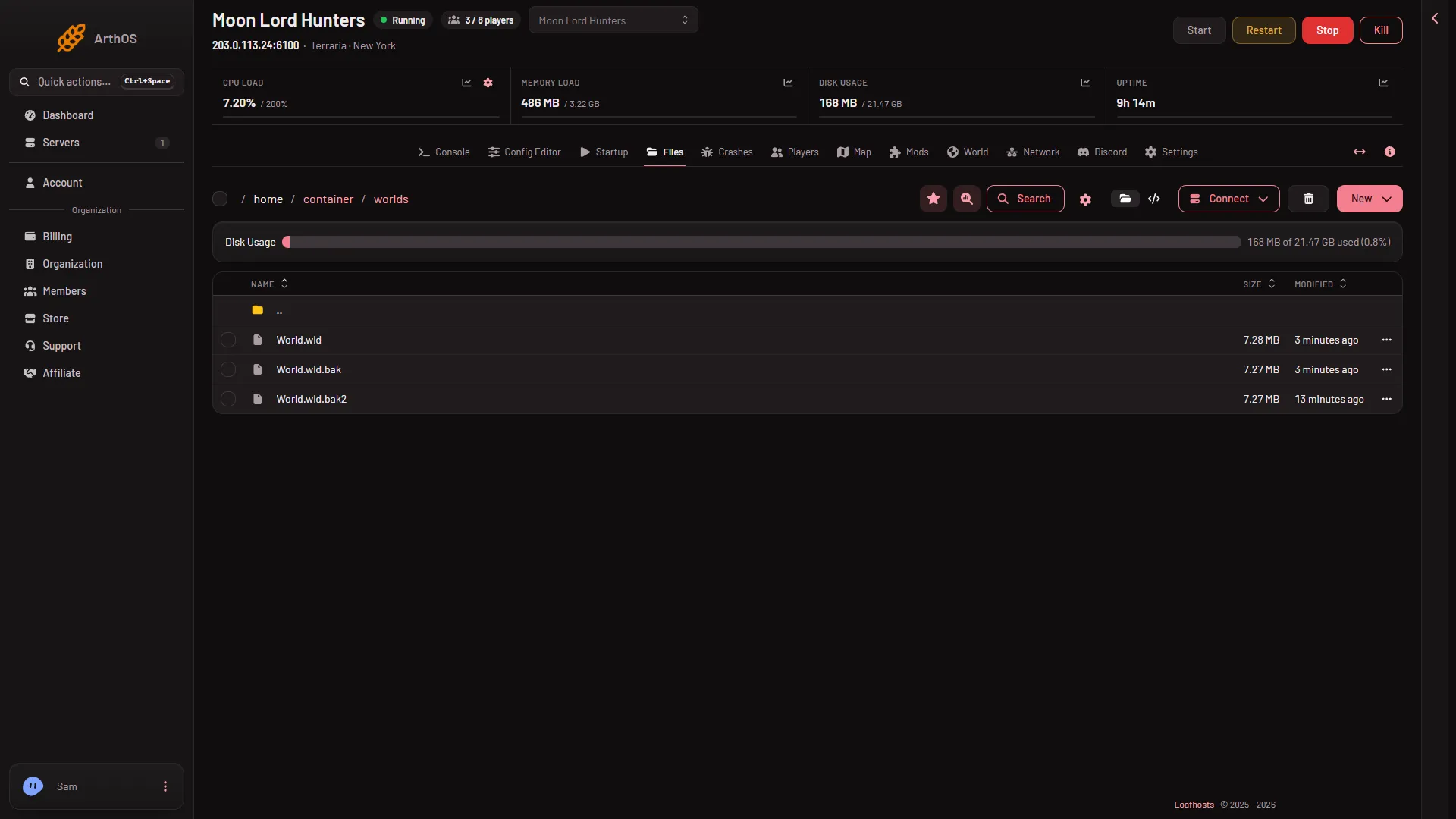
The dialog Delete (world name)? says: “The world, its backups and its tModLoader part are deleted for good.” In files, that means:
- the world,
worlds/(name).wld - the game’s own backups of it,
worlds/(name).wld.bakand the numbered ones - tModLoader’s part of the world,
worlds/(name).twld, with its backups
Other worlds are not touched. The panel’s own backups (Settings, Backups) are not touched either: a backup made earlier still holds the world.
Keep a copy first
- Open Files and go to
worlds. - On the
.wldfile’s row, choose Download in its menu. Or connect over SFTP from the Connect menu.
Delete the world
- Open the World page.
- Under Worlds, find the world. If it has the tag Playing, first choose Play this world on another one and restart the server, which drops everyone who is on (warn them with Message everyone on the Players page). See play another world.
- Choose the red bin on its row. The world in play has no bin.
- Read the dialog, then confirm.
The page then says “(world) is deleted, with (n) files.” The world is gone from Worlds.
Who can do it
Deleting needs a role that allows deleting files. Without it, the panel refuses. Ask the owner of the organization to give your role that.
If it does not work
- That world is the one the server plays; choose another first. The panel refuses to delete the world in play. Switch to another world with Play this world, restart, then delete. If it is your only world, make a new one first. See make a new world.
- There is no bin on a row. That world is the one in play, or your role does not allow deleting files.
- You deleted the wrong world. If you downloaded it, upload it back to
worlds. Otherwise restore a panel backup from Settings, Backups.
More about the game: Terraria servers.