
















The World page is where a Terraria server gets its server software, its worlds and its game backups. It also makes new worlds. It has four parts, from top to bottom. Open it from the server’s tabs: Players, Map, World, Mods.
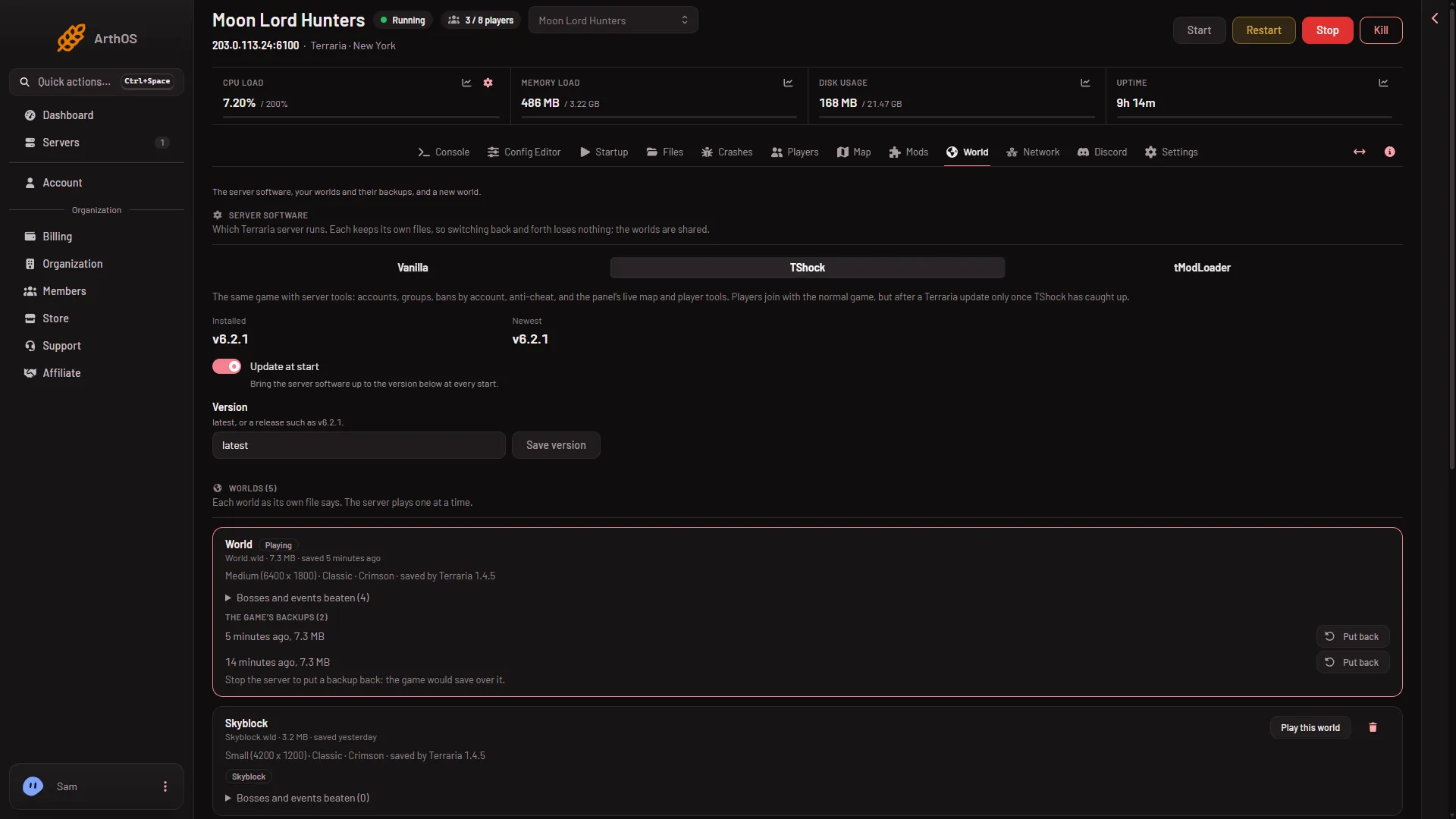
- Vanilla
- TShock
- tModLoader
- Update at start
- Save version
Server software
The card Server software chooses which Terraria server program runs:
- Vanilla (1) is the game’s own server. Players join with the normal game.
- TShock (2) is the same game with accounts, groups and bans by account. Players join with the normal game. After a Terraria update they can join only once a TShock version for the new game version is out.
- tModLoader (3) loads mods from the Steam Workshop. It runs Terraria 1.4.4, and players join with tModLoader.
Each program keeps its own files, so you can switch back and forth and lose nothing. The worlds are shared. A change applies from the next start. A running server tells you to restart it.
Under each program you see Installed (its version) or “Not yet: downloads at the next start”. Newest shows the latest version. The switch Update at start (4) brings the software up to the version in the Version field at every start. It is on by default: check that it is on and that Version says latest. Version takes latest or a version such as 1.4.5.8 on Vanilla, written without a v. TShock and tModLoader take a version with a v. Press Save version (5) to keep it. On Vanilla, players need the same version as the server.
The Mods page works only on tModLoader. On Vanilla or TShock it says so and links back to this page.
Worlds
Worlds lists each world as its own file says. The server plays one at a time. A row shows:
- the name and size, such as Medium with its width and height
- the mode (Classic, Expert, Master or Journey) and Crimson or Corruption
- Hardmode, when the world has reached it
- the game version that saved it, and the seed
- Bosses and events beaten
- a Playing tag on the world in use
The button Play this world sets the world for the next start. The bin at the end of the row removes a world for good, with its backups and its tModLoader part. The world the server plays cannot be deleted.
A world made by Terraria 1.4.5 carries the tag Too new for tModLoader, because tModLoader runs 1.4.4 and cannot open it.
The game’s backups
The game’s backups are the older saves the game keeps next to a world. Each shows when it was made and its size. Put back returns the world to that save. The world as it is now is kept beside it. You can do this only while the server is stopped, because the game would save over the world you put back.
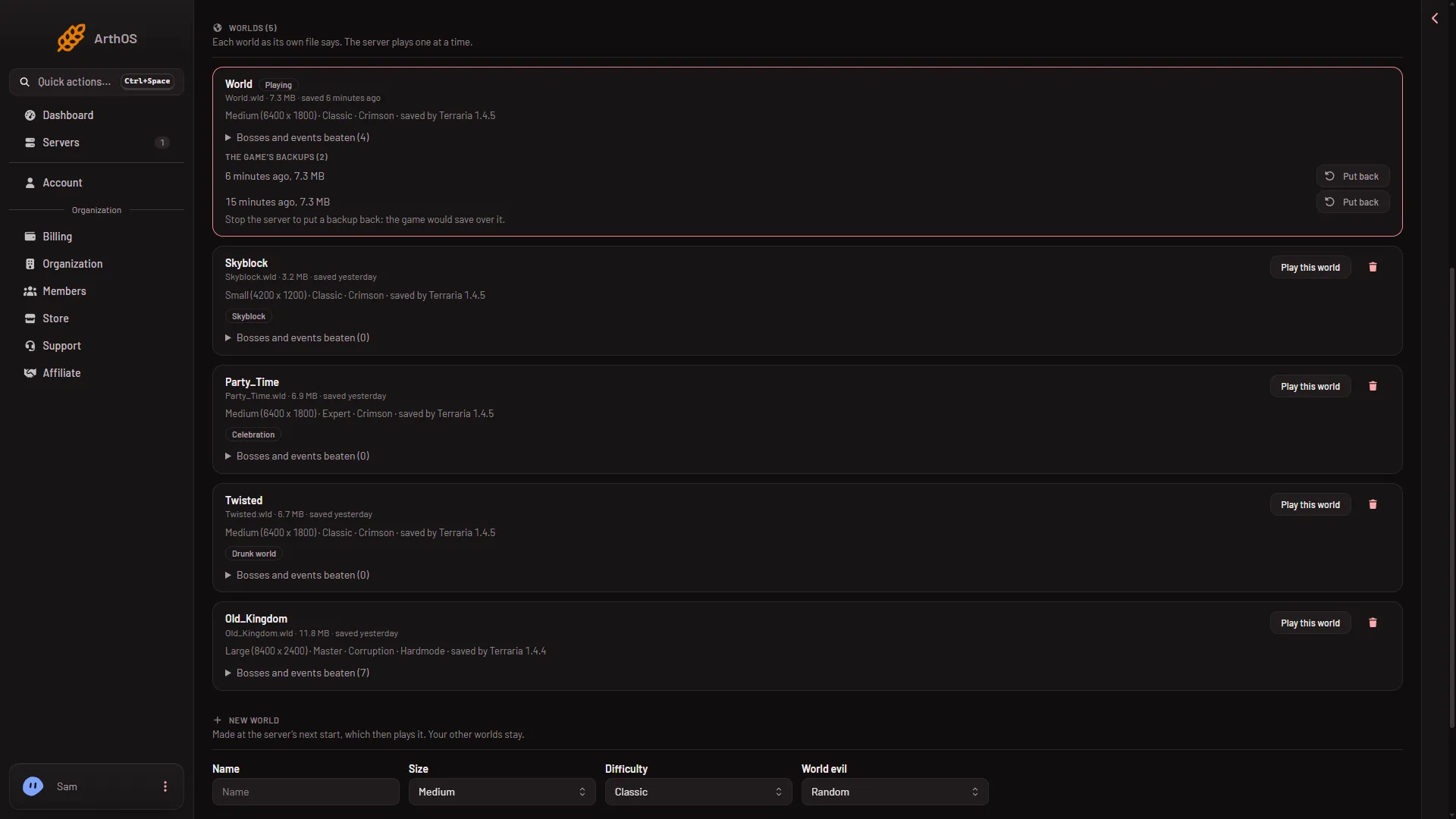
- The game's backups
- Put back
- Stop the server first
These are not the panel’s Backups tab. How many the game keeps is set in the Config Editor by World backups kept (worldrollbackstokeep in serverconfig.txt).
New world
The New world form makes another world: Name, Size, Difficulty, World evil and Seed, then Make this world. The world is made at the next start, which then plays it. Your other worlds stay.
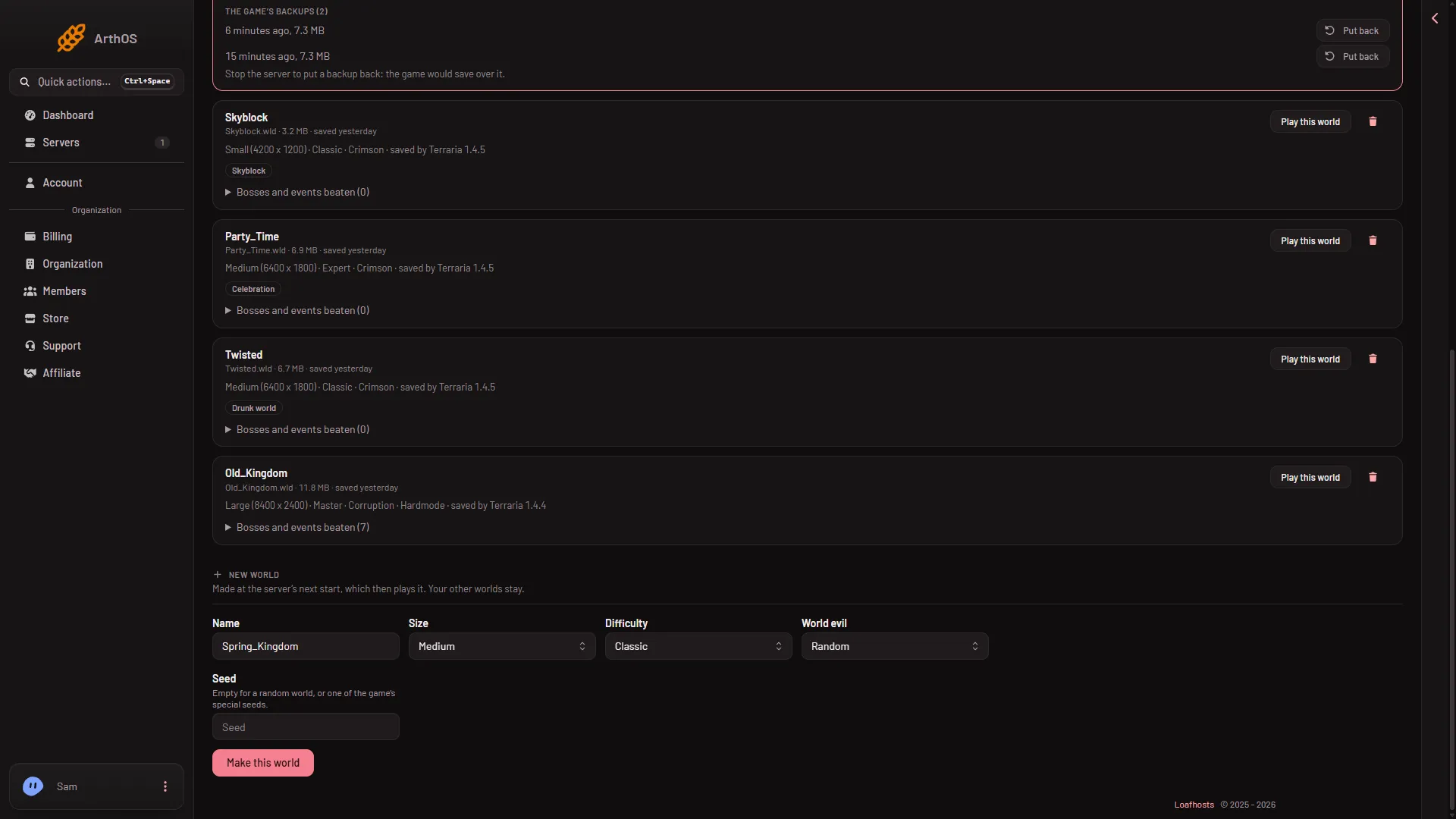
- Name
- Size
- Difficulty
- World evil
- Seed
- Make this world
If it does not work
- The software did not change. The change applies from the next start. Restart the server.
- Play this world is refused. That world is already the one the server plays.
- Put back is refused. Stop the server first.
- The bin is refused. The world is the one the server plays. Choose another with Play this world, then delete this one. Not checked on 1.4.5.8 as of 13 November 2026: whether the Playing tag moves before the restart.
- You need a role that allows it. Changes on this page need a role that allows changing the startup. Deleting needs a role that allows deleting files.
Sources: terraria.wiki.gg: Server