
















“The server’s port was in use” means the server tried to listen on its port and found something else already using it. Restart the server. If it happens again, ask support to check the server’s port.
Confirm the finding
- Open the Crashes tab and choose the newest start.
- Under What the panel can tell, look for “The server’s port was in use”. It is tagged Port.
The panel finds it from log lines such as Address already in use or Failed to start server. A start that fails this way is marked Failed to start.
Restart once
- Stop the server if it shows as running.
- Choose Start (or Restart) in the buttons at the top of the server page.
- Wait for the Console to print
Type 'help' for a list of commands.
You do not set the port
The panel gives each Terraria server its own port and starts the game on it. You do not open, forward or change it. Terraria’s own default is 7777, but a server here does not use that number.
To see your server’s address and port, open the Players page. The Join box shows the address and port, and Copy (1) copies them. The line under it (2) tells each player what to do in the game. You can also open Network and read the Allocations list. Players type that address and port after Multiplayer, Join via IP.
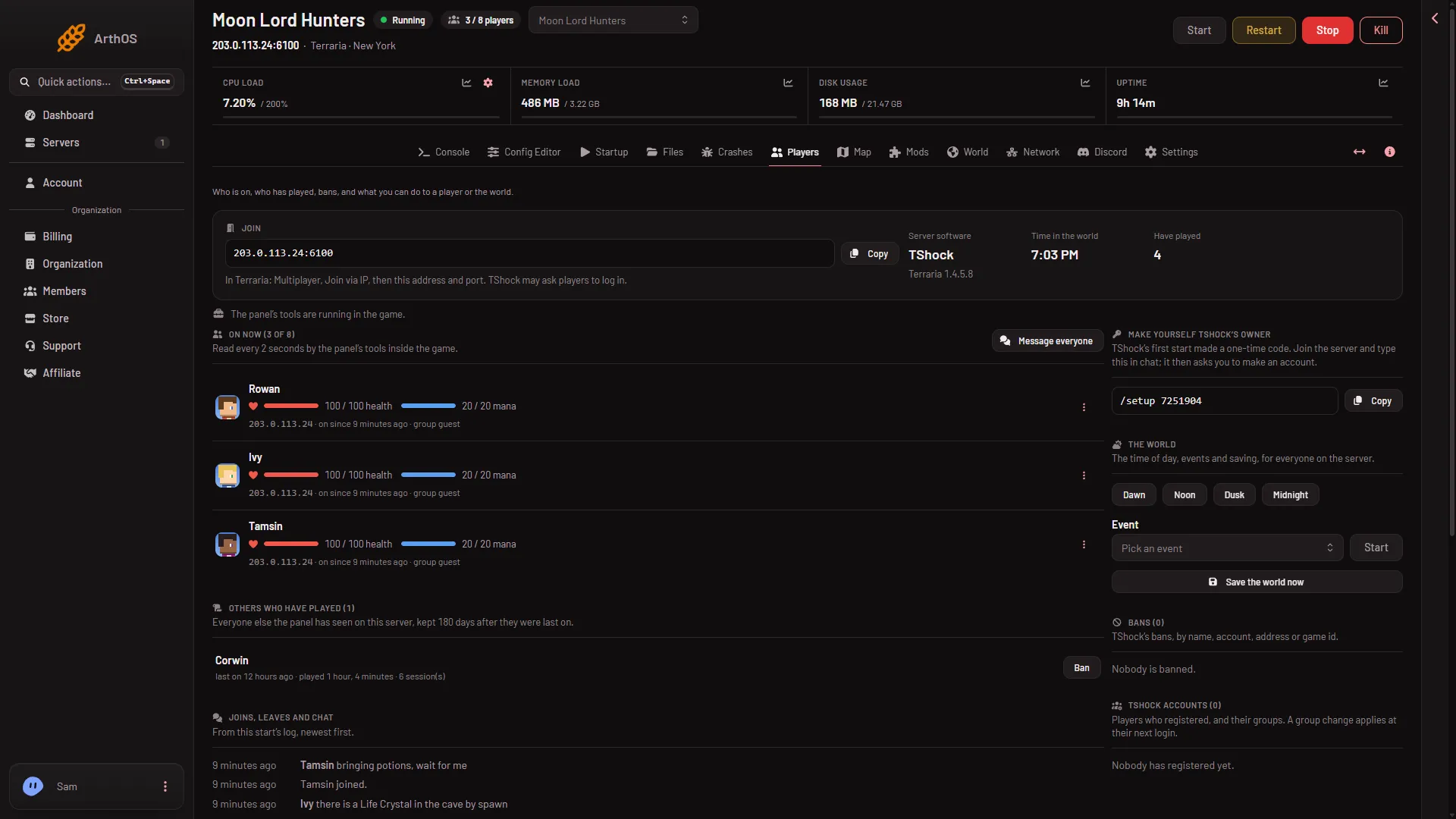
- Copy the address
- What players do
If it happens again
- Open Crashes and check that the port finding shows again on the new start.
- Ask support to check the server’s port. Tell them the finding and the time of the start.
If it does not work
- Another finding is listed too. Fix the other one first. See the server will not start.
- The server starts but players cannot join. See cannot connect to the server.
More about the game: Terraria servers.